Biniware Run has officially released version 7.8.0.0, a portable utility designed to streamline access to your favorite websites, files, and folders from a single, user-friendly interface. Developed by the creator of Windows Firewall Control and USB Flash Drives Control, this application enhances organization and efficiency, allowing users to categorize, move, sort, import, export, and customize shortcuts as needed.
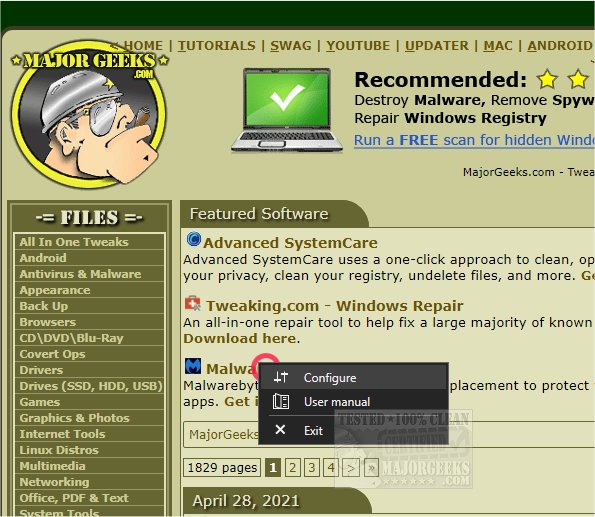
Upon launching Biniware Run, users will see a distinctive red circle on their desktop, which serves as the access point to the utility. A right-click on this icon reveals a pop-up menu with configuration options that lead to a straightforward main interface for adding items and adjusting settings. The app also features a global keyboard shortcut to open the shortcuts menu at the cursor's location, making it even easier to use.
The latest version introduces an old-school user manual in .chm format, and users can manually arrange shortcuts through drag-and-drop functionality. Additionally, Biniware Run allows the import of bookmark HTML files from any web browser, thereby simplifying the management of online favorites. The software is designed for ease of navigation, maintaining a low-profile presence on the desktop while providing quick access to saved items.
Key features of Biniware Run include:
- An intuitive and customizable user interface.
- Shortcut display with icons for easy identification.
- Support for drag-and-drop functionality for links, files, and folders.
- The ability to create shortcuts for various file types, including .exe, .cmd, .bat, and .msc with administrative execution capabilities.
- Comprehensive options for sorting, moving, importing, and exporting shortcuts.
- Configuration files stored in XML format for easy editing in any text editor.
- Portability, allowing execution from any folder on the computer.
- Compatibility with standard user accounts without the need for elevated privileges.
Overall, Biniware Run 7.8.0.0 represents a significant upgrade for users looking to enhance their workflow and streamline access to frequently used digital resources. Its blend of simplicity, customization, and portability makes it an ideal tool for anyone seeking efficient digital management. Future updates could further extend its functionality, potentially incorporating cloud storage integration, mobile app support, or enhanced security features to protect user data
Upon launching Biniware Run, users will see a distinctive red circle on their desktop, which serves as the access point to the utility. A right-click on this icon reveals a pop-up menu with configuration options that lead to a straightforward main interface for adding items and adjusting settings. The app also features a global keyboard shortcut to open the shortcuts menu at the cursor's location, making it even easier to use.
The latest version introduces an old-school user manual in .chm format, and users can manually arrange shortcuts through drag-and-drop functionality. Additionally, Biniware Run allows the import of bookmark HTML files from any web browser, thereby simplifying the management of online favorites. The software is designed for ease of navigation, maintaining a low-profile presence on the desktop while providing quick access to saved items.
Key features of Biniware Run include:
- An intuitive and customizable user interface.
- Shortcut display with icons for easy identification.
- Support for drag-and-drop functionality for links, files, and folders.
- The ability to create shortcuts for various file types, including .exe, .cmd, .bat, and .msc with administrative execution capabilities.
- Comprehensive options for sorting, moving, importing, and exporting shortcuts.
- Configuration files stored in XML format for easy editing in any text editor.
- Portability, allowing execution from any folder on the computer.
- Compatibility with standard user accounts without the need for elevated privileges.
Overall, Biniware Run 7.8.0.0 represents a significant upgrade for users looking to enhance their workflow and streamline access to frequently used digital resources. Its blend of simplicity, customization, and portability makes it an ideal tool for anyone seeking efficient digital management. Future updates could further extend its functionality, potentially incorporating cloud storage integration, mobile app support, or enhanced security features to protect user data
Biniware Run 7.8.0.0 released
Biniware Run is a portable utility that allows fast access to your favorite website links, files, and folders, all from a single, easily accessed location. This app comes from the author of Windows Firewall Control and USB Flash Drives Control.