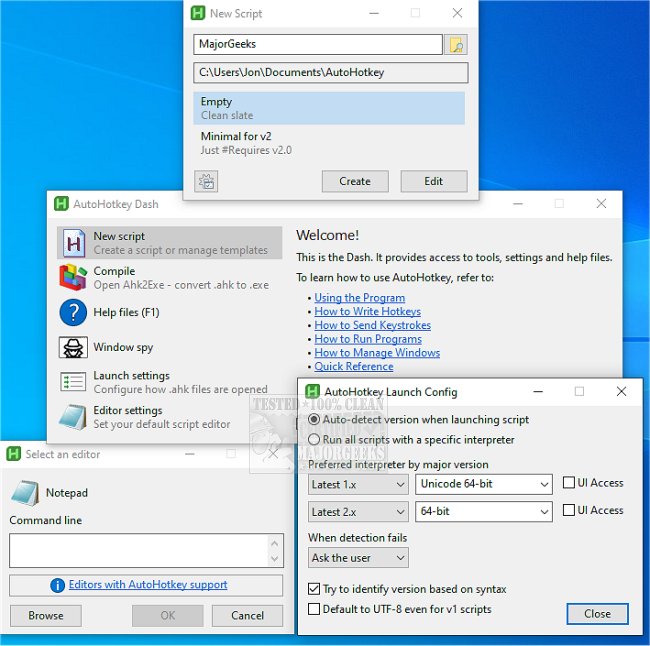
AutoHotkey has recently released updates for both its 2.0.20 and 1.1.37.02 versions, continuing to enhance its reputation as a powerful and flexible desktop automation tool for Windows users. This free, open-source scripting language allows users to automate a wide range of tasks, from creating simple hotkeys to executing complex macros, thus streamlining workflows and improving productivity.
For those who often find themselves thinking, "There has to be an easier way to do this," AutoHotkey can indeed provide a solution. By utilizing scripts, users can assign specific actions to keyboard shortcuts, automate repetitive tasks, and even create basic graphical user interfaces for their scripts. For example, a simple script can open a website with a hotkey, or a more intricate configuration can enhance gaming performance by executing multiple commands simultaneously.
AutoHotkey's features include:
- Hotkeys & Shortcuts: Users can create custom keybindings to perform various actions, making navigation and task execution quicker.
- Text Expansion: This feature allows users to set up shortcuts that expand into longer phrases, which is particularly useful for writing emails or coding.
- Macro Recording & Automation: Users can record their mouse clicks and keystrokes, enabling them to replay these actions with ease.
- Script Flexibility: The platform supports everything from simple key remapping to advanced automation tasks, catering to different user needs.
AutoHotkey is particularly beneficial for gamers, office workers, and tech enthusiasts. Gamers can enhance their gameplay with personalized keybinds, while office professionals can automate mundane tasks like sending emails or filling out forms. Tech enthusiasts have the opportunity to delve deeper into the scripting capabilities, allowing them to control multiple applications with a single keystroke.
In conclusion, AutoHotkey is a versatile tool that transforms how users interact with their PCs, making repetitive tasks more manageable and efficient. Its user-friendly nature and extensive customization options make it suitable for both beginners and advanced users alike, helping to alleviate the strain of repetitive actions and improve overall productivity. With AutoHotkey, users can reclaim their time and reduce the risk of repetitive strain injuries, ensuring a more comfortable computing experience
For those who often find themselves thinking, "There has to be an easier way to do this," AutoHotkey can indeed provide a solution. By utilizing scripts, users can assign specific actions to keyboard shortcuts, automate repetitive tasks, and even create basic graphical user interfaces for their scripts. For example, a simple script can open a website with a hotkey, or a more intricate configuration can enhance gaming performance by executing multiple commands simultaneously.
AutoHotkey's features include:
- Hotkeys & Shortcuts: Users can create custom keybindings to perform various actions, making navigation and task execution quicker.
- Text Expansion: This feature allows users to set up shortcuts that expand into longer phrases, which is particularly useful for writing emails or coding.
- Macro Recording & Automation: Users can record their mouse clicks and keystrokes, enabling them to replay these actions with ease.
- Script Flexibility: The platform supports everything from simple key remapping to advanced automation tasks, catering to different user needs.
AutoHotkey is particularly beneficial for gamers, office workers, and tech enthusiasts. Gamers can enhance their gameplay with personalized keybinds, while office professionals can automate mundane tasks like sending emails or filling out forms. Tech enthusiasts have the opportunity to delve deeper into the scripting capabilities, allowing them to control multiple applications with a single keystroke.
In conclusion, AutoHotkey is a versatile tool that transforms how users interact with their PCs, making repetitive tasks more manageable and efficient. Its user-friendly nature and extensive customization options make it suitable for both beginners and advanced users alike, helping to alleviate the strain of repetitive actions and improve overall productivity. With AutoHotkey, users can reclaim their time and reduce the risk of repetitive strain injuries, ensuring a more comfortable computing experience
AutoHotkey 2.0.20 / 1.1.37.02 released
AutoHotkey provides you with a fast, scriptable freeware desktop automation tool with hotkeys.