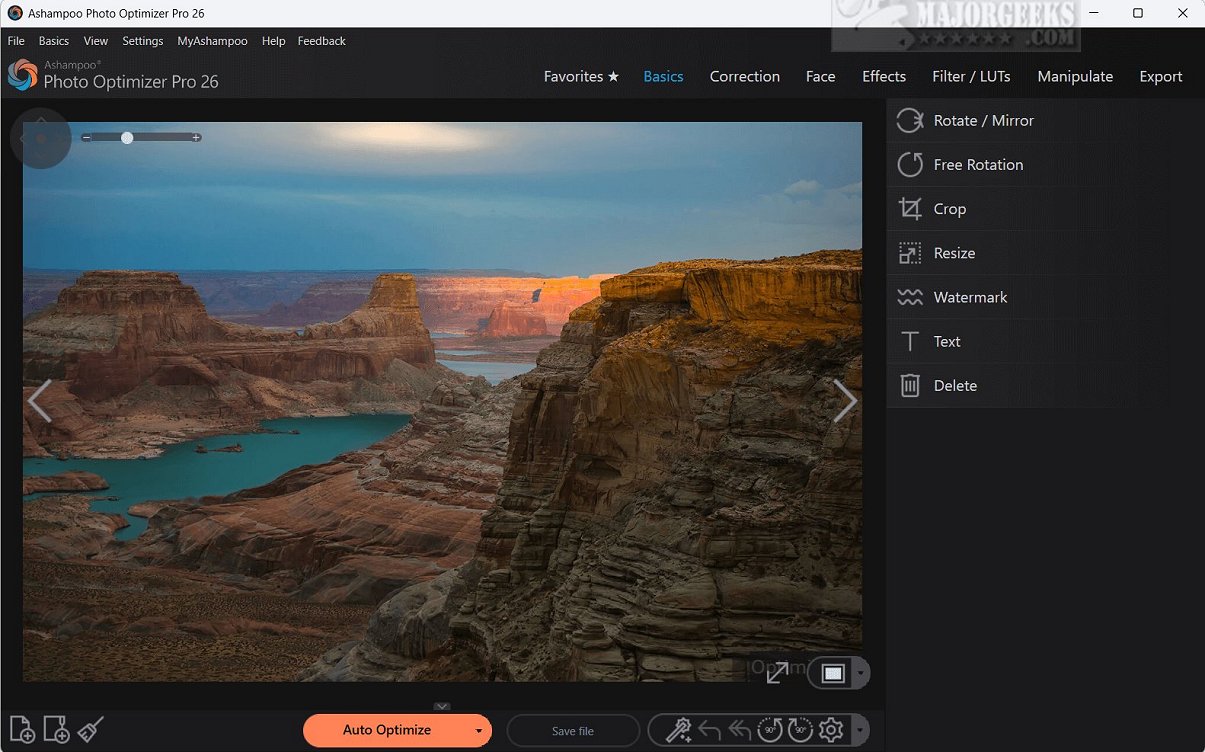
Ashampoo Photo Optimizer Pro 26.0.1 has been released, offering a powerful photo-editing solution that emphasizes ease of use and efficiency with its one-click enhancement feature. This software leverages advanced auto-optimization technology to intelligently analyze images, correcting exposure, color temperature, sharpness, and contrast, thus turning even mediocre photos into stunning visuals.
A notable feature is the Straighten Horizon tool, which allows photographers to correct perspective distortions, ensuring images are perfectly aligned. Users can also personalize their photos by adding custom text. The software includes essential editing features such as color correction, cropping, mirroring, rotating, and resizing images, providing flexibility for various editing needs.
Additionally, Ashampoo Photo Optimizer Pro includes sophisticated tools like an adaptive softening option for smoothing irregularities and a sharpening feature for enhancing details. The user-friendly interface makes it accessible for everyone, particularly amateur photographers. Batch processing capabilities further streamline the editing of multiple images, making it an efficient tool for managing large photo collections.
In conclusion, Ashampoo Photo Optimizer Pro is an ideal choice for those seeking a quick and effective way to enhance their photography. Its combination of advanced features and simple usability caters to both novices and experienced users alike, ensuring that anyone can achieve professional-quality results with minimal effort. As digital photography continues to grow, tools like Ashampoo Photo Optimizer Pro play a crucial role in helping users create visually captivating images effortlessly.
For those interested in exploring similar software solutions, there are various articles available that guide users on enhancing their experience with photo editing applications, including restoring Windows Photo Viewer and managing notifications in Windows 10 & 11 photo apps
A notable feature is the Straighten Horizon tool, which allows photographers to correct perspective distortions, ensuring images are perfectly aligned. Users can also personalize their photos by adding custom text. The software includes essential editing features such as color correction, cropping, mirroring, rotating, and resizing images, providing flexibility for various editing needs.
Additionally, Ashampoo Photo Optimizer Pro includes sophisticated tools like an adaptive softening option for smoothing irregularities and a sharpening feature for enhancing details. The user-friendly interface makes it accessible for everyone, particularly amateur photographers. Batch processing capabilities further streamline the editing of multiple images, making it an efficient tool for managing large photo collections.
In conclusion, Ashampoo Photo Optimizer Pro is an ideal choice for those seeking a quick and effective way to enhance their photography. Its combination of advanced features and simple usability caters to both novices and experienced users alike, ensuring that anyone can achieve professional-quality results with minimal effort. As digital photography continues to grow, tools like Ashampoo Photo Optimizer Pro play a crucial role in helping users create visually captivating images effortlessly.
For those interested in exploring similar software solutions, there are various articles available that guide users on enhancing their experience with photo editing applications, including restoring Windows Photo Viewer and managing notifications in Windows 10 & 11 photo apps
Ashampoo Photo Optimizer Pro 26.0.1 released
Ashampoo Photo Optimizer Pro is an advanced photo-editing software that provides a seamless one-click solution for quick, efficient image enhancements.