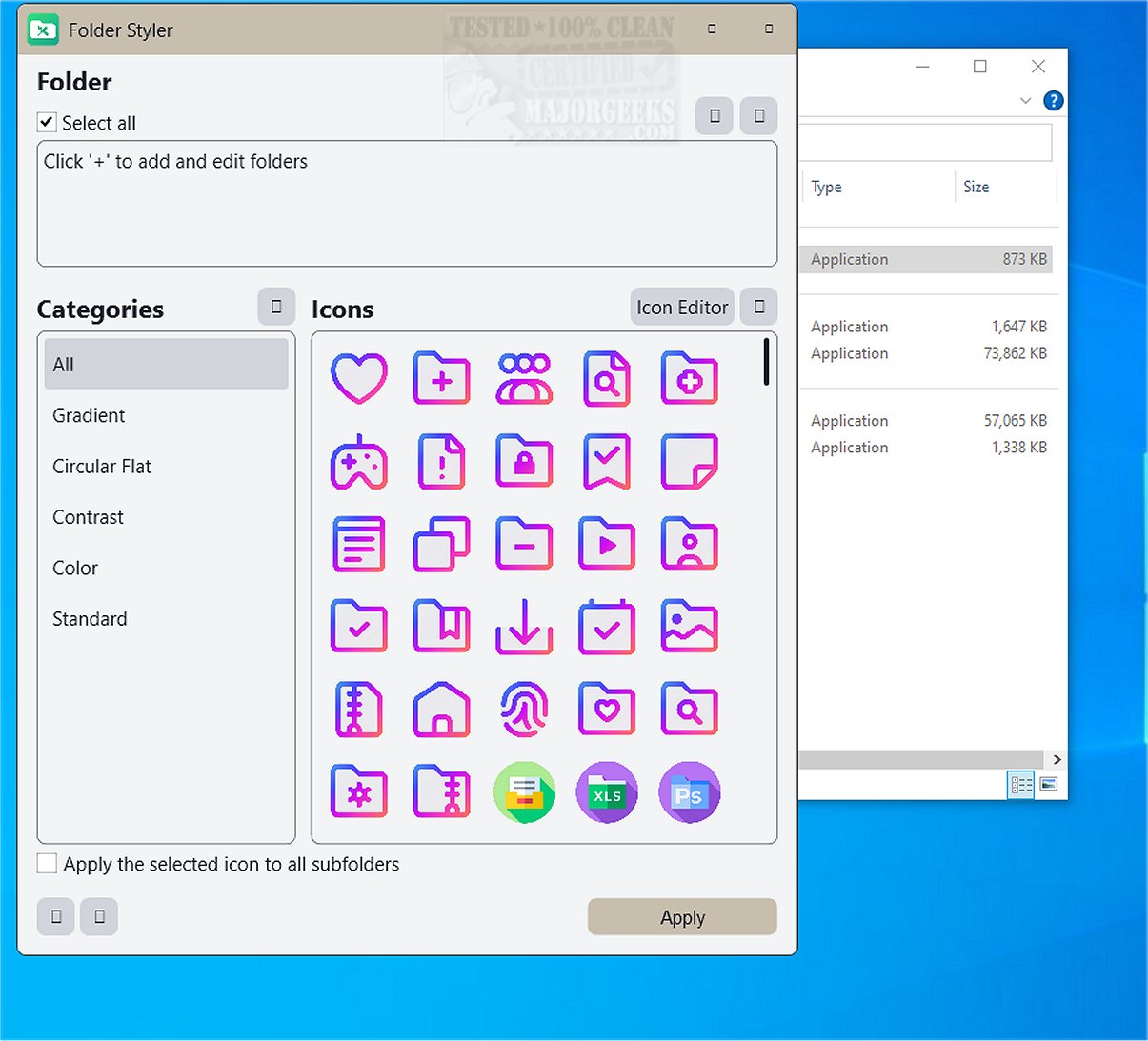
Ashampoo Folder Styler 1.0.2 has been released, offering users an innovative way to personalize their desktop experience by customizing the appearance of folders. This software allows for the addition of unique styles, enabling users to visually differentiate and organize their files more effectively.
With Ashampoo Folder Styler, users can transform their Windows folders from mundane yellow icons into vibrant, distinctive designs. The tool supports customization through folder images, a wide selection of colors, and striking icons, providing a visually appealing file management experience. Its user-friendly interface makes it accessible for everyone, facilitating a quick and straightforward customization process.
One of the standout features of Ashampoo Folder Styler is its pre-loaded collection of over 130 free folder icons, offering a range of styles from classic to contemporary. Users can also utilize the icon editor to create their own designs, adding a personal touch to their file organization.
Key features of Ashampoo Folder Styler include:
- Instant customization of Windows folders
- A diverse collection of over 130 folder icons
- An intuitive icon editor for personal designs
- Simple personalization for enhanced desktop aesthetics
- Improved organization with uniquely designed folder icons
- The ability to apply styles to all subfolders simultaneously
This software not only helps to break the monotony of standard folder icons but also enhances workspace organization, allowing users to identify folders at a glance. It's an enjoyable way to express creativity and tailor one's digital environment, whether for seasonal themes, special projects, or personalized designs for family and friends.
In summary, Ashampoo Folder Styler is more than just a decorative tool; it transforms folder management into a creative outlet, making the digital workspace both functional and visually engaging. With features like easy customization and a rich icon collection, it stands out as an effective solution for enhancing the Windows experience.
As an extension of this topic, users interested in maximizing their digital organization might also explore complementary tools for customizing other areas of their Windows interface, such as the Start menu and taskbar. This could include methods for adding color to various interface elements or using emojis for a more personalized touch
With Ashampoo Folder Styler, users can transform their Windows folders from mundane yellow icons into vibrant, distinctive designs. The tool supports customization through folder images, a wide selection of colors, and striking icons, providing a visually appealing file management experience. Its user-friendly interface makes it accessible for everyone, facilitating a quick and straightforward customization process.
One of the standout features of Ashampoo Folder Styler is its pre-loaded collection of over 130 free folder icons, offering a range of styles from classic to contemporary. Users can also utilize the icon editor to create their own designs, adding a personal touch to their file organization.
Key features of Ashampoo Folder Styler include:
- Instant customization of Windows folders
- A diverse collection of over 130 folder icons
- An intuitive icon editor for personal designs
- Simple personalization for enhanced desktop aesthetics
- Improved organization with uniquely designed folder icons
- The ability to apply styles to all subfolders simultaneously
This software not only helps to break the monotony of standard folder icons but also enhances workspace organization, allowing users to identify folders at a glance. It's an enjoyable way to express creativity and tailor one's digital environment, whether for seasonal themes, special projects, or personalized designs for family and friends.
In summary, Ashampoo Folder Styler is more than just a decorative tool; it transforms folder management into a creative outlet, making the digital workspace both functional and visually engaging. With features like easy customization and a rich icon collection, it stands out as an effective solution for enhancing the Windows experience.
As an extension of this topic, users interested in maximizing their digital organization might also explore complementary tools for customizing other areas of their Windows interface, such as the Start menu and taskbar. This could include methods for adding color to various interface elements or using emojis for a more personalized touch
Ashampoo Folder Styler 1.0.2 released
Ashampoo Folder Styler enables you to enhance your desktop experience by personalizing folders with unique styles. This tool enables you to add distinctive designs, making it easier to organize and visually differentiate your files and folders on your computer.