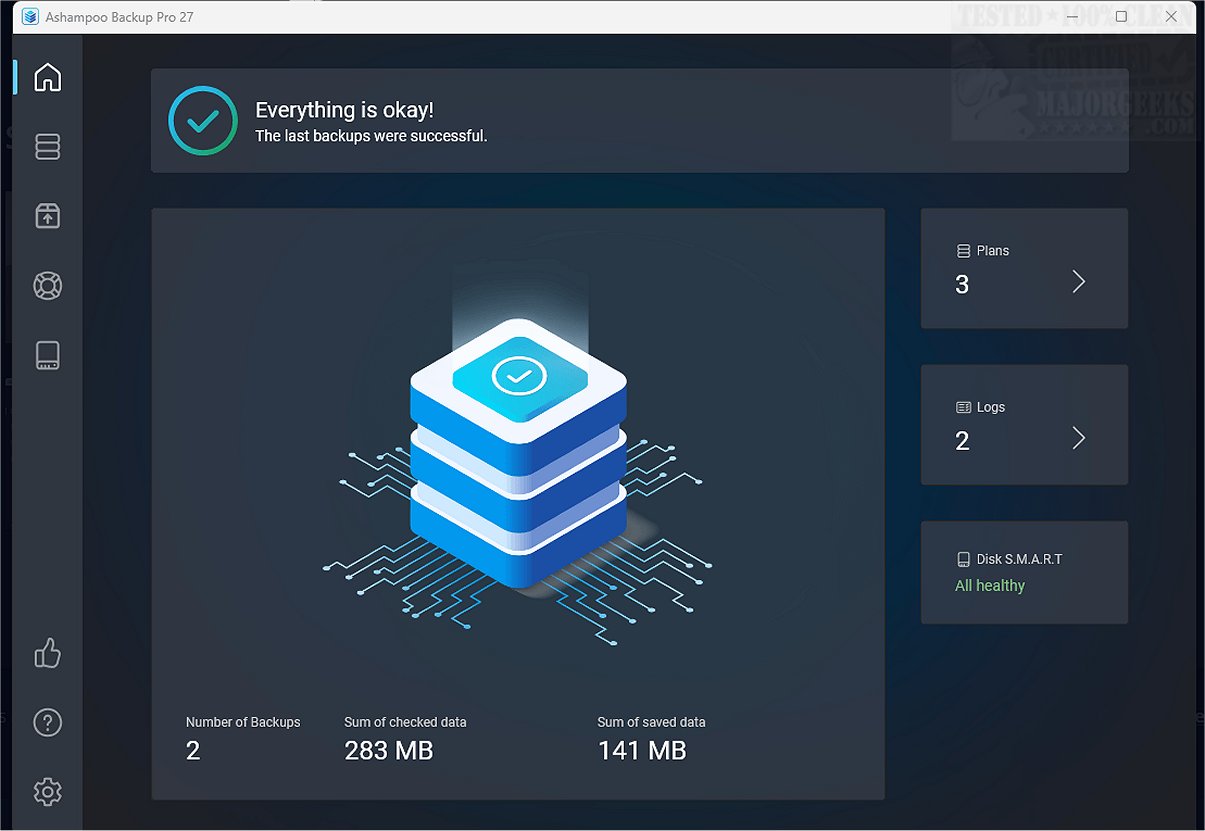
Ashampoo Backup Pro 27.5.42 has recently been released, enhancing its reputation as a comprehensive data protection tool suitable for both personal and business environments. This software enables users to perform backups on demand, automatically, or on a scheduled basis, ensuring continuous safeguarding of critical data.
- A modern user interface with dark mode for improved usability.
- Enhanced performance and a robust rescue system.
- Support for cloud services and security features like BitLocker and smartcards.
- The ability to restore individual files directly from backup images.
As businesses and individuals increasingly rely on digital data, the importance of robust backup solutions like Ashampoo Backup Pro cannot be overstated. As technology evolves, it is essential for such software to continue adapting, incorporating new features and improving user experience to meet the ever-changing landscape of data management and protection
Key Features and Improvements
Ashampoo Backup Pro distinguishes itself from its simpler counterpart, Backup 2025, by offering a suite of advanced features. These include:- A modern user interface with dark mode for improved usability.
- Enhanced performance and a robust rescue system.
- Support for cloud services and security features like BitLocker and smartcards.
- The ability to restore individual files directly from backup images.
Backup Management
The software empowers users to create and manage multiple backup plans, allowing for the protection of files, folders, settings, and entire drives or systems through image backups. Setting up a backup plan is user-friendly, guided by an intuitive wizard that simplifies the process despite comprising approximately 20 steps.Automatic Backup Functionality
Ashampoo Backup Pro supports automatic backups, allowing users to schedule regular data backups. Its plug-and-play capability facilitates immediate backups for removable devices, while real-time backup monitoring ensures that any changes to source files trigger an automatic backup. Additionally, the software can be configured to shut down the computer upon completing the backup process.Storage and Security Options
Users can back up data to local or network drives and various cloud services, including Dropbox, Google Drive, and OneDrive. The software offers two storage formats: one that restricts access to the backup software and another that allows access via Windows Explorer. Data encryption is available, but users must be cautious with passwords, as losing them can lead to inaccessible archives. ZLib compression is utilized to save storage space, optimizing the size of backed-up data.Reporting and Monitoring
Each backup job can generate reports that range from basic statistics to detailed summaries, including error listings and file details. Users can opt to receive these reports via email for greater convenience.Conclusion
Overall, Ashampoo Backup Pro emerges as a powerful and reliable solution for data protection, seamlessly managing automatic backups in the background. With its support for cloud storage, detailed reporting capabilities, and advanced data rescue system, it caters to both individual users and businesses, providing peace of mind regarding data security.As businesses and individuals increasingly rely on digital data, the importance of robust backup solutions like Ashampoo Backup Pro cannot be overstated. As technology evolves, it is essential for such software to continue adapting, incorporating new features and improving user experience to meet the ever-changing landscape of data management and protection
Ashampoo Backup Pro 27.5.42 released
Ashampoo Backup Pro is a comprehensive file protection tool designed for both business and personal use. It provides a variety of features that enable users to perform backups on demand, automatically, or on a scheduled basis, ensuring that data is consistently protected.