ASCOMP has announced the release of ASCOMP Text-R 3.000, a powerful software tool designed for recognizing text in both PDF files and images. This solution is user-friendly and requires minimal setup, allowing users to extract text with ease and save it in editable formats such as PDF or RTF, which is compatible with Word.
ASCOMP Text-R is particularly useful for dealing with scanned documents or PDFs where text is not easily copied or edited. This functionality is crucial for users needing to manage large documents without the hassle of manual transcription. The software maintains the original formatting to minimize further editing after conversion.
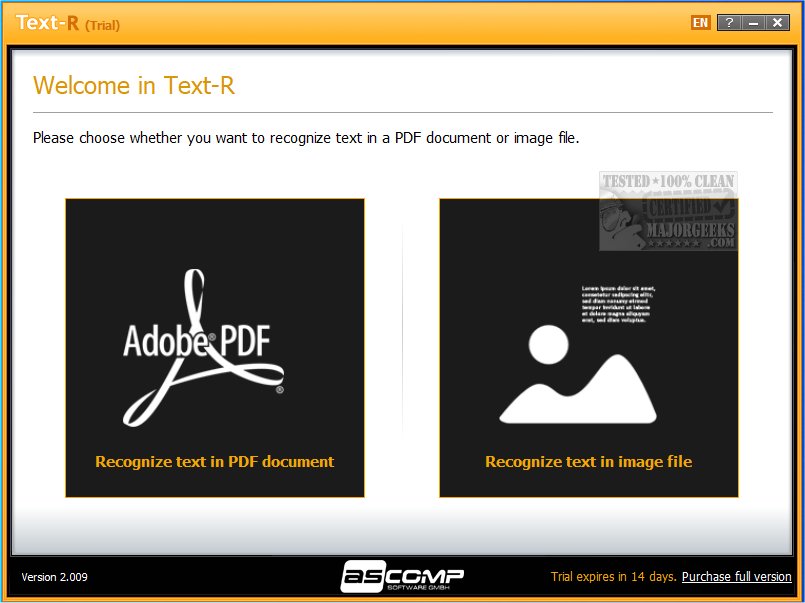
Upon launching ASCOMP Text-R, users are presented with a simple interface offering options to extract text from either PDFs or images. The software supports various image formats, including PNG, TIFF, JPG, JPEG, and BMP, making it a versatile tool for text extraction.
The tool also comes with several features that enhance its usability, such as the ability to detect sloped images, rotate them at specified angles, handle mixed characters, and remove lines or apply interference filters. Additionally, it can scan barcodes, making it even more adaptable to different document types.
To further improve text extraction accuracy, ASCOMP Text-R includes built-in dictionaries that help filter and process documents in multiple languages, which is especially beneficial for businesses working with international clients.
Overall, ASCOMP Text-R is a robust optical text recognition tool that simplifies the conversion of written material into editable text, making it an essential resource for students, professionals, and anyone needing to process written content efficiently.
In addition to the features and capabilities of ASCOMP Text-R, users can expect ongoing updates and improvements, ensuring that the software remains at the forefront of text recognition technology. As digital documentation continues to increase, tools like ASCOMP Text-R will be indispensable in transforming static content into dynamic, editable formats, significantly enhancing productivity and accessibility for all users
ASCOMP Text-R is particularly useful for dealing with scanned documents or PDFs where text is not easily copied or edited. This functionality is crucial for users needing to manage large documents without the hassle of manual transcription. The software maintains the original formatting to minimize further editing after conversion.
Upon launching ASCOMP Text-R, users are presented with a simple interface offering options to extract text from either PDFs or images. The software supports various image formats, including PNG, TIFF, JPG, JPEG, and BMP, making it a versatile tool for text extraction.
The tool also comes with several features that enhance its usability, such as the ability to detect sloped images, rotate them at specified angles, handle mixed characters, and remove lines or apply interference filters. Additionally, it can scan barcodes, making it even more adaptable to different document types.
To further improve text extraction accuracy, ASCOMP Text-R includes built-in dictionaries that help filter and process documents in multiple languages, which is especially beneficial for businesses working with international clients.
Overall, ASCOMP Text-R is a robust optical text recognition tool that simplifies the conversion of written material into editable text, making it an essential resource for students, professionals, and anyone needing to process written content efficiently.
In addition to the features and capabilities of ASCOMP Text-R, users can expect ongoing updates and improvements, ensuring that the software remains at the forefront of text recognition technology. As digital documentation continues to increase, tools like ASCOMP Text-R will be indispensable in transforming static content into dynamic, editable formats, significantly enhancing productivity and accessibility for all users
ASCOMP Text-R 3.000 released
ASCOMP Text-R recognizes text in PDF files and images and is designed to work straight out of the box. The content can be saved in an editable format, such as a PDF or RTF document (compatible with Word).