ASCOMP has released version 2.112 of its F-Rename tool, which enhances the efficiency of file management by allowing users to rename files individually or in batches. This software is designed to optimize file organization, thereby saving users time and improving workflow.
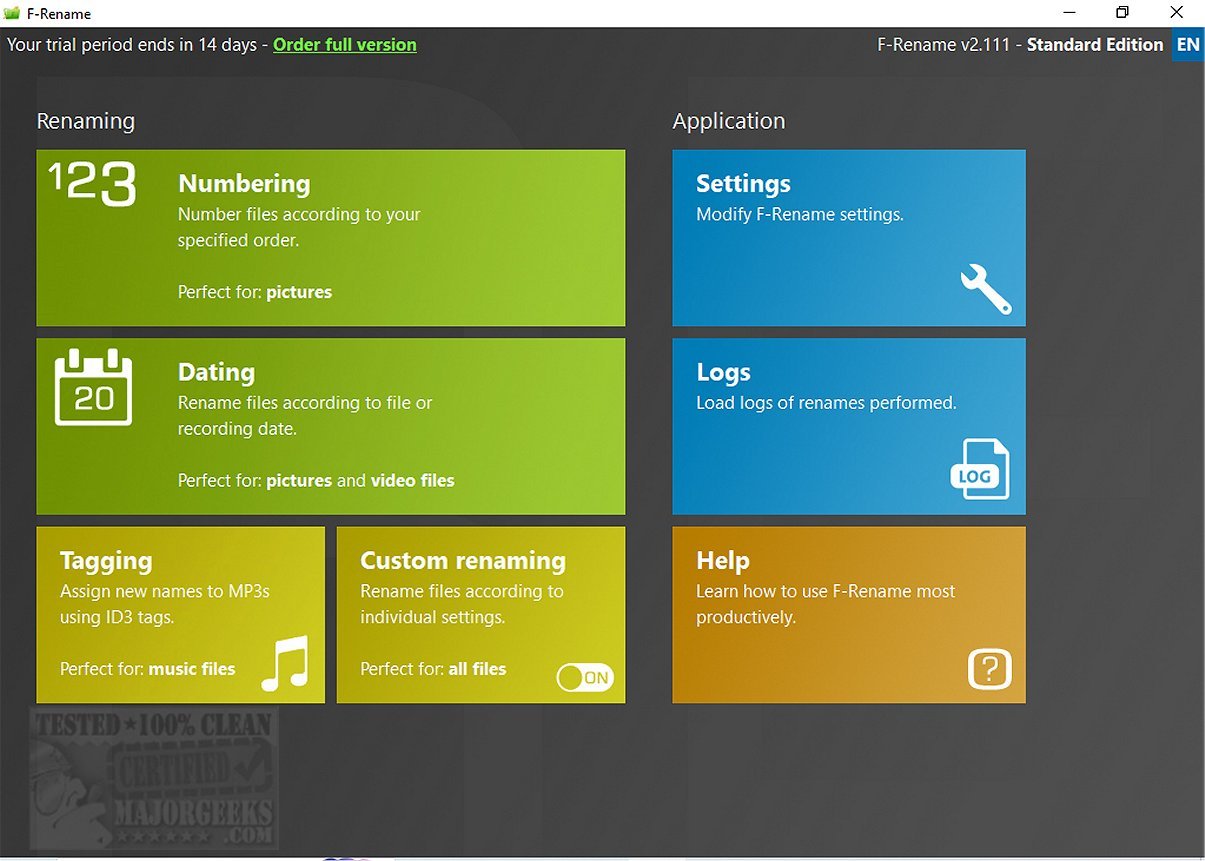
The primary function of ASCOMP F-Rename is to facilitate the renaming of both single and multiple files through customizable patterns. Its intuitive interface enables users to apply predefined or custom renaming options, making it adaptable to various needs. Users can easily number or date collections of files, which streamlines the organization process. The tool also includes specialized features for renaming MP3 files based on their ID3 tags, enhancing the organization of music libraries.
A standout feature of ASCOMP F-Rename is its advanced renaming options, which allow for extensive customization using tags from file metadata. Users can convert, shorten, or replace specific parts of filenames, providing complete control over the labeling process. Additionally, the software includes a preview feature that allows users to see potential changes before applying them, minimizing the risk of mislabeling. A logging system is also integrated to help users track changes and protect against data loss.
Overall, ASCOMP F-Rename is praised for its user-friendly design and efficiency in batch renaming files. The modern interface and preview capability enhance the user experience, making it a practical choice for anyone looking to improve their file management process.
As users become increasingly reliant on digital files for work and personal projects, the ability to swiftly rename and organize files can lead to improved productivity and less frustration. Whether it's for managing a vast collection of photos, documents, or music files, ASCOMP F-Rename addresses common challenges faced by users.
Furthermore, with features like batch processing, customizable patterns, and metadata integration, the software caters to both novice users and advanced tech enthusiasts. This versatility makes it suitable for various applications, from organizing personal files to managing extensive databases in professional settings.
The release of ASCOMP F-Rename 2.112 reaffirms the company's commitment to providing tools that enhance user capabilities in file management, making it a worthwhile addition to any digital toolkit. Users looking for efficiency and organization in their file processes would benefit greatly from exploring the capabilities of this software
The primary function of ASCOMP F-Rename is to facilitate the renaming of both single and multiple files through customizable patterns. Its intuitive interface enables users to apply predefined or custom renaming options, making it adaptable to various needs. Users can easily number or date collections of files, which streamlines the organization process. The tool also includes specialized features for renaming MP3 files based on their ID3 tags, enhancing the organization of music libraries.
A standout feature of ASCOMP F-Rename is its advanced renaming options, which allow for extensive customization using tags from file metadata. Users can convert, shorten, or replace specific parts of filenames, providing complete control over the labeling process. Additionally, the software includes a preview feature that allows users to see potential changes before applying them, minimizing the risk of mislabeling. A logging system is also integrated to help users track changes and protect against data loss.
Overall, ASCOMP F-Rename is praised for its user-friendly design and efficiency in batch renaming files. The modern interface and preview capability enhance the user experience, making it a practical choice for anyone looking to improve their file management process.
Extended Overview:
In a digital landscape where file organization can often become overwhelming, ASCOMP F-Rename 2.112 stands out as a powerful ally for individuals and businesses alike. The tool not only simplifies the renaming process but also promotes better data management practices.As users become increasingly reliant on digital files for work and personal projects, the ability to swiftly rename and organize files can lead to improved productivity and less frustration. Whether it's for managing a vast collection of photos, documents, or music files, ASCOMP F-Rename addresses common challenges faced by users.
Furthermore, with features like batch processing, customizable patterns, and metadata integration, the software caters to both novice users and advanced tech enthusiasts. This versatility makes it suitable for various applications, from organizing personal files to managing extensive databases in professional settings.
The release of ASCOMP F-Rename 2.112 reaffirms the company's commitment to providing tools that enhance user capabilities in file management, making it a worthwhile addition to any digital toolkit. Users looking for efficiency and organization in their file processes would benefit greatly from exploring the capabilities of this software
ASCOMP F-Rename 2.112 released
ASCOMP F-Rename streamlines the file-renaming process by allowing you to rename files individually, optimizing file organization and structure. Using this tool can save you significant time and improve your workflow.