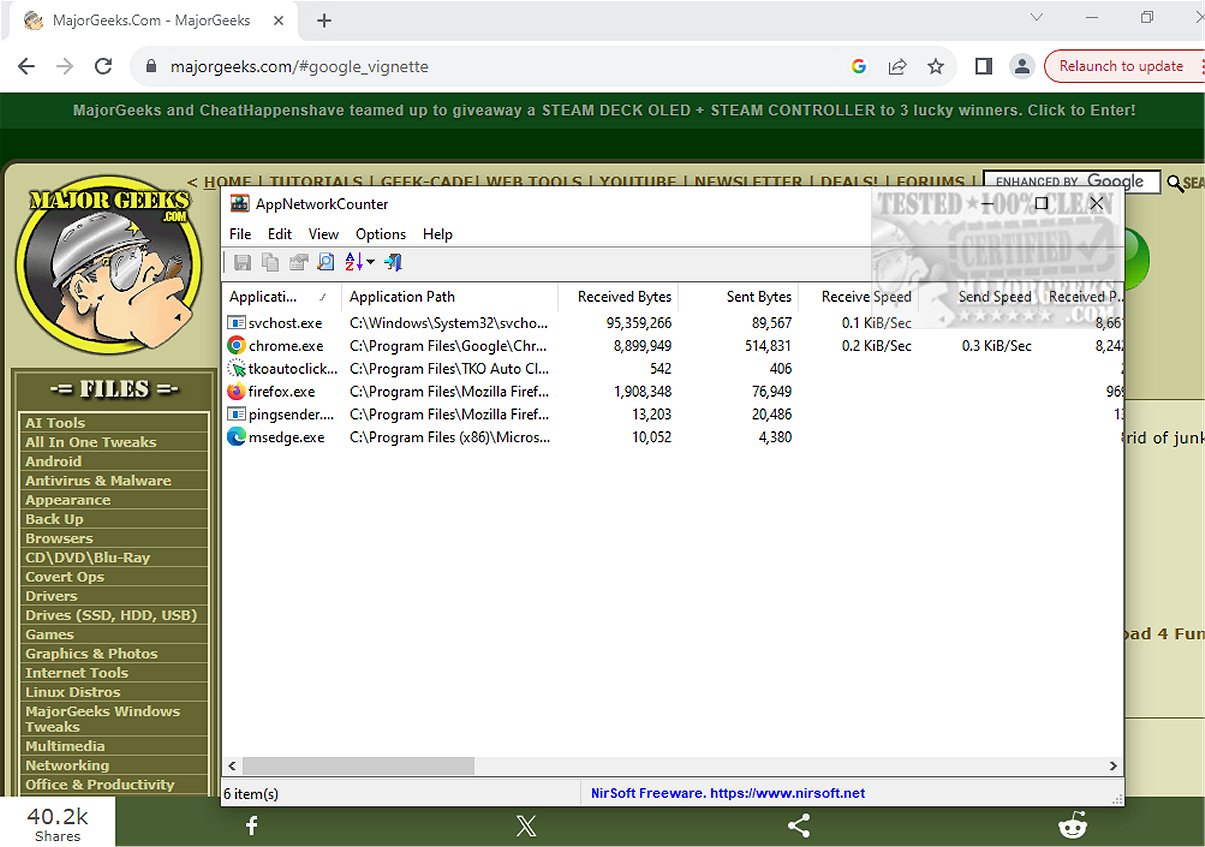
The latest version, AppNetworkCounter 1.60, has been released, offering users an efficient way to monitor network activity for individual applications. This freeware tool allows you to track the number of TCP/UDP bytes and packets sent and received by each app on your system.
Key features include detailed metrics for each application, such as:
- Total bytes sent and received
- Total packets sent and received
- Breakdown of IPv4 and IPv6 bytes sent and received
Additionally, if available, AppNetworkCounter provides essential version information for each application, including the Product Name, Product Version, File Description, and Company Name.
The user interface follows the familiar Nirsoft design and begins collecting data immediately after the application is unpacked. This makes it user-friendly and efficient for both casual users and network administrators.
For those looking to enhance their knowledge of network management, related resources include guides on using the Ping command in Windows, monitoring internet upload and download speeds directly from the taskbar, checking network adapter speed in Windows 10 and 11, and tips for improving wireless network performance.
In summary, AppNetworkCounter 1.60 is a valuable tool for anyone needing to analyze application-specific network traffic, making it easier to diagnose issues or optimize network usage. Future updates may include additional features, such as real-time alerts for unusual network activity or integration with other network management tools
Key features include detailed metrics for each application, such as:
- Total bytes sent and received
- Total packets sent and received
- Breakdown of IPv4 and IPv6 bytes sent and received
Additionally, if available, AppNetworkCounter provides essential version information for each application, including the Product Name, Product Version, File Description, and Company Name.
The user interface follows the familiar Nirsoft design and begins collecting data immediately after the application is unpacked. This makes it user-friendly and efficient for both casual users and network administrators.
For those looking to enhance their knowledge of network management, related resources include guides on using the Ping command in Windows, monitoring internet upload and download speeds directly from the taskbar, checking network adapter speed in Windows 10 and 11, and tips for improving wireless network performance.
In summary, AppNetworkCounter 1.60 is a valuable tool for anyone needing to analyze application-specific network traffic, making it easier to diagnose issues or optimize network usage. Future updates may include additional features, such as real-time alerts for unusual network activity or integration with other network management tools
AppNetworkCounter 1.60 released
AppNetworkCounter is a freeware app that permits you to easily view every app's number of TCP/UDP bytes and packets sent/received.