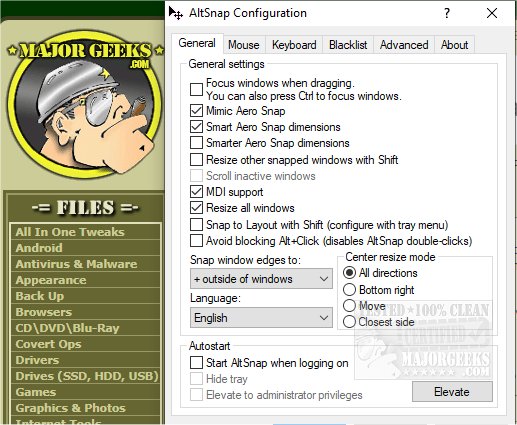
AltSnap version 1.67 has been released, offering a user-friendly alternative for Windows users who want to manage their windows more efficiently. It is a fork of the well-known AltDrag tool, which allows users to move and resize application windows by simply holding down the Alt key and dragging them. While it retains the core functionality of AltDrag, AltSnap has been simplified in its coding and has removed certain hooks that posed security risks due to the need for DLL injection in applications.
The primary objective of AltSnap is to replicate the intuitive window management capabilities commonly found in Linux environments, bringing this functionality to Windows users. By using AltSnap, users can enjoy a more streamlined experience when organizing their desktop, making it easier to navigate between multiple applications.
In addition to its main functions, AltSnap aligns with various other tools and tips for enhancing productivity on Windows, such as enabling or disabling the "Snap Pointer To Default Button" feature, changing double-click settings for file access, activating windows by hovering over them, and enabling mouse pointer trails. Overall, AltSnap 1.67 represents a significant step in improving window management for Windows users, simplifying the process while prioritizing security.
As technology continues to evolve, users can expect further updates and enhancements to tools like AltSnap, reflecting the growing demand for more efficient and secure software solutions in desktop environments
The primary objective of AltSnap is to replicate the intuitive window management capabilities commonly found in Linux environments, bringing this functionality to Windows users. By using AltSnap, users can enjoy a more streamlined experience when organizing their desktop, making it easier to navigate between multiple applications.
In addition to its main functions, AltSnap aligns with various other tools and tips for enhancing productivity on Windows, such as enabling or disabling the "Snap Pointer To Default Button" feature, changing double-click settings for file access, activating windows by hovering over them, and enabling mouse pointer trails. Overall, AltSnap 1.67 represents a significant step in improving window management for Windows users, simplifying the process while prioritizing security.
As technology continues to evolve, users can expect further updates and enhancements to tools like AltSnap, reflecting the growing demand for more efficient and secure software solutions in desktop environments
AltSnap 1.67 released
AltSnap is a fork of AltDrag, which also allows you to move and resize windows via the Alt key.