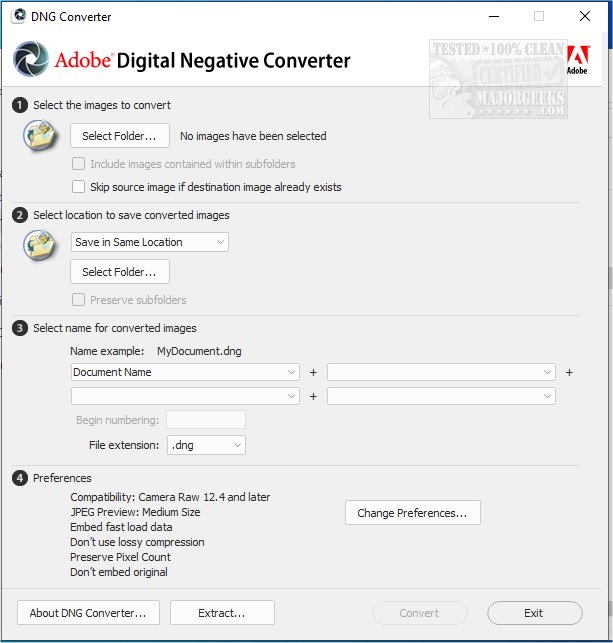
Adobe has released version 19.0 of the DNG Converter, a tool that enables the conversion of camera-specific raw files into a standardized Digital Negative (DNG) format. This conversion provides several advantages, particularly in terms of backward compatibility with older versions of Adobe software such as Photoshop, Lightroom, Bridge, After Effects, and Photoshop Elements. The DNG format stands out as an openly published specification, making it accessible not just to Adobe, but also to other software and hardware developers, which enhances its usability across various platforms.
One of the key benefits of using the DNG format is its suitability for long-term image archival. It retains all essential pixel data from the original raw files while also allowing for the inclusion of proprietary metadata, albeit sometimes with some proprietary information omitted. To preserve this metadata, users have the option to embed the original raw file within the new DNG container.
The Adobe DNG Converter supports a range of Camera Raw versions from 2.4 to 1.32 and DNG specifications from 1.1 to 1.6, ensuring compatibility with a wide variety of cameras and devices.
In addition to its primary function, the DNG Converter simplifies workflows for photographers and digital artists by providing a streamlined process for managing raw files. As digital photography continues to evolve, tools like the DNG Converter play a crucial role in preserving the integrity and accessibility of image data, ensuring that photographers can work with their images across different software environments and over extended periods.
Moreover, as the digital landscape shifts, Adobe's commitment to maintaining an open standard like DNG could encourage broader adoption among manufacturers, ultimately leading to a more unified approach to raw image handling. The ongoing updates to the DNG Converter reflect Adobe's responsiveness to user needs and the evolving technology in photography, making it an essential tool for professionals and enthusiasts alike
One of the key benefits of using the DNG format is its suitability for long-term image archival. It retains all essential pixel data from the original raw files while also allowing for the inclusion of proprietary metadata, albeit sometimes with some proprietary information omitted. To preserve this metadata, users have the option to embed the original raw file within the new DNG container.
The Adobe DNG Converter supports a range of Camera Raw versions from 2.4 to 1.32 and DNG specifications from 1.1 to 1.6, ensuring compatibility with a wide variety of cameras and devices.
In addition to its primary function, the DNG Converter simplifies workflows for photographers and digital artists by providing a streamlined process for managing raw files. As digital photography continues to evolve, tools like the DNG Converter play a crucial role in preserving the integrity and accessibility of image data, ensuring that photographers can work with their images across different software environments and over extended periods.
Moreover, as the digital landscape shifts, Adobe's commitment to maintaining an open standard like DNG could encourage broader adoption among manufacturers, ultimately leading to a more unified approach to raw image handling. The ongoing updates to the DNG Converter reflect Adobe's responsiveness to user needs and the evolving technology in photography, making it an essential tool for professionals and enthusiasts alike
Adobe DNG Converter 19.0 released
Adobe DNG Converter (Digital Negative) allows camera-specific raw files to be converted to a universal DNG raw file.