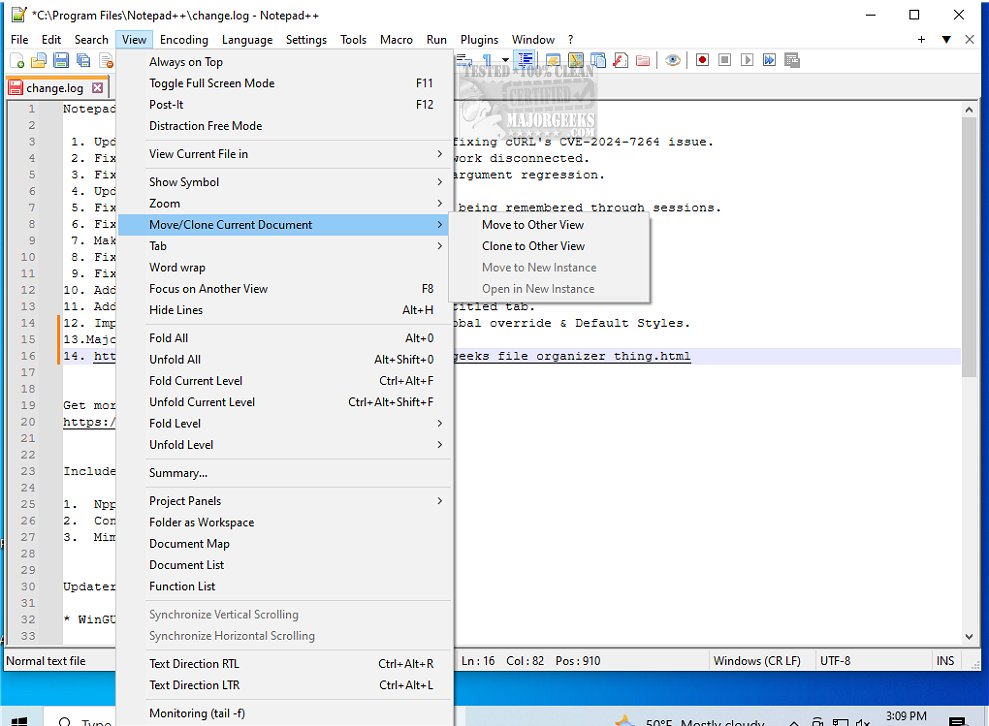
Notepad++ version 8.9.8.1 has been released, further enhancing its reputation as a versatile free source code editor that supports multiple programming languages. Designed as a superior alternative to the basic Windows Notepad, Notepad++ provides a wealth of features suitable for programmers, system administrators, and general users who require more than simple text editing capabilities. This lightweight, open-source editor is not only efficient but also customizable, enabling users to streamline their text editing experience.
Unlike Windows Notepad, which is suitable for quick notes and basic text manipulation, Notepad++ offers a more robust set of tools. It features syntax highlighting, tabbed document management, and numerous customization options through plugins and themes. With support for over 70 programming languages, users can work on complex coding tasks, edit scripts, or manage configurations with ease. The multi-document interface allows for simultaneous editing of multiple files, enhancing productivity by reducing the need for multiple open windows.
Notepad++ is ideal for a wide range of users, from developers and IT professionals to casual users who appreciate its clean interface and efficiency. Its standout features include auto-save, session restore, and a lightweight design that minimizes resource usage, making it accessible for both powerful and older systems.
In summary, Notepad++ distinguishes itself as a powerful and user-friendly text editor that caters to a diverse audience. Whether for coding, scripting, or general note-taking, it provides a seamless and effective editing experience. Users who have not yet explored Notepad++ are encouraged to do so, as it stands out as one of the best available text editing solutions today.
Extended Features and Benefits:
- Collaboration Tools: With built-in support for Git and other version control systems, users can easily collaborate on coding projects.
- Regular Updates: Notepad++ is continuously updated to improve functionality and introduce new features based on user feedback.
- Community Support: A strong user community provides extensive documentation, tutorials, and forums, making it easier for newcomers to learn and utilize the software effectively.
- Cross-Platform Availability: While primarily a Windows application, there are efforts to make Notepad++ available on other platforms, broadening its accessibility.
Overall, Notepad++ is not just a text editor; it is a powerful tool that adapts to the user's needs, making it invaluable in various professional and personal contexts
Unlike Windows Notepad, which is suitable for quick notes and basic text manipulation, Notepad++ offers a more robust set of tools. It features syntax highlighting, tabbed document management, and numerous customization options through plugins and themes. With support for over 70 programming languages, users can work on complex coding tasks, edit scripts, or manage configurations with ease. The multi-document interface allows for simultaneous editing of multiple files, enhancing productivity by reducing the need for multiple open windows.
Notepad++ is ideal for a wide range of users, from developers and IT professionals to casual users who appreciate its clean interface and efficiency. Its standout features include auto-save, session restore, and a lightweight design that minimizes resource usage, making it accessible for both powerful and older systems.
In summary, Notepad++ distinguishes itself as a powerful and user-friendly text editor that caters to a diverse audience. Whether for coding, scripting, or general note-taking, it provides a seamless and effective editing experience. Users who have not yet explored Notepad++ are encouraged to do so, as it stands out as one of the best available text editing solutions today.
Extended Features and Benefits:
- Collaboration Tools: With built-in support for Git and other version control systems, users can easily collaborate on coding projects.
- Regular Updates: Notepad++ is continuously updated to improve functionality and introduce new features based on user feedback.
- Community Support: A strong user community provides extensive documentation, tutorials, and forums, making it easier for newcomers to learn and utilize the software effectively.
- Cross-Platform Availability: While primarily a Windows application, there are efforts to make Notepad++ available on other platforms, broadening its accessibility.
Overall, Notepad++ is not just a text editor; it is a powerful tool that adapts to the user's needs, making it invaluable in various professional and personal contexts
Notepad++ 8.9.8.1 released
Notepad++ is a free source code editor that includes support for several programming languages.