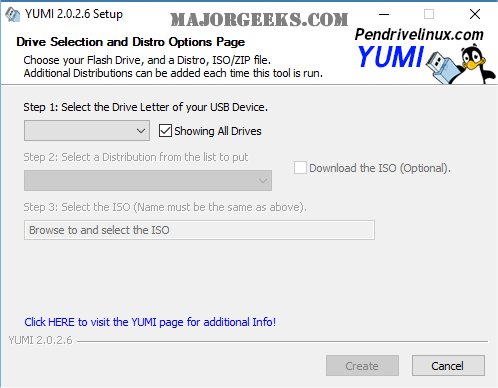
YUMI has released new versions: 2.0.3.2 for UUI, 0.0.4.6 for UEFI, and 2.0.9.4 for UEFI Legacy. YUMI, which stands for Your Universal Multiboot Installer, is a tool designed to create multiboot USB flash drives that can hold various operating systems, antivirus tools, diagnostic utilities, and disc cloning software. Unlike older solutions like MultiBootISO that utilized GRUB to boot ISO files directly from USB, YUMI employs Syslinux to boot extracted distributions from the USB drive. It will only revert to GRUB for booting multiple ISO files when necessary.
The UEFI version of YUMI is still being developed and uses GRUB2 to support both UEFI and BIOS booting. It's important to note that this version is not backward compatible with the standard YUMI. Users must ensure their USB drives are formatted to Fat32 to enable UEFI mode booting, as NTFS formatting will only allow BIOS mode booting. Additionally, if secure boot is enabled, it must be disabled for YUMI to function properly.
Both YUMI and YUMI-UEFI are available as freeware, but users are encouraged to consider donating to support ongoing development. For those interested solely in the Universal USB Installer (UUI), a separate download is available.
In summary, YUMI is an essential tool for anyone looking to create a versatile USB drive capable of booting multiple systems and utilities. Its ongoing development and support for newer technologies like UEFI make it a valuable resource for tech enthusiasts and professionals alike
The UEFI version of YUMI is still being developed and uses GRUB2 to support both UEFI and BIOS booting. It's important to note that this version is not backward compatible with the standard YUMI. Users must ensure their USB drives are formatted to Fat32 to enable UEFI mode booting, as NTFS formatting will only allow BIOS mode booting. Additionally, if secure boot is enabled, it must be disabled for YUMI to function properly.
Both YUMI and YUMI-UEFI are available as freeware, but users are encouraged to consider donating to support ongoing development. For those interested solely in the Universal USB Installer (UUI), a separate download is available.
In summary, YUMI is an essential tool for anyone looking to create a versatile USB drive capable of booting multiple systems and utilities. Its ongoing development and support for newer technologies like UEFI make it a valuable resource for tech enthusiasts and professionals alike
YUMI 2.0.3.2 UUI / 0.0.4.6 UEFI / 2.0.9.4 UEFI Legacy released
YUMI helps create a multiboot USB flash drive containing multiple operating systems, antivirus utilities, diagnostic tools, disc cloning, and more.
YUMI 2.0.3.2 UUI / 0.0.4.6 UEFI / 2.0.9.4 UEFI Legacy released @ MajorGeeks