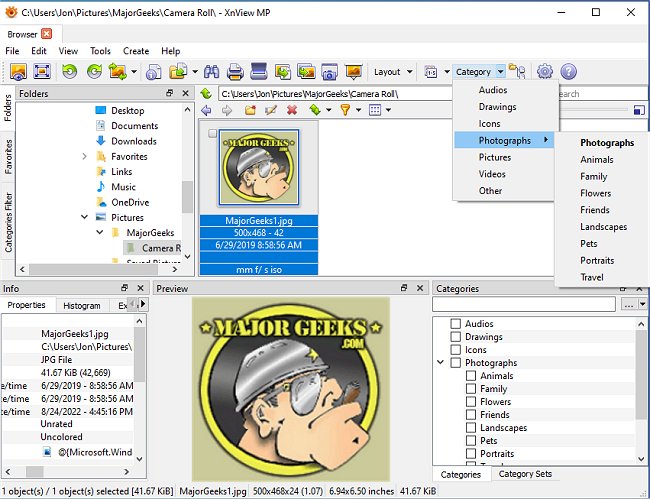
XnView MP has recently released version 1.9.9, enhancing its reputation as a versatile cross-platform image viewer that allows users to view, convert, organize, and edit both graphical and video files. It is available for free to private individuals, educational institutions, and non-profit organizations, making it a popular alternative to commercial image viewers due to its rich feature set.
This software stands out for its extensive support of over 400 image file formats, as well as various audio and video formats, allowing users to access and manage a wide range of media files that other organizers, like ACDSee, may not support. It can write to 50 different image formats and supports ICC profiles for JPEG, PNG, and TIFF files. Additionally, XnView MP can display IPTC, Exif, and XMP metadata, although it currently lacks a batch editing feature for IPTC metadata that some users have requested.
One of the limitations of XnView MP is that users cannot sort thumbnails within a folder according to a custom order. However, it does offer functionalities such as searching for files with the same name or similar graphics and displaying a histogram for images. Users can also create scripts to manipulate and rename batches of images efficiently.
The software includes various image editing tools, allowing for color adjustments, resizing, filtering, and the application of effects, and it comes equipped with Harry's Filters 3.0 in the full version. It supports lossless operations on JPEG files, such as rotation, flipping, and cropping. Additionally, users can create sophisticated slideshows and have the option to upload images to FTP sites or ImageShack, as well as burn images to CDs or DVDs with the full version, although this function requires Nero Burning ROM.
Going forward, it would be beneficial for XnView MP to address user concerns regarding batch IPTC editing and the ability to sort thumbnails in a user-defined order. Enhancements in these areas could significantly improve the user experience and solidify its position as a leading image management tool. With ongoing updates and feature expansions, XnView MP continues to be an excellent choice for those looking for a robust and free image viewer and editor
This software stands out for its extensive support of over 400 image file formats, as well as various audio and video formats, allowing users to access and manage a wide range of media files that other organizers, like ACDSee, may not support. It can write to 50 different image formats and supports ICC profiles for JPEG, PNG, and TIFF files. Additionally, XnView MP can display IPTC, Exif, and XMP metadata, although it currently lacks a batch editing feature for IPTC metadata that some users have requested.
One of the limitations of XnView MP is that users cannot sort thumbnails within a folder according to a custom order. However, it does offer functionalities such as searching for files with the same name or similar graphics and displaying a histogram for images. Users can also create scripts to manipulate and rename batches of images efficiently.
The software includes various image editing tools, allowing for color adjustments, resizing, filtering, and the application of effects, and it comes equipped with Harry's Filters 3.0 in the full version. It supports lossless operations on JPEG files, such as rotation, flipping, and cropping. Additionally, users can create sophisticated slideshows and have the option to upload images to FTP sites or ImageShack, as well as burn images to CDs or DVDs with the full version, although this function requires Nero Burning ROM.
Going forward, it would be beneficial for XnView MP to address user concerns regarding batch IPTC editing and the ability to sort thumbnails in a user-defined order. Enhancements in these areas could significantly improve the user experience and solidify its position as a leading image management tool. With ongoing updates and feature expansions, XnView MP continues to be an excellent choice for those looking for a robust and free image viewer and editor
XnView MP 1.9.9 released
XnView MP is a cross-platform image viewer used to view, convert, organize, and edit graphical & video files.