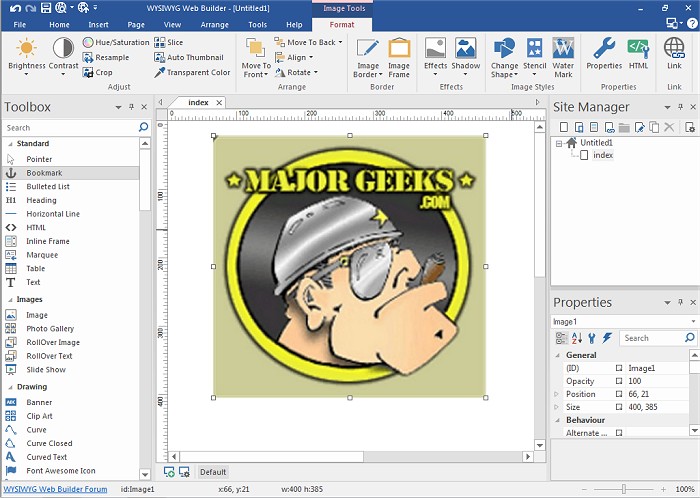
WYSIWYG Web Builder has recently released version 20.4.2 of its popular web design software. This program is designed for users who prefer a visual approach to creating web pages, allowing them to design their websites without needing to learn HTML coding. The acronym WYSIWYG stands for "What-You-See-Is-What-You-Get," meaning that users can see how their final page will look as they work on it.
The software offers a user-friendly interface that enables drag-and-drop functionality, making it easy to place and manipulate objects on the web page. Once the design is complete, users can publish their websites to a web server using the built-in publishing tool. WYSIWYG Web Builder provides extensive customization options for menus, toolbars, keyboard shortcuts, dockable windows, tabs, and autohide windows, giving users complete control over their web content and layout.
Key features of WYSIWYG Web Builder include:
- A form layout object to create interactive forms, including various field types such as text boxes, checkboxes, and buttons.
- A Form Wizard that simplifies form creation into four easy steps, offering a selection of ready-to-use templates.
- Integration of Captcha objects to protect PHP forms from spam submissions.
- Support for rich text formatting, allowing different fonts, colors, links, and sizes within text objects.
- A custom HTML object for inserting personalized HTML or JavaScript code.
- Compatibility with various media types, including Java, Flash, Windows Media, YouTube, and more.
- The ability to publish entire websites, individual pages, or groups of pages to a local drive or web server.
- A built-in photo gallery creator with features for adding picture frames and other effects.
- Tools for creating banners and rollover images.
Overall, WYSIWYG Web Builder 20.4.2 offers a comprehensive set of tools for both novice and experienced web developers looking to create professional-quality websites with ease. As the software continues to evolve, users can expect even more features and enhancements in future updates, further streamlining the web development process and expanding creative possibilities
The software offers a user-friendly interface that enables drag-and-drop functionality, making it easy to place and manipulate objects on the web page. Once the design is complete, users can publish their websites to a web server using the built-in publishing tool. WYSIWYG Web Builder provides extensive customization options for menus, toolbars, keyboard shortcuts, dockable windows, tabs, and autohide windows, giving users complete control over their web content and layout.
Key features of WYSIWYG Web Builder include:
- A form layout object to create interactive forms, including various field types such as text boxes, checkboxes, and buttons.
- A Form Wizard that simplifies form creation into four easy steps, offering a selection of ready-to-use templates.
- Integration of Captcha objects to protect PHP forms from spam submissions.
- Support for rich text formatting, allowing different fonts, colors, links, and sizes within text objects.
- A custom HTML object for inserting personalized HTML or JavaScript code.
- Compatibility with various media types, including Java, Flash, Windows Media, YouTube, and more.
- The ability to publish entire websites, individual pages, or groups of pages to a local drive or web server.
- A built-in photo gallery creator with features for adding picture frames and other effects.
- Tools for creating banners and rollover images.
Overall, WYSIWYG Web Builder 20.4.2 offers a comprehensive set of tools for both novice and experienced web developers looking to create professional-quality websites with ease. As the software continues to evolve, users can expect even more features and enhancements in future updates, further streamlining the web development process and expanding creative possibilities
WYSIWYG Web Builder 20.4.2 released
WYSIWYG Web Builder is a (What-You-See-Is-What-You-Get) program used for creating your own web pages.