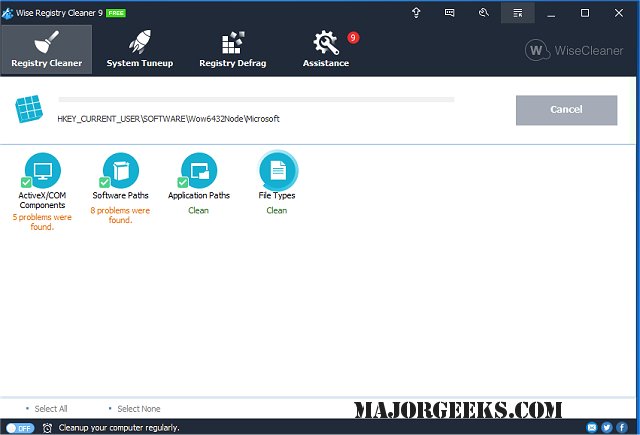
Wise Registry Cleaner version 11.3.2.734 has been released as part of the Wise Care 365 free suite. This tool is designed to scan the Windows registry for incorrect or outdated information, helping to optimize system performance and stability. Upon scanning, users can view detailed descriptions of identified issues and choose to fix them manually or allow the software to automatically resolve all problems.
Key features of Wise Registry Cleaner include:
Security Features:
- Full Registry Backup/Restore
- System Restore Point creation
- Generation of undo data for each cleaning operation
Registry Utility Features:
- Deep scanning of the registry
- Checking of COM/ActiveX keys
- Verifying Application Path Keys
- Inspecting Windows Fonts Keys
- Assessing Shared DLL Keys
- Reviewing User Most Recently Used (MRU) Lists
- Analyzing Uninstall Entries
- Checking File Extensions Keys
- Evaluating Internet Explorer URL History List Keys
- Analyzing Application Event Sounds
- Reviewing Windows Startup Items
- Examining Image File Execution Options
- Identifying Empty Keys Safely
- Detecting and eliminating Trojans and Spyware that exploit the registry
Additionally, users can benefit from related resources, such as guides on opening the Registry Editor, backing up or restoring the Windows Registry, and disabling the Registry Editor in Windows.
Overall, Wise Registry Cleaner is a comprehensive tool that not only enhances system performance by cleaning the registry but also provides essential safety mechanisms to prevent data loss during the cleaning process. Its inclusion in the Wise Care 365 suite makes it a valuable asset for users looking to maintain their system's health efficiently
Key features of Wise Registry Cleaner include:
Security Features:
- Full Registry Backup/Restore
- System Restore Point creation
- Generation of undo data for each cleaning operation
Registry Utility Features:
- Deep scanning of the registry
- Checking of COM/ActiveX keys
- Verifying Application Path Keys
- Inspecting Windows Fonts Keys
- Assessing Shared DLL Keys
- Reviewing User Most Recently Used (MRU) Lists
- Analyzing Uninstall Entries
- Checking File Extensions Keys
- Evaluating Internet Explorer URL History List Keys
- Analyzing Application Event Sounds
- Reviewing Windows Startup Items
- Examining Image File Execution Options
- Identifying Empty Keys Safely
- Detecting and eliminating Trojans and Spyware that exploit the registry
Additionally, users can benefit from related resources, such as guides on opening the Registry Editor, backing up or restoring the Windows Registry, and disabling the Registry Editor in Windows.
Overall, Wise Registry Cleaner is a comprehensive tool that not only enhances system performance by cleaning the registry but also provides essential safety mechanisms to prevent data loss during the cleaning process. Its inclusion in the Wise Care 365 suite makes it a valuable asset for users looking to maintain their system's health efficiently
Wise Registry Cleaner 11.3.2.734 released
Wise Registry Cleaner scans the Windows registry and finds incorrect or obsolete information in the registry. This is one of many tools included in the Wise Care 365 free suite.