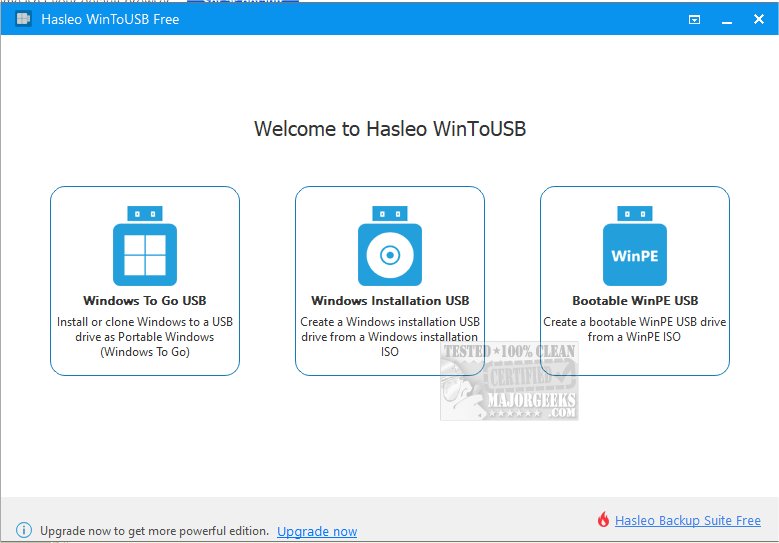
WinToUSB has released version 10.5, a versatile tool that enables users to install and operate the Windows operating system directly from a USB hard drive or flash drive. This is achieved by using an ISO image or a CD/DVD drive as the source for installation. Users can easily set up Windows on their USB drives if they have a valid installation source and product key.
Key features of WinToUSB include a streamlined three-step process for installing or cloning Windows to a USB drive, compatibility with any edition of Windows 8(.1) or Windows 10 for creating a Windows To Go USB drive, and the ability to create a Windows To Go workspace on non-certified USB drives. Additionally, it supports various versions of Windows, including Windows 7, Windows 8(.1), Windows 10 Technical Preview, and WinPE 2/3/4/5 in both 32-bit and 64-bit formats.
For users looking to maximize their USB drive performance, there are also related guides available, such as optimizing USB drives, retrieving embedded Windows keys, transferring Windows licenses to new computers, diagnosing USB issues, and getting detailed information about Windows installation ISOs.
This new version not only enhances usability but also expands compatibility, making it a valuable tool for IT professionals, tech enthusiasts, and anyone needing portable Windows environments. With the growing need for mobility in computing, WinToUSB 10.5 stands out as an essential application for those looking to carry their Windows operating system with them wherever they go
Key features of WinToUSB include a streamlined three-step process for installing or cloning Windows to a USB drive, compatibility with any edition of Windows 8(.1) or Windows 10 for creating a Windows To Go USB drive, and the ability to create a Windows To Go workspace on non-certified USB drives. Additionally, it supports various versions of Windows, including Windows 7, Windows 8(.1), Windows 10 Technical Preview, and WinPE 2/3/4/5 in both 32-bit and 64-bit formats.
For users looking to maximize their USB drive performance, there are also related guides available, such as optimizing USB drives, retrieving embedded Windows keys, transferring Windows licenses to new computers, diagnosing USB issues, and getting detailed information about Windows installation ISOs.
This new version not only enhances usability but also expands compatibility, making it a valuable tool for IT professionals, tech enthusiasts, and anyone needing portable Windows environments. With the growing need for mobility in computing, WinToUSB 10.5 stands out as an essential application for those looking to carry their Windows operating system with them wherever they go
WinToUSB 10.5 released
WinToUSB will install and run the Windows operating system on a USB hard drive or USB flash drive, using an ISO image or CD/DVD drive as the installation source.