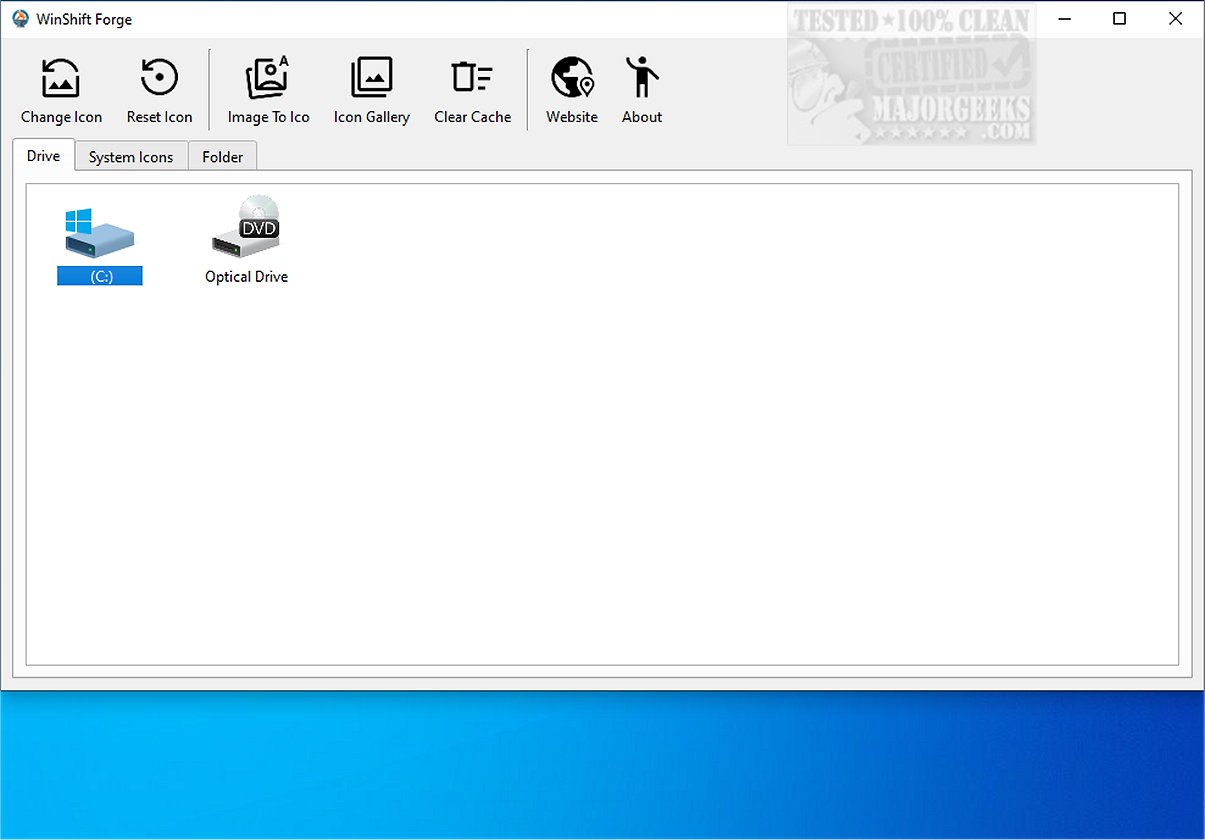
WinShift Forge 1.0.0 is now available, providing users with the ability to customize icons for drives, system tools, and specific folders, thereby enhancing their overall Windows experience. This application allows users to personalize their operating system's visual elements, making it easier to simplify their workflow by managing programs, changing desktop appearances, and adjusting complex settings without navigating through cumbersome menus.
1. Icon Customization: WinShift Forge allows users to modify icons for drives, system applications (like 'This PC', 'Recycle Bin', and 'Network'), and folders. The application automatically detects connected drives, making it user-friendly to change icons.
2. Icon Cache Management: The tool includes a feature to clear the icon cache, ensuring icons are updated immediately and eliminating the need for system restarts.
3. Basic Icon Generator: WinShift Forge features a simple icon generator that converts images into ICO files, supporting various formats such as JPG, PNG, and SVG. Although not as advanced as dedicated tools, it provides a quick solution for users who need custom icons.
4. Pro WSL2 Distro Manager: The new update includes a management tool for the Windows Subsystem for Linux (WSL2), making it easier to access and use Linux tools within a Windows environment. Users can add and start different Linux distributions seamlessly.
5. System Debloat & Cleanup: The application allows users to remove unwanted pre-installed Windows applications, such as Game Bar and Microsoft To Do, streamlining the Start Menu and optimizing system resources.
6. One-Click Restore: Users can easily reinstall any removed applications using a built-in library feature, allowing for convenient app management.
7. Maintenance Tools: WinShift Forge includes tools to optimize Windows settings, such as clearing the icon cache with a single click to improve user experience.
As you explore WinShift Forge, consider the following additional functionalities it could offer in future updates:
- Integration with cloud storage for easier access to icons and images.
- Enhanced icon generation capabilities, possibly incorporating advanced editing features.
- Expanded support for additional operating systems, broadening its user base.
- More detailed analytics on system performance before and after debloating.
By continuing to innovate, WinShift Forge can solidify its place as an essential utility for Windows users seeking customization and efficiency
Key Features of WinShift Forge:
1. Icon Customization: WinShift Forge allows users to modify icons for drives, system applications (like 'This PC', 'Recycle Bin', and 'Network'), and folders. The application automatically detects connected drives, making it user-friendly to change icons.
2. Icon Cache Management: The tool includes a feature to clear the icon cache, ensuring icons are updated immediately and eliminating the need for system restarts.
3. Basic Icon Generator: WinShift Forge features a simple icon generator that converts images into ICO files, supporting various formats such as JPG, PNG, and SVG. Although not as advanced as dedicated tools, it provides a quick solution for users who need custom icons.
4. Pro WSL2 Distro Manager: The new update includes a management tool for the Windows Subsystem for Linux (WSL2), making it easier to access and use Linux tools within a Windows environment. Users can add and start different Linux distributions seamlessly.
5. System Debloat & Cleanup: The application allows users to remove unwanted pre-installed Windows applications, such as Game Bar and Microsoft To Do, streamlining the Start Menu and optimizing system resources.
6. One-Click Restore: Users can easily reinstall any removed applications using a built-in library feature, allowing for convenient app management.
7. Maintenance Tools: WinShift Forge includes tools to optimize Windows settings, such as clearing the icon cache with a single click to improve user experience.
Conclusion:
WinShift Forge serves as a user-friendly option for customizing Windows environments. It simplifies the process of icon replacement and system management, making it a valuable tool for anyone looking to personalize their desktop experience. By offering a streamlined interface and efficient management of both Windows and Linux tools, WinShift Forge elevates the overall usability of Windows 11, allowing users to create an aesthetic that reflects their unique style. With this tool, you can transform your Windows experience into one that is distinctly your own, enhancing both functionality and personal expression.As you explore WinShift Forge, consider the following additional functionalities it could offer in future updates:
- Integration with cloud storage for easier access to icons and images.
- Enhanced icon generation capabilities, possibly incorporating advanced editing features.
- Expanded support for additional operating systems, broadening its user base.
- More detailed analytics on system performance before and after debloating.
By continuing to innovate, WinShift Forge can solidify its place as an essential utility for Windows users seeking customization and efficiency
WinShift Forge 1.0.0 released
WinShift Forge lets you customize icons for all types of drives, system tools, and specific folders, enhancing the user experience by enabling you to tailor the visual elements of your operating system to your preferences.