WinRAR 7.21 Beta 1 and 7.20 have been released, continuing the legacy of one of the most trusted file compression and management tools available. With its decades-long presence in the market, WinRAR is more than just a file archiver; it is regarded as the "King of File Compression." Users can easily open, create, extract, and add files to a variety of formats, including RAR, ZIP, 7Z, and TAR, making it a versatile choice for anyone working with archives on Windows.
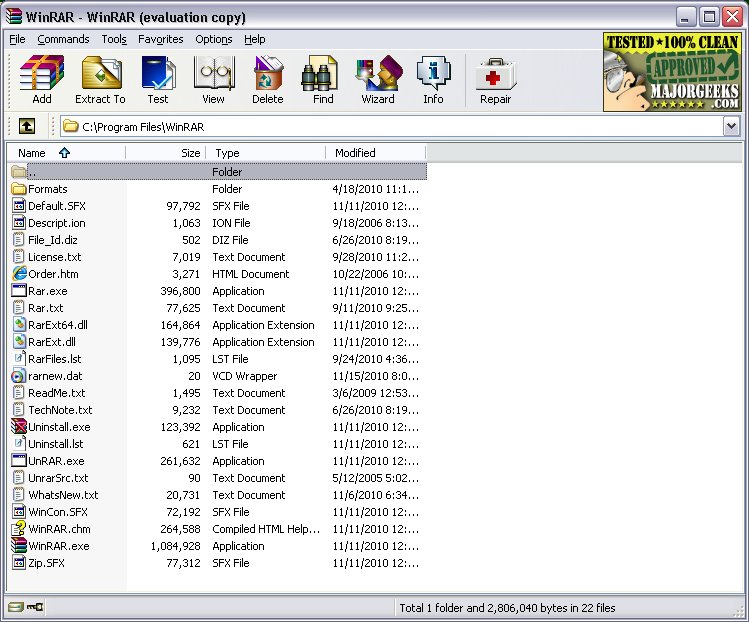
The interface of WinRAR has remained largely unchanged, which many users appreciate for its straightforwardness. All essential functions, such as creating or extracting archives, splitting large files, encrypting with passwords, and scanning for viruses, are readily accessible. This simplicity contributes to WinRAR's ongoing popularity, especially among developers, IT professionals, and digital archivists who rely on it for efficiency.
- Compression Capabilities: Users can compress files into RAR or ZIP formats, ideal for saving space or sending multiple files together.
- File Splitting: The software can divide large files into smaller, manageable parts for easier storage and transfer.
- AES-256 Encryption: This feature secures sensitive data, making it perfect for confidential files.
- Repair Functionality: WinRAR can add recovery records to archives, allowing users to repair damaged files as needed.
- Fast and reliable compression and extraction.
- Extensive support for various archive formats.
- Built-in password protection and file repair features.
- Ability to create self-extracting archives (SFX).
- Compatible with all Windows versions, including the latest Windows 11.
Cons:
- The user interface may feel outdated to some, although many prefer its simplicity.
- While not classified as freeware, it can be used indefinitely without payment.
- Limited support for newer formats like Zstandard without additional plugins.
In summary, WinRAR's ease of use, extensive features, and consistent updates solidify its status as a staple application for anyone dealing with file compression and management tasks
The interface of WinRAR has remained largely unchanged, which many users appreciate for its straightforwardness. All essential functions, such as creating or extracting archives, splitting large files, encrypting with passwords, and scanning for viruses, are readily accessible. This simplicity contributes to WinRAR's ongoing popularity, especially among developers, IT professionals, and digital archivists who rely on it for efficiency.
Key Features:
- Comprehensive Extraction: WinRAR supports a multitude of formats, including RAR, ZIP, CAB, and more.- Compression Capabilities: Users can compress files into RAR or ZIP formats, ideal for saving space or sending multiple files together.
- File Splitting: The software can divide large files into smaller, manageable parts for easier storage and transfer.
- AES-256 Encryption: This feature secures sensitive data, making it perfect for confidential files.
- Repair Functionality: WinRAR can add recovery records to archives, allowing users to repair damaged files as needed.
Recent Updates:
The latest versions not only enhance file format support but also fix bugs and improve performance. While many users primarily work with RAR and ZIP formats, newer compression options and faster unpacking processes are designed to increase overall utility. Although the trial version of WinRAR does not expire, users are encouraged to purchase a license to support ongoing development.Advantages and Disadvantages:
Pros:- Fast and reliable compression and extraction.
- Extensive support for various archive formats.
- Built-in password protection and file repair features.
- Ability to create self-extracting archives (SFX).
- Compatible with all Windows versions, including the latest Windows 11.
Cons:
- The user interface may feel outdated to some, although many prefer its simplicity.
- While not classified as freeware, it can be used indefinitely without payment.
- Limited support for newer formats like Zstandard without additional plugins.
Practical Applications:
WinRAR's real-world applications are numerous. For instance, if you have a large folder of game mod files to share, you can compress and split the folder into 1GB sections while password-protecting it. Similarly, for sensitive documents like tax records, users can compress and encrypt them for safe storage.Conclusion:
Though WinRAR may not boast flashy features, it remains one of the most effective archive managers for Windows users. Whether for work, gaming, or organizing files, WinRAR is a reliable tool that continues to demonstrate its worth. For those who prioritize functionality, it remains a top choice alongside alternatives such as 7-Zip.In summary, WinRAR's ease of use, extensive features, and consistent updates solidify its status as a staple application for anyone dealing with file compression and management tasks
WinRAR 7.21 Beta 1 / 7.20 released
WinRAR is an excellent program for opening, creating, extracting, or adding files to your ZIP and RAR files.