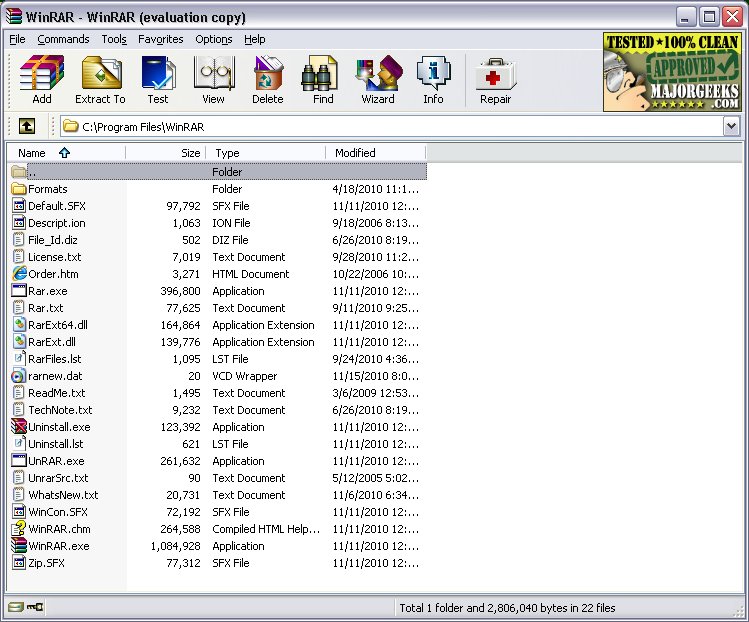
WinRAR, a longstanding leader in file compression software, has recently launched version 7.20. This program excels in opening, creating, extracting, and managing various file formats, including ZIP and RAR. With decades of reliability, WinRAR has confirmed its status as a top choice for users on Windows systems.
Key Features of WinRAR:
- Supports extraction from numerous formats: RAR, ZIP, CAB, ARJ, LZH, TAR, GZ, ACE, UUE, BZ2, JAR, and ISO.
- Compresses files into RAR or ZIP archives, aiding in storage space conservation and file sharing.
- Enables splitting large files into smaller, manageable parts for easier transfer.
- Offers AES-256 encryption for enhanced file security.
- Includes recovery records for repairing damaged archives, a vital feature for users managing large backups or software distributions.
Updates and Ongoing Support:
The latest version not only retains its core functionalities but also enhances file format support, addresses bugs, and optimizes performance. While the trial version does not expire, users are encouraged to purchase a license to support the developers.
Pros and Cons:
Pros:
- Fast and reliable compression.
- Supports a wide array of archive formats.
- Built-in password protection and repair functions.
- Capability to create self-extracting archives (SFX).
- Compatible with all Windows versions, including Windows 11.
Cons:
- The user interface may feel outdated to some users, though others appreciate its simplicity.
- Not technically freeware, but usable indefinitely without payment.
- Limited support for newer formats like Zstandard without additional plugins.
Practical Applications:
WinRAR is perfect for various real-world scenarios. For instance, if you need to send large game mod files to a friend, you can compress and split them into smaller chunks while adding password protection. Similarly, for sensitive documents such as tax records, you can encrypt and compress them to keep them secure from unauthorized access.
Conclusion:
While WinRAR may lack modern aesthetics, it remains one of the most efficient and dependable archive managers on the market. Whether for work or personal use, it is a robust solution for file compression and organization. Users who require a reliable tool for managing their files will find WinRAR—or its alternative, 7-Zip—to be invaluable. This ongoing debate over the best archiving tool highlights the software's enduring significance in the digital workspace.
Future Considerations:
As technology advances, it will be interesting to see how WinRAR adapts to new file formats and user needs. Continuous updates may introduce enhanced features, keeping it relevant in a fast-evolving digital environment. Users should remain informed about these changes to harness the full potential of WinRAR in their daily file management tasks
Key Features of WinRAR:
- Supports extraction from numerous formats: RAR, ZIP, CAB, ARJ, LZH, TAR, GZ, ACE, UUE, BZ2, JAR, and ISO.
- Compresses files into RAR or ZIP archives, aiding in storage space conservation and file sharing.
- Enables splitting large files into smaller, manageable parts for easier transfer.
- Offers AES-256 encryption for enhanced file security.
- Includes recovery records for repairing damaged archives, a vital feature for users managing large backups or software distributions.
Updates and Ongoing Support:
The latest version not only retains its core functionalities but also enhances file format support, addresses bugs, and optimizes performance. While the trial version does not expire, users are encouraged to purchase a license to support the developers.
Pros and Cons:
Pros:
- Fast and reliable compression.
- Supports a wide array of archive formats.
- Built-in password protection and repair functions.
- Capability to create self-extracting archives (SFX).
- Compatible with all Windows versions, including Windows 11.
Cons:
- The user interface may feel outdated to some users, though others appreciate its simplicity.
- Not technically freeware, but usable indefinitely without payment.
- Limited support for newer formats like Zstandard without additional plugins.
Practical Applications:
WinRAR is perfect for various real-world scenarios. For instance, if you need to send large game mod files to a friend, you can compress and split them into smaller chunks while adding password protection. Similarly, for sensitive documents such as tax records, you can encrypt and compress them to keep them secure from unauthorized access.
Conclusion:
While WinRAR may lack modern aesthetics, it remains one of the most efficient and dependable archive managers on the market. Whether for work or personal use, it is a robust solution for file compression and organization. Users who require a reliable tool for managing their files will find WinRAR—or its alternative, 7-Zip—to be invaluable. This ongoing debate over the best archiving tool highlights the software's enduring significance in the digital workspace.
Future Considerations:
As technology advances, it will be interesting to see how WinRAR adapts to new file formats and user needs. Continuous updates may introduce enhanced features, keeping it relevant in a fast-evolving digital environment. Users should remain informed about these changes to harness the full potential of WinRAR in their daily file management tasks
WinRAR 7.20 released
WinRAR is an excellent program for opening, creating, extracting, or adding files to your ZIP and RAR files.