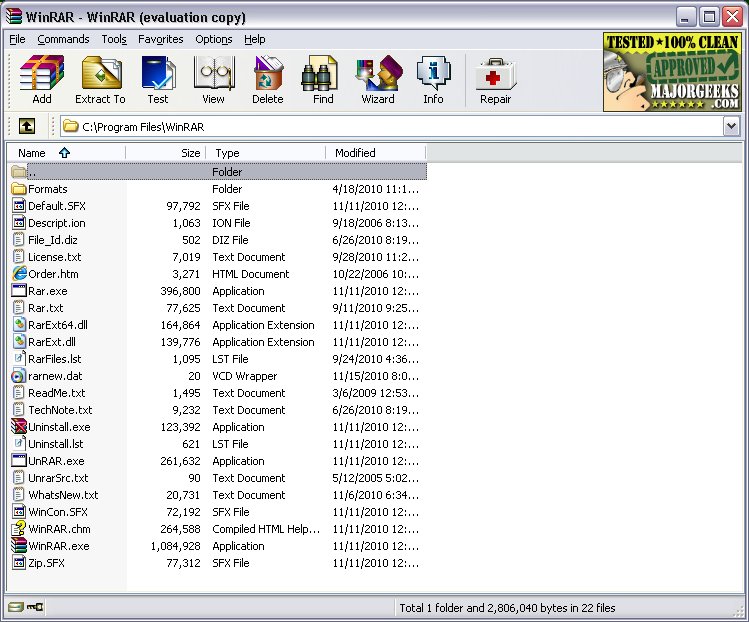
WinRAR has released its latest updates, including version 7.20 Beta 3 and version 7.13. This software remains a leading choice for file compression and archive management, allowing users to open, create, extract, and manage various file formats such as ZIP, RAR, 7Z, and TAR. With its longstanding reputation, WinRAR is favored for its reliability and ease of use, offering a straightforward interface where users can efficiently create or extract archives, split large files, encrypt with AES-256, and add recovery records to safeguard against data loss.
The program's functionality extends beyond basic compression; it supports a wide array of archive formats, making it a versatile tool for diverse tasks, from casual file sharing to professional software distribution. The latest updates enhance file format support, fix bugs, and improve performance, ensuring that WinRAR remains relevant in an evolving digital landscape. Although the trial version does not expire, purchasing a license is encouraged to support the developers.
Pros and Cons
Pros:
- Fast and reliable compression and extraction
- Extensive support for numerous archive formats
- Built-in password protection and recovery options
- Ability to create self-extracting archives
- Compatible with all Windows versions, including Windows 11
Cons:
- The interface may feel outdated to some users
- Not entirely freeware, but usable indefinitely
- Limited support for newer formats like Zstandard without additional plugins
Real-World Applications
WinRAR is particularly useful for tasks such as compressing large files for email, securing sensitive documents with encryption, or organizing data backups. For instance, a user wanting to send a large collection of game mods can easily compress the files, split them into smaller parts, and protect them with a password.
Conclusion
Although WinRAR may not have the flashiest interface, its dependability as an archive manager keeps it among the best available for Windows users. Whether for personal, professional, or gaming purposes, WinRAR consistently proves its worth as a practical tool for file management. Users are frequently encouraged to compare it with alternatives like 7-Zip, highlighting ongoing discussions about the best options in file compression.
Future Developments
As technology evolves, users can expect WinRAR to continue adapting, potentially expanding its support for newer compression formats and enhancing user experience with modernized features. The community of users will likely keep advocating for improvements while enjoying the solid performance that WinRAR has historically provided
The program's functionality extends beyond basic compression; it supports a wide array of archive formats, making it a versatile tool for diverse tasks, from casual file sharing to professional software distribution. The latest updates enhance file format support, fix bugs, and improve performance, ensuring that WinRAR remains relevant in an evolving digital landscape. Although the trial version does not expire, purchasing a license is encouraged to support the developers.
Pros and Cons
Pros:
- Fast and reliable compression and extraction
- Extensive support for numerous archive formats
- Built-in password protection and recovery options
- Ability to create self-extracting archives
- Compatible with all Windows versions, including Windows 11
Cons:
- The interface may feel outdated to some users
- Not entirely freeware, but usable indefinitely
- Limited support for newer formats like Zstandard without additional plugins
Real-World Applications
WinRAR is particularly useful for tasks such as compressing large files for email, securing sensitive documents with encryption, or organizing data backups. For instance, a user wanting to send a large collection of game mods can easily compress the files, split them into smaller parts, and protect them with a password.
Conclusion
Although WinRAR may not have the flashiest interface, its dependability as an archive manager keeps it among the best available for Windows users. Whether for personal, professional, or gaming purposes, WinRAR consistently proves its worth as a practical tool for file management. Users are frequently encouraged to compare it with alternatives like 7-Zip, highlighting ongoing discussions about the best options in file compression.
Future Developments
As technology evolves, users can expect WinRAR to continue adapting, potentially expanding its support for newer compression formats and enhancing user experience with modernized features. The community of users will likely keep advocating for improvements while enjoying the solid performance that WinRAR has historically provided
WinRAR 7.20 Beta 3 / 7.13 released
WinRAR is an excellent program for opening, creating, extracting, or adding files to your ZIP and RAR files.