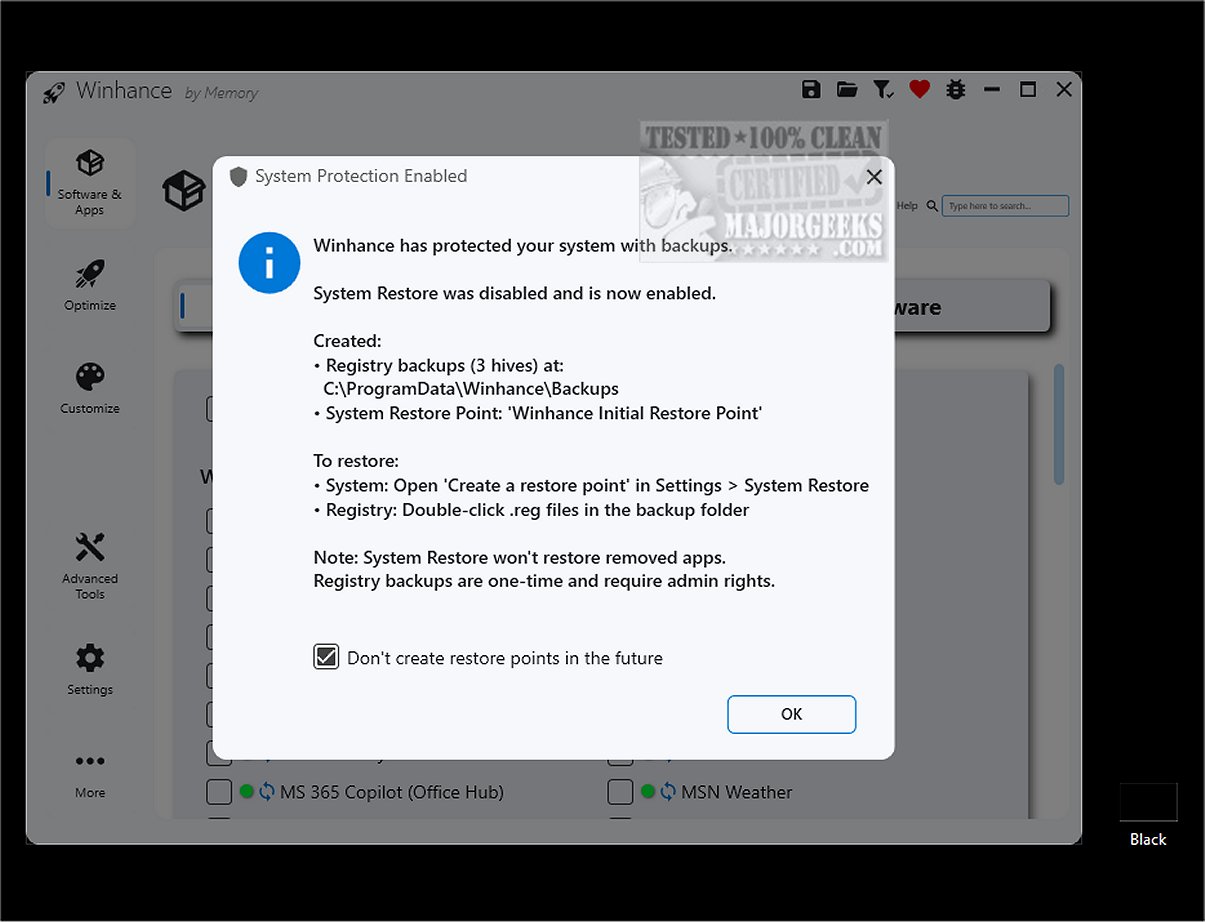
Winhance 26.03.06 has been released, providing an effective tool to optimize and enhance the Windows operating system experience. This application allows users to easily remove unnecessary software, boost system performance, and tailor settings according to individual preferences, specifically for Windows 10 and 11.
One of Winhance's standout features is its capability to simplify the addition and removal of system components, which is particularly beneficial for users looking to debloat their installations. Unlike complex PowerShell scripts, Winhance offers a user-friendly interface that makes the process straightforward and accessible to all users.
Windows operating systems often come with numerous pre-installed applications and features that can consume system resources and raise privacy concerns. Winhance addresses this issue by allowing users to effectively manage these unwanted components, leading to improved performance and a more personalized user experience.
- Debloat: Safely remove unnecessary Windows applications and features.
- Optimize: Adjust system settings for enhanced performance, privacy, and gaming experiences.
- Customize: Modify Windows themes, taskbar, start menu, and Explorer settings with ease.
- Automate: Create customized Windows installation media and automated setup files.
The optimization features within Winhance provide centralized access to various settings related to privacy, security, power management, and gaming performance, eliminating the need to navigate through multiple menus in the Windows Settings app.
Additionally, Winhance includes a settings section that acts as a centralized hub for managing and customizing system settings, enhancing user experience through intuitive navigation. Users are also encouraged to create a system restore point before using Winhance, ensuring a backup of their system state in case of any issues.
Winhance's website features an organized documentation section that outlines all available functions and categories, making it easy for users to understand the tool's capabilities.
For users looking to enhance their Windows 11 or 10 experience, Winhance serves as a comprehensive solution for debloating, customizing, and optimizing the operating system. With features such as automatic re-removal of selected apps after updates and extensive control over settings, Winhance empowers users to elevate their Windows experience significantly.
In addition to Winhance, users may find useful resources on related topics, such as downloading Windows Insider ISOs, blocking Windows 11 installations, and understanding trusted platform modules, all of which contribute to a more informed and efficient user experience
One of Winhance's standout features is its capability to simplify the addition and removal of system components, which is particularly beneficial for users looking to debloat their installations. Unlike complex PowerShell scripts, Winhance offers a user-friendly interface that makes the process straightforward and accessible to all users.
Windows operating systems often come with numerous pre-installed applications and features that can consume system resources and raise privacy concerns. Winhance addresses this issue by allowing users to effectively manage these unwanted components, leading to improved performance and a more personalized user experience.
Key Features of Winhance:
- Debloat: Safely remove unnecessary Windows applications and features.
- Optimize: Adjust system settings for enhanced performance, privacy, and gaming experiences.
- Customize: Modify Windows themes, taskbar, start menu, and Explorer settings with ease.
- Automate: Create customized Windows installation media and automated setup files.
The optimization features within Winhance provide centralized access to various settings related to privacy, security, power management, and gaming performance, eliminating the need to navigate through multiple menus in the Windows Settings app.
Additionally, Winhance includes a settings section that acts as a centralized hub for managing and customizing system settings, enhancing user experience through intuitive navigation. Users are also encouraged to create a system restore point before using Winhance, ensuring a backup of their system state in case of any issues.
Winhance's website features an organized documentation section that outlines all available functions and categories, making it easy for users to understand the tool's capabilities.
Conclusion:
For users looking to enhance their Windows 11 or 10 experience, Winhance serves as a comprehensive solution for debloating, customizing, and optimizing the operating system. With features such as automatic re-removal of selected apps after updates and extensive control over settings, Winhance empowers users to elevate their Windows experience significantly.
In addition to Winhance, users may find useful resources on related topics, such as downloading Windows Insider ISOs, blocking Windows 11 installations, and understanding trusted platform modules, all of which contribute to a more informed and efficient user experience
Winhance 26.03.06 released
Winhance provides an efficient solution to streamline and enhance your Windows experience. It allows you to easily remove unnecessary applications, optimize system performance, and customize your settings to better suit individual preferences.