Winhance is a powerful tool designed to optimize and personalize your Windows experience, specifically for versions 10 and 11. Its latest release, version 26.01.26, brings an array of features that enable users to efficiently remove unnecessary applications, enhance system performance, and customize settings according to their individual preferences.
Key Features of Winhance:
1. Add or Remove Components Easily: Winhance simplifies the process of adding or removing Windows components, making it much more user-friendly compared to traditional methods like PowerShell scripts. This ensures that even novice users can easily debloat their systems.
2. Streamlined Management of Unwanted Applications: Windows often comes preloaded with built-in applications and features that may not be beneficial for all users. Winhance allows for the efficient management of these unwanted components, freeing up system resources and enhancing user privacy.
3. User-Friendly Interface: The application features an intuitive interface that makes navigation simple. The Optimization tab consolidates various settings related to privacy, security, performance, and gaming into one centralized location, eliminating the need to sift through the Control Panel or the Settings app.
4. Comprehensive Settings Management: The dedicated Settings section in Winhance provides users with an accessible hub to perform tasks, making customization straightforward. This feature is designed to enhance overall user experience by ensuring that tools are readily available for optimal functionality.
5. Pre-Modification of Windows ISO: Winhance enables users to pre-modify Windows installation media, enhancing efficiency during setup and installation processes.
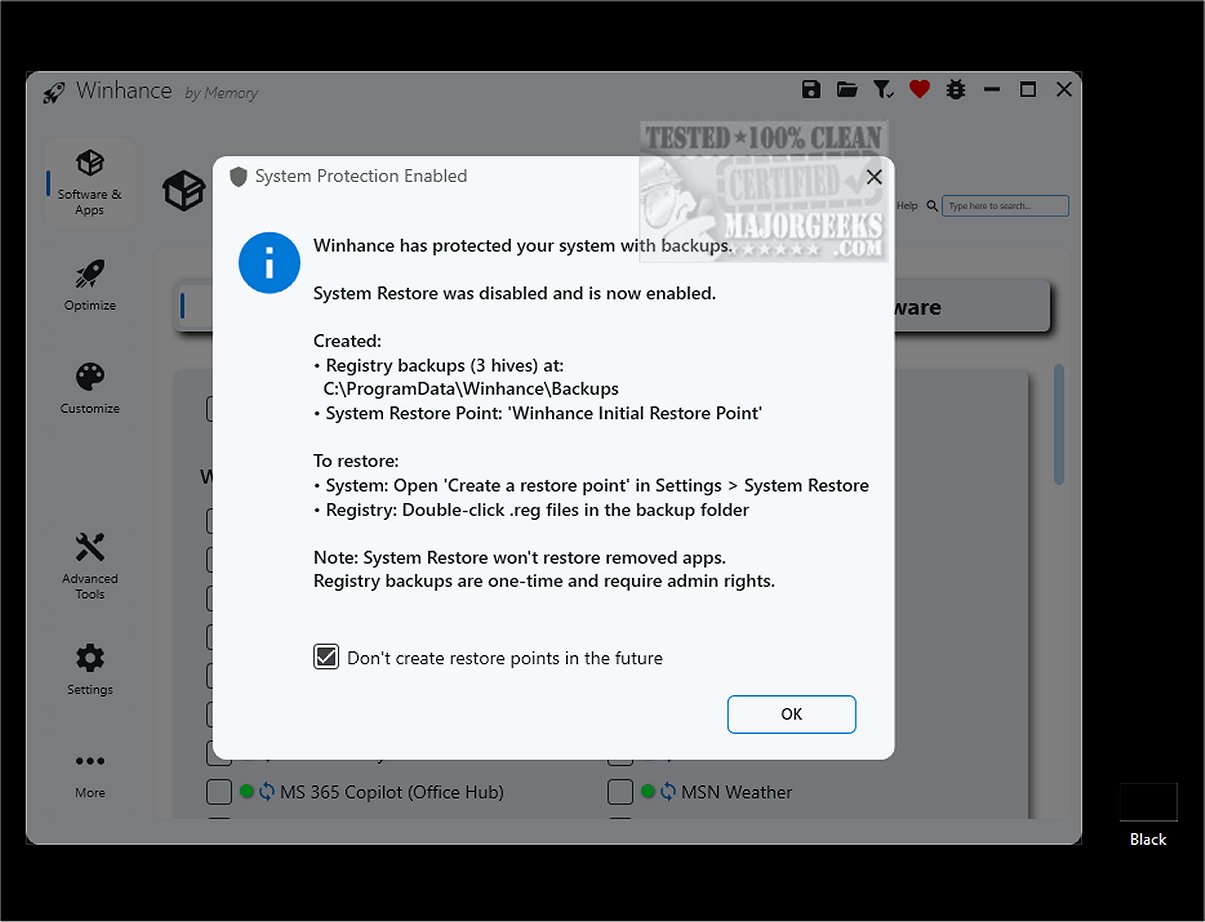
6. Restore Point Creation: Prior to using Winhance, users are advised to create a system restore point, which acts as a safeguard in case any issues arise during or following the application’s use.
Conclusion:
For anyone looking to declutter, customize, and optimize their Windows 10 or 11 experience, Winhance emerges as an invaluable tool. Its comprehensive features, such as automatic app re-removal after updates and advanced privacy controls, grant users significant power over their system settings. Elevate your Windows experience with Winhance, your essential dashboard for system fine-tuning.
Future Implications:
As technology evolves, tools like Winhance will likely continue to adapt, offering more advanced features, improved user interfaces, and greater customization options. The ongoing development of such software will help users maintain control over their digital environments, ensuring that their systems remain efficient, secure, and tailored to their needs. Future updates may include enhanced AI-driven optimization suggestions, deeper integration with cloud services, and improved user support resources to assist users in navigating their Windows systems
Key Features of Winhance:
1. Add or Remove Components Easily: Winhance simplifies the process of adding or removing Windows components, making it much more user-friendly compared to traditional methods like PowerShell scripts. This ensures that even novice users can easily debloat their systems.
2. Streamlined Management of Unwanted Applications: Windows often comes preloaded with built-in applications and features that may not be beneficial for all users. Winhance allows for the efficient management of these unwanted components, freeing up system resources and enhancing user privacy.
3. User-Friendly Interface: The application features an intuitive interface that makes navigation simple. The Optimization tab consolidates various settings related to privacy, security, performance, and gaming into one centralized location, eliminating the need to sift through the Control Panel or the Settings app.
4. Comprehensive Settings Management: The dedicated Settings section in Winhance provides users with an accessible hub to perform tasks, making customization straightforward. This feature is designed to enhance overall user experience by ensuring that tools are readily available for optimal functionality.
5. Pre-Modification of Windows ISO: Winhance enables users to pre-modify Windows installation media, enhancing efficiency during setup and installation processes.
6. Restore Point Creation: Prior to using Winhance, users are advised to create a system restore point, which acts as a safeguard in case any issues arise during or following the application’s use.
Conclusion:
For anyone looking to declutter, customize, and optimize their Windows 10 or 11 experience, Winhance emerges as an invaluable tool. Its comprehensive features, such as automatic app re-removal after updates and advanced privacy controls, grant users significant power over their system settings. Elevate your Windows experience with Winhance, your essential dashboard for system fine-tuning.
Future Implications:
As technology evolves, tools like Winhance will likely continue to adapt, offering more advanced features, improved user interfaces, and greater customization options. The ongoing development of such software will help users maintain control over their digital environments, ensuring that their systems remain efficient, secure, and tailored to their needs. Future updates may include enhanced AI-driven optimization suggestions, deeper integration with cloud services, and improved user support resources to assist users in navigating their Windows systems
Winhance 26.01.26 released
Winhance provides an efficient solution to streamline and enhance your Windows experience. It allows you to easily remove unnecessary applications, optimize system performance, and customize your settings to better suit individual preferences.