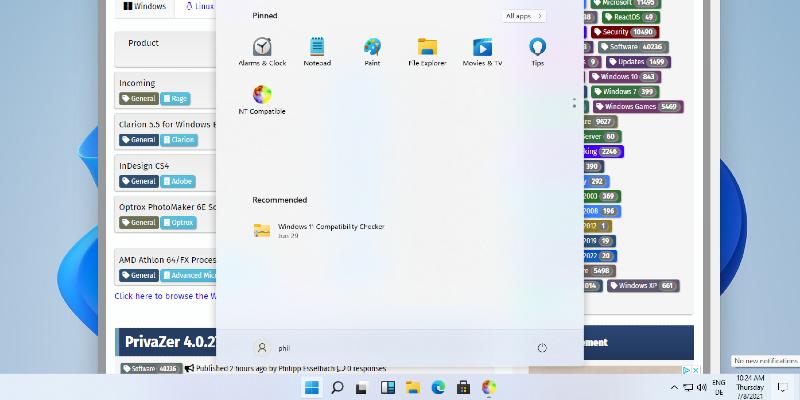
Microsoft has announced the release of Windows 11 Insider Preview Build 28020.1495 for users in the Canary Channel, allowing them to preview new features ahead of the broader rollout. This build emphasizes stability and performance improvements, such as a more efficient shutdown process, fixes for dialog truncation issues, and corrections for incorrect restart triggers. Language-related bugs in the Clock app for Australian users and intermittent errors with smart card readers have also been addressed.
A notable new feature in this update is the ability to set desktop backgrounds directly from .webp files, accessible through the Settings menu under Personalization. This addition builds on features introduced in previous Canary builds, enhancing user customization options.
While the update enhances user experience, some issues remain unresolved. The desktop watermark displaying an incorrect build number persists, and users may encounter unexpected jumps in File Explorer windows and tabs, disrupting navigation. Microsoft is aware of these issues and is actively working on solutions.
As part of the Insider program, this update allows users to engage with the latest developments and provide feedback, contributing to the refinement of Windows 11. With ongoing improvements and new features, the Canary Channel remains an exciting avenue for enthusiasts eager to explore the future of Windows operating systems.
Moving forward, it will be crucial for Insiders to continue reporting any issues they encounter, as their feedback plays a vital role in enhancing the overall user experience leading up to the official release of new builds. Microsoft is committed to iterating on these updates, ensuring that each new version brings enhanced functionality and stability for all users
A notable new feature in this update is the ability to set desktop backgrounds directly from .webp files, accessible through the Settings menu under Personalization. This addition builds on features introduced in previous Canary builds, enhancing user customization options.
While the update enhances user experience, some issues remain unresolved. The desktop watermark displaying an incorrect build number persists, and users may encounter unexpected jumps in File Explorer windows and tabs, disrupting navigation. Microsoft is aware of these issues and is actively working on solutions.
As part of the Insider program, this update allows users to engage with the latest developments and provide feedback, contributing to the refinement of Windows 11. With ongoing improvements and new features, the Canary Channel remains an exciting avenue for enthusiasts eager to explore the future of Windows operating systems.
Moving forward, it will be crucial for Insiders to continue reporting any issues they encounter, as their feedback plays a vital role in enhancing the overall user experience leading up to the official release of new builds. Microsoft is committed to iterating on these updates, ensuring that each new version brings enhanced functionality and stability for all users
Windows 11 Insider Preview Build 28020.1495 (Canary Channel) released
Windows 11 Insider Preview Build 28020.1495 has been released for users in the Canary Channel, offering a chance to experience new features before they become widely available. The update includes improvements to stability and performance, such as smoother shutdown processes and fixes for issues like dialog truncation and incorrect restart triggers. Additionally, Microsoft has addressed language-related problems in the Clock app settings for Australia and smart card reader bugs that caused intermittent errors.
Windows 11 Insider Preview Build 28020.1495 (Canary Channel) released @ NT Compatible