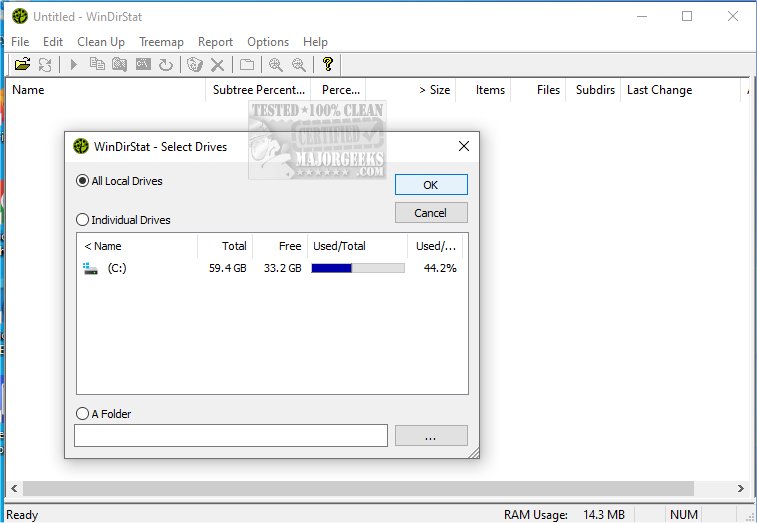
WinDirStat is a powerful, free disk usage statistics viewer and cleanup tool designed for Microsoft Windows users. The latest version, 2.5.0, continues to offer a highly effective way to analyze what is consuming storage space on your drives. For those who prefer portability, a version that can be run from a USB stick is also available.
- Detailed Directory Tree: Similar to Windows Explorer, this view sorts folders and files by their size, allowing users to identify larger items quickly.
- Colorful Treemap Visualization: This unique feature displays the entire drive in a visual format consisting of rectangles, where the size of each block corresponds to the file size. Different colors represent various file types, making it easy to differentiate between media files, system files, and documents.
- Extension List: Users can view a breakdown of file types that occupy the most space, such as .mp4, .zip, or .exe files.
- Free and open-source software
- Excellent visual representation of disk usage
- Simple detection of large or unnecessary files
- Portable version for USB use
Cons:
- Lacks built-in file shredding or duplicate file detection features
- Scanning large drives can be time-consuming
Key Features of WinDirStat:
When launched, WinDirStat presents users with several insightful features:- Detailed Directory Tree: Similar to Windows Explorer, this view sorts folders and files by their size, allowing users to identify larger items quickly.
- Colorful Treemap Visualization: This unique feature displays the entire drive in a visual format consisting of rectangles, where the size of each block corresponds to the file size. Different colors represent various file types, making it easy to differentiate between media files, system files, and documents.
- Extension List: Users can view a breakdown of file types that occupy the most space, such as .mp4, .zip, or .exe files.
Who Can Benefit from WinDirStat?
WinDirStat is ideal for anyone who has experienced storage issues on their SSD or hard drive. It's particularly useful for IT professionals, system administrators, and individuals managing shared computers or network drives. The tool can help before conducting a cleanup by pinpointing the actual culprits of storage consumption or simply monitoring storage usage over time.Advantages and Disadvantages:
Pros:- Free and open-source software
- Excellent visual representation of disk usage
- Simple detection of large or unnecessary files
- Portable version for USB use
Cons:
- Lacks built-in file shredding or duplicate file detection features
- Scanning large drives can be time-consuming
Conclusion:
WinDirStat remains a top choice for users concerned about disk space management. While its interface may initially seem overwhelming, the treemap becomes an invaluable tool for understanding storage use. Users will appreciate its straightforward functionality, providing a clear method to declutter and optimize storage without the hassle of guesswork.Extensions and Related Recommendations:
In addition to WinDirStat, users may consider exploring alternative drive cleaning tools such as CCleaner, Wise Disk Cleaner, and PrivaZer for more comprehensive cleaning options. Moreover, utilizing Windows' built-in Storage Sense feature can help automate the deletion of junk files, enhancing overall system performance. For those curious about specific system folders like $Windows.~Bt or $SysReset, further resources are available to guide users on what can be safely deletedWinDirStat 2.5.0 released
WinDirStat is a disk usage statistics viewer and cleanup tool for Microsoft Windows. Portable available.