WifiInfoView version 2.98 has been released, providing users with a powerful tool to scan and analyze wireless networks in their vicinity. This software is particularly useful for troubleshooting connectivity problems or identifying specific router details, such as the model number.
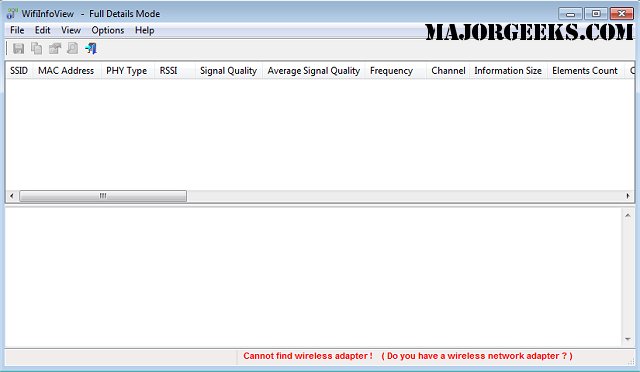
Upon scanning, WifiInfoView presents a wealth of information about each detected network, including the Network Name (SSID), MAC Address, PHY Type (such as 802.11g or 802.11n), Received Signal Strength Indicator (RSSI), Signal Quality, Frequency, Channel Number, Maximum Speed, and the manufacturer details including Company Name, Router Model, and Router Name (when available). Users can easily navigate through the data, as selecting a network displays its corresponding Wi-Fi information in hexadecimal format in a separate pane.
Additionally, WifiInfoView offers a summary mode that organizes detected networks based on parameters like channel number, router manufacturer, PHY type, or maximum speed, making it easier to analyze and compare different networks.
For users looking to enhance their wireless experience, WifiInfoView can be a valuable resource. It can assist in identifying potential issues that may be affecting network performance, such as channel congestion or signal strength problems.
To extend the features and usability of WifiInfoView, future updates could include enhanced visualization tools for network data, integration with network optimization suggestions, or real-time monitoring capabilities for ongoing performance assessments. Furthermore, it could benefit from compatibility with mobile devices, allowing users to perform network scans on-the-go, as well as additional support for newer wireless standards and technologies as they emerge.
Overall, WifiInfoView serves as an essential tool for anyone seeking to optimize their wireless network environment
Upon scanning, WifiInfoView presents a wealth of information about each detected network, including the Network Name (SSID), MAC Address, PHY Type (such as 802.11g or 802.11n), Received Signal Strength Indicator (RSSI), Signal Quality, Frequency, Channel Number, Maximum Speed, and the manufacturer details including Company Name, Router Model, and Router Name (when available). Users can easily navigate through the data, as selecting a network displays its corresponding Wi-Fi information in hexadecimal format in a separate pane.
Additionally, WifiInfoView offers a summary mode that organizes detected networks based on parameters like channel number, router manufacturer, PHY type, or maximum speed, making it easier to analyze and compare different networks.
For users looking to enhance their wireless experience, WifiInfoView can be a valuable resource. It can assist in identifying potential issues that may be affecting network performance, such as channel congestion or signal strength problems.
To extend the features and usability of WifiInfoView, future updates could include enhanced visualization tools for network data, integration with network optimization suggestions, or real-time monitoring capabilities for ongoing performance assessments. Furthermore, it could benefit from compatibility with mobile devices, allowing users to perform network scans on-the-go, as well as additional support for newer wireless standards and technologies as they emerge.
Overall, WifiInfoView serves as an essential tool for anyone seeking to optimize their wireless network environment
WifiInfoView 2.98 released
WifiInfoView will quickly scan all the wireless networks in your area and then provide you with extensive information about them; great for diagnosing a connectivity issue or locating your router's model number, and more.