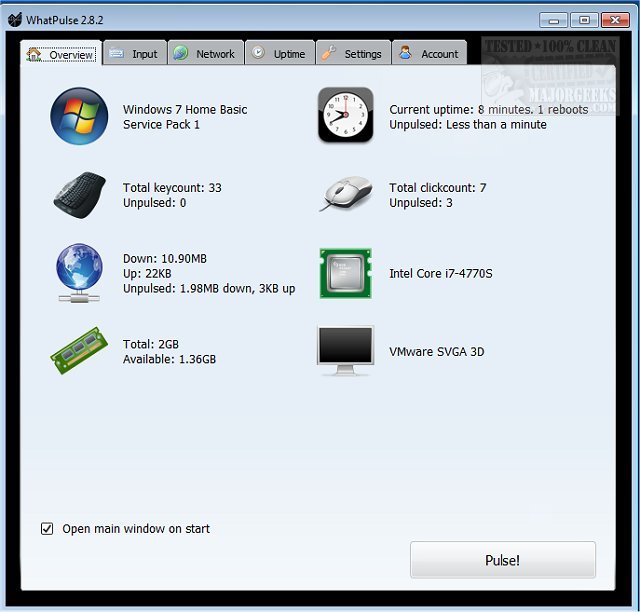
WhatPulse 6.0.0 has been released, providing users with a comprehensive tool to track and analyze their computer usage. The application is tailored for individuals interested in quantifying their productivity by logging various activities while working on their PCs. It measures keyboard and mouse usage, network downloads/uploads, and overall system uptime, compiling this data into detailed statistics that users can upload to the WhatPulse website. This feature allows for personal analysis, as well as competition with friends and comparisons against other users' statistics.
WhatPulse operates by tracking the number of keystrokes and mouse clicks, the bandwidth consumed, and the total uptime of the system. The latest version incorporates anti-cheat mechanisms, such as limiting the maximum key presses to 50 per second. Importantly, WhatPulse does not function like a keylogger, as it does not record the sequence of keystrokes but merely counts them.
Key features of WhatPulse include:
- Counting of keys and mouse clicks
- Daily history of keys and clicks
- Heat maps for keyboard and mouse usage
- Application-specific statistics for keys and clicks
- Tracking of network traffic with real-time charts
- Daily network traffic history
- Total uptime tracking and uptime per application
For users interested in further exploring their system's performance, additional resources are available, such as guides on finding system uptime in Windows and displaying internet upload/download stats on the taskbar.
In addition to its current features, future updates could enhance WhatPulse by integrating more advanced analytics, such as trends over time, productivity benchmarks against industry standards, or even personalized insights based on user behavior. This would empower users to not only understand their computing habits better but also to make informed decisions on improving their productivity
WhatPulse operates by tracking the number of keystrokes and mouse clicks, the bandwidth consumed, and the total uptime of the system. The latest version incorporates anti-cheat mechanisms, such as limiting the maximum key presses to 50 per second. Importantly, WhatPulse does not function like a keylogger, as it does not record the sequence of keystrokes but merely counts them.
Key features of WhatPulse include:
- Counting of keys and mouse clicks
- Daily history of keys and clicks
- Heat maps for keyboard and mouse usage
- Application-specific statistics for keys and clicks
- Tracking of network traffic with real-time charts
- Daily network traffic history
- Total uptime tracking and uptime per application
For users interested in further exploring their system's performance, additional resources are available, such as guides on finding system uptime in Windows and displaying internet upload/download stats on the taskbar.
In addition to its current features, future updates could enhance WhatPulse by integrating more advanced analytics, such as trends over time, productivity benchmarks against industry standards, or even personalized insights based on user behavior. This would empower users to not only understand their computing habits better but also to make informed decisions on improving their productivity
WhatPulse 6.0.0 released
WhatPulse is designed for those curious about how much actual PC work is done by logging exactly what you are doing while working.