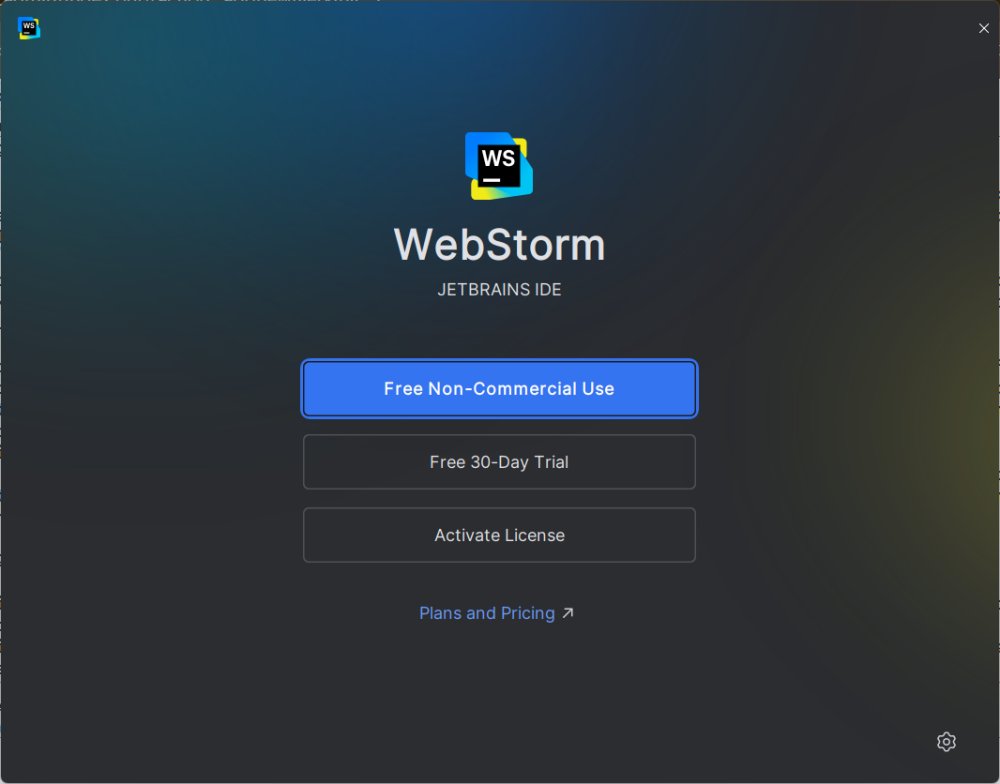
WebStorm, JetBrains' dedicated IDE for JavaScript and web development, has been updated to version 2025.3.3. This IDE is designed to streamline the coding process, making it easier for developers rather than complicating their workflow. If you're familiar with IntelliJ IDEA or PyCharm, you'll feel right at home with WebStorm, as it shares the same core engine, ensuring a responsive interface coupled with advanced functionalities tailored specifically for web development.
Key Features of WebStorm
WebStorm excels in several areas, making it a preferred choice for developers working within the JavaScript, TypeScript, and Node.js ecosystems. Here are some of its standout features:
1. Intelligent Code Assistance: WebStorm goes beyond simple autocompletion, offering contextual understanding of your project. This enables seamless refactoring, syntax assistance, and intuitive navigation.
2. Comprehensive Tooling: The IDE comes packed with essential development tools such as Git, terminal, npm scripts, and built-in support for popular build tools like Webpack and Vite, without the need for additional configuration.
3. Framework Compatibility: WebStorm provides extensive support for a variety of frameworks, including Angular, Vue, React, Svelte, and Astro, complete with templates and debugging capabilities.
4. Integrated Debugging: Developers can debug both backend and frontend code within the same environment, utilizing breakpoints and log tracking for a comprehensive view of their applications.
5. AI-Powered Features: The integration of local AI tools like Ollama and LM Studio allows developers to receive code suggestions and explanations without compromising their data privacy, as everything operates locally.
6. Efficient Navigation: WebStorm’s quick file navigation capabilities make it easy to jump between files, methods, and variables, even in large projects.
Target Audience
WebStorm is particularly useful for professional developers, freelancers, and teams engaged in serious web development tasks. Its features are designed to save time and enhance productivity, making it a worthy investment for those who code regularly. The built-in AI assistance is especially beneficial for developers looking for guidance from large language models without relying on cloud services.
Licensing Options
WebStorm offers a free individual license for non-commercial use, which is ideal for learners, hobbyists, and those contributing to open-source projects. This version provides full access to WebStorm's features, including basic AI tools. For commercial use, a paid license is required, with costs ranging from $6 to $28 per month, depending on the plan.
Pros and Cons
*Pros:*
- Extensive support for JavaScript and TypeScript, with strong handling of frameworks.
- Built-in tools for version control, debugging, and testing.
- Local AI integration ensures privacy.
- Highly customizable with themes and plugins.
*Cons:*
- May feel overwhelming for casual users or complete beginners.
Conclusion
WebStorm is more than just a code editor; it is a professional-grade IDE designed for dedicated web developers. With its smart refactoring capabilities, built-in tools, and robust framework support, it enhances the coding experience significantly. The recent addition of local AI tools further elevates its value, allowing developers to work efficiently while keeping their data secure. While the cost may be a consideration, the productivity benefits and streamlined workflow make WebStorm a compelling choice for anyone serious about web development. As the landscape of coding evolves, tools like WebStorm will continue to adapt, empowering developers to create better, more secure applications
Key Features of WebStorm
WebStorm excels in several areas, making it a preferred choice for developers working within the JavaScript, TypeScript, and Node.js ecosystems. Here are some of its standout features:
1. Intelligent Code Assistance: WebStorm goes beyond simple autocompletion, offering contextual understanding of your project. This enables seamless refactoring, syntax assistance, and intuitive navigation.
2. Comprehensive Tooling: The IDE comes packed with essential development tools such as Git, terminal, npm scripts, and built-in support for popular build tools like Webpack and Vite, without the need for additional configuration.
3. Framework Compatibility: WebStorm provides extensive support for a variety of frameworks, including Angular, Vue, React, Svelte, and Astro, complete with templates and debugging capabilities.
4. Integrated Debugging: Developers can debug both backend and frontend code within the same environment, utilizing breakpoints and log tracking for a comprehensive view of their applications.
5. AI-Powered Features: The integration of local AI tools like Ollama and LM Studio allows developers to receive code suggestions and explanations without compromising their data privacy, as everything operates locally.
6. Efficient Navigation: WebStorm’s quick file navigation capabilities make it easy to jump between files, methods, and variables, even in large projects.
Target Audience
WebStorm is particularly useful for professional developers, freelancers, and teams engaged in serious web development tasks. Its features are designed to save time and enhance productivity, making it a worthy investment for those who code regularly. The built-in AI assistance is especially beneficial for developers looking for guidance from large language models without relying on cloud services.
Licensing Options
WebStorm offers a free individual license for non-commercial use, which is ideal for learners, hobbyists, and those contributing to open-source projects. This version provides full access to WebStorm's features, including basic AI tools. For commercial use, a paid license is required, with costs ranging from $6 to $28 per month, depending on the plan.
Pros and Cons
*Pros:*
- Extensive support for JavaScript and TypeScript, with strong handling of frameworks.
- Built-in tools for version control, debugging, and testing.
- Local AI integration ensures privacy.
- Highly customizable with themes and plugins.
*Cons:*
- May feel overwhelming for casual users or complete beginners.
Conclusion
WebStorm is more than just a code editor; it is a professional-grade IDE designed for dedicated web developers. With its smart refactoring capabilities, built-in tools, and robust framework support, it enhances the coding experience significantly. The recent addition of local AI tools further elevates its value, allowing developers to work efficiently while keeping their data secure. While the cost may be a consideration, the productivity benefits and streamlined workflow make WebStorm a compelling choice for anyone serious about web development. As the landscape of coding evolves, tools like WebStorm will continue to adapt, empowering developers to create better, more secure applications
WebStorm 2025.3.3 released
WebStorm is the kind of IDE that makes life easier, not messier.