Web Maker for Chrome has just released version 6.9.0, enhancing its capabilities for developers who wish to conduct web experiments without needing an internet connection. This innovative tool serves as an offline coding playground, allowing users to explore and develop web projects freely, making it especially useful for those looking to brainstorm and test new ideas.
As a powerful web development resource, Web Maker for Chrome stands alongside popular platforms like CodePen and JSFiddle, yet it distinguishes itself with its remarkable speed and complete offline functionality. By operating entirely within the user’s system, it becomes a dependable option for prototyping and experimenting with web technologies.
The application is specifically designed to foster a productive coding environment, featuring a sleek dark graphical user interface (GUI) where developers can easily input HTML, CSS, and JavaScript code. Users can view real-time previews of their work, displayed conveniently alongside their code input, which enhances the learning and experimentation process.
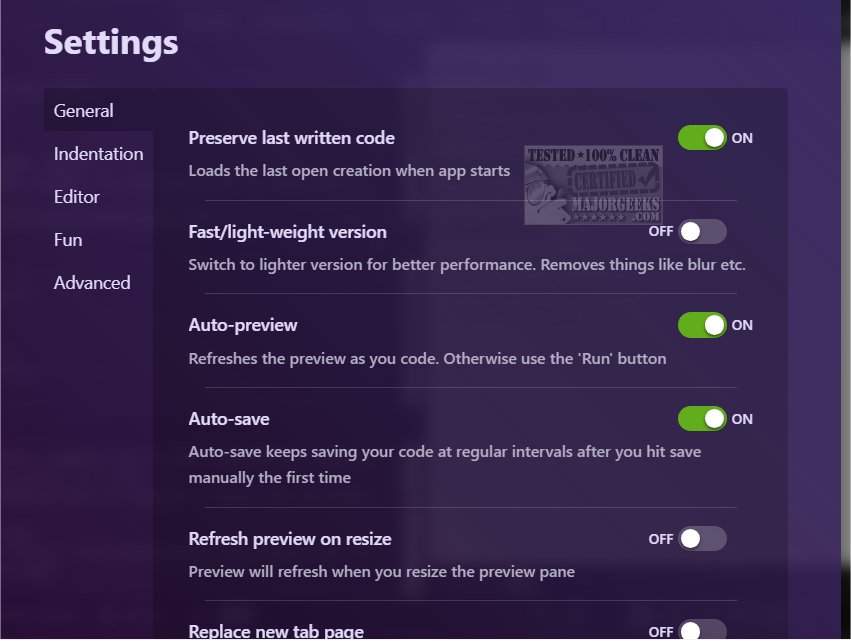
To mitigate the risk of data loss due to unforeseen technical issues, Web Maker for Chrome incorporates an auto-save feature, ensuring that developers’ work is preserved automatically. Additionally, the platform offers code auto-completion, which not only boosts efficiency but also aids in reducing development time.
This browser extension is perfect for both novices eager to learn coding and seasoned developers looking to refine their skills or test new code. With its distraction-free workspace and a well-organized set of features, Web Maker for Chrome is an excellent choice for anyone interested in web development.
In conclusion, Web Maker for Chrome 6.9.0 is a versatile tool that caters to the varying needs of web developers by providing a robust offline environment for coding, experimenting, and learning, thus making it an essential addition to any developer's toolkit. Future updates could further enhance its capabilities, perhaps introducing collaborative features or integration with other web development resources
As a powerful web development resource, Web Maker for Chrome stands alongside popular platforms like CodePen and JSFiddle, yet it distinguishes itself with its remarkable speed and complete offline functionality. By operating entirely within the user’s system, it becomes a dependable option for prototyping and experimenting with web technologies.
The application is specifically designed to foster a productive coding environment, featuring a sleek dark graphical user interface (GUI) where developers can easily input HTML, CSS, and JavaScript code. Users can view real-time previews of their work, displayed conveniently alongside their code input, which enhances the learning and experimentation process.
To mitigate the risk of data loss due to unforeseen technical issues, Web Maker for Chrome incorporates an auto-save feature, ensuring that developers’ work is preserved automatically. Additionally, the platform offers code auto-completion, which not only boosts efficiency but also aids in reducing development time.
This browser extension is perfect for both novices eager to learn coding and seasoned developers looking to refine their skills or test new code. With its distraction-free workspace and a well-organized set of features, Web Maker for Chrome is an excellent choice for anyone interested in web development.
In conclusion, Web Maker for Chrome 6.9.0 is a versatile tool that caters to the varying needs of web developers by providing a robust offline environment for coding, experimenting, and learning, thus making it an essential addition to any developer's toolkit. Future updates could further enhance its capabilities, perhaps introducing collaborative features or integration with other web development resources
Web Maker for Chrome 6.9.0 released
Web Maker for Chrome enables developers to work on web experiments without an internet connection.