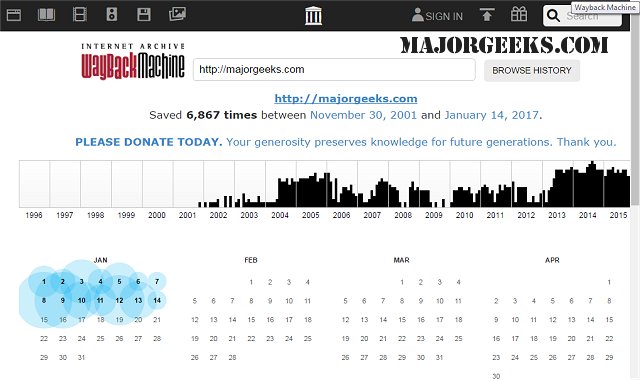
The Wayback Machine extension for Chrome, Firefox, Safari, and Android has been updated to version 3.4.8, enhancing users' ability to access a plethora of archived web pages with ease. This invaluable tool provides a solution for anyone who has encountered a missing webpage, allowing them to retrieve past versions of their favorite sites. The Wayback Machine boasts an extensive archive of millions of websites, complete with associated data such as images, source code, and documents, all conveniently stored for user access.
This extension is particularly useful for viewing historical content, enabling users to see the evolution of websites over time. It also offers the capability to extract source code from sites that may no longer be available, making it an essential resource for web developers and researchers. Additionally, the Wayback Machine can automatically detect various server error codes, including but not limited to 404, 408, and 500 series errors, and check for archived versions of the affected URLs.
With the continued growth of the internet and the frequent changes that occur on websites, the Wayback Machine serves as a crucial tool for preserving digital history. Whether for personal nostalgia, academic research, or professional development, this extension allows users to explore the web's past and recover valuable information that may have otherwise been lost.
In future updates, it would be beneficial for the Wayback Machine extension to incorporate features such as user-friendly navigation through archived content, enhanced search capabilities for specific data types, and improved integration with other web tools to foster a seamless experience for users seeking historical web information
This extension is particularly useful for viewing historical content, enabling users to see the evolution of websites over time. It also offers the capability to extract source code from sites that may no longer be available, making it an essential resource for web developers and researchers. Additionally, the Wayback Machine can automatically detect various server error codes, including but not limited to 404, 408, and 500 series errors, and check for archived versions of the affected URLs.
With the continued growth of the internet and the frequent changes that occur on websites, the Wayback Machine serves as a crucial tool for preserving digital history. Whether for personal nostalgia, academic research, or professional development, this extension allows users to explore the web's past and recover valuable information that may have otherwise been lost.
In future updates, it would be beneficial for the Wayback Machine extension to incorporate features such as user-friendly navigation through archived content, enhanced search capabilities for specific data types, and improved integration with other web tools to foster a seamless experience for users seeking historical web information
Wayback Machine for Chrome, Firefox, Safari, and Android 3.4.8 released
Wayback Machine for Chrome, Firefox, Safari, and Android is an extension that allows you to access numerous archived web pages quickly.
Wayback Machine for Chrome, Firefox, Safari, and Android 3.4.8 released @ MajorGeeks