Introduction to WakeOnLanTool
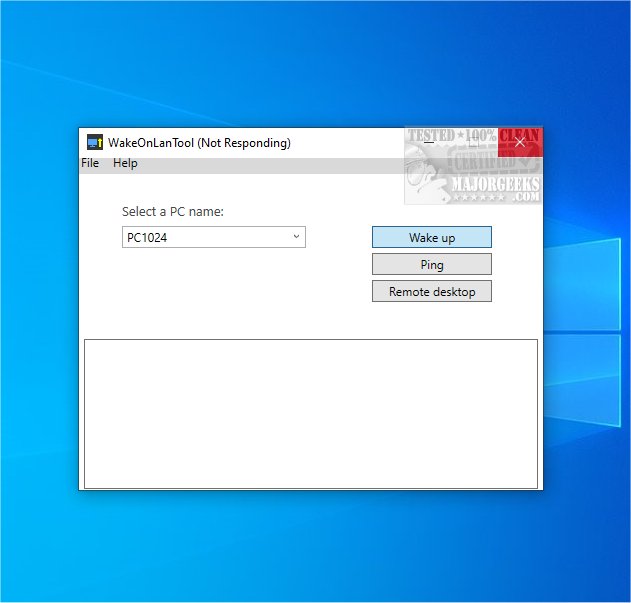
The recently released WakeOnLanTool version 1.1.0.12 is a powerful application designed to wake up computers on a network by sending magic packets. It also includes a useful ping feature that allows users to check the connectivity of any host within the network, making it an essential tool for troubleshooting and effective network management.
Core Functionality
The primary purpose of WakeOnLanTool is to facilitate the waking of PCs remotely. Users can easily send magic packets to any designated host on the network through a simple, user-friendly interface. The application requires no installation; it can be run directly by double-clicking its executable file, making it both convenient and efficient for users in various environments.
How to Use WakeOnLanTool
To wake a computer, users need to input the computer's name or, if unavailable, its IP address alongside the corresponding MAC address. For computers on different IP subnets, the broadcast address must also be specified. All necessary details should be organized in a file named `computers.txt`. This straightforward approach makes it accessible for both corporate IT environments and home network administrators.
Additional Features
In addition to its primary function of waking computers, WakeOnLanTool allows users to ping hosts to verify their connectivity status. The application logs the results of these ping and wake-on-LAN commands, providing users with useful feedback. Moreover, it offers options for establishing remote desktop connections to the targeted hosts, significantly enhancing its utility.
Conclusion
WakeOnLanTool stands out as a highly versatile application that not only allows for the remote waking of PCs but also includes robust functionalities for checking network connectivity and establishing remote desktop sessions. Its ease of use and comprehensive features make it an indispensable tool for network administrators and users who need to manage devices remotely with efficiency.
Future Enhancements
As technology continues to evolve, future versions of WakeOnLanTool could introduce enhanced security features, such as encrypted magic packets, support for more networking protocols, or integration with cloud-based management systems. Additionally, expanding compatibility with mobile devices could allow users to manage their networks on-the-go, further increasing the tool's versatility and appeal
Core Functionality
The primary purpose of WakeOnLanTool is to facilitate the waking of PCs remotely. Users can easily send magic packets to any designated host on the network through a simple, user-friendly interface. The application requires no installation; it can be run directly by double-clicking its executable file, making it both convenient and efficient for users in various environments.
How to Use WakeOnLanTool
To wake a computer, users need to input the computer's name or, if unavailable, its IP address alongside the corresponding MAC address. For computers on different IP subnets, the broadcast address must also be specified. All necessary details should be organized in a file named `computers.txt`. This straightforward approach makes it accessible for both corporate IT environments and home network administrators.
Additional Features
In addition to its primary function of waking computers, WakeOnLanTool allows users to ping hosts to verify their connectivity status. The application logs the results of these ping and wake-on-LAN commands, providing users with useful feedback. Moreover, it offers options for establishing remote desktop connections to the targeted hosts, significantly enhancing its utility.
Conclusion
WakeOnLanTool stands out as a highly versatile application that not only allows for the remote waking of PCs but also includes robust functionalities for checking network connectivity and establishing remote desktop sessions. Its ease of use and comprehensive features make it an indispensable tool for network administrators and users who need to manage devices remotely with efficiency.
Future Enhancements
As technology continues to evolve, future versions of WakeOnLanTool could introduce enhanced security features, such as encrypted magic packets, support for more networking protocols, or integration with cloud-based management systems. Additionally, expanding compatibility with mobile devices could allow users to manage their networks on-the-go, further increasing the tool's versatility and appeal
WakeOnLanTool 1.1.0.12 released
WakeOnLanTool lets you wake up any PC on the network by sending magic packets and includes functionality to ping any host within the network, facilitating troubleshooting and network management.