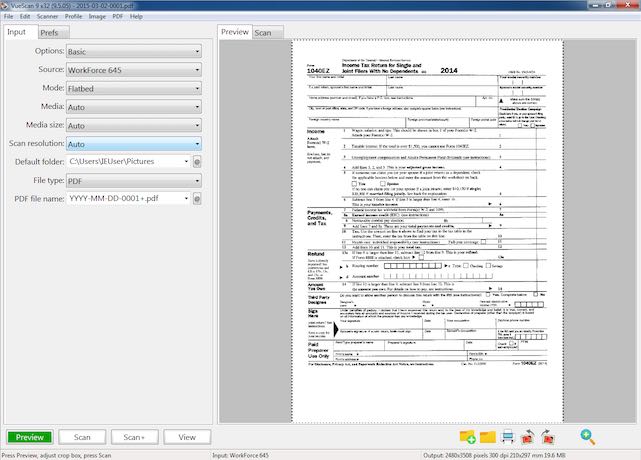
VueScan 9.8.50 has been released, enhancing its reputation as an easy-to-use scanning software compatible with a wide range of high-quality flatbed and film scanners. This program is renowned for its capability to deliver scans with exceptional color accuracy and balance, making it a favorite among both amateur and professional photographers.
In addition to its user-friendly interface, VueScan offers advanced features such as color restoration for faded images and batch scanning, which is particularly useful for those handling multiple documents or photos at once. Importantly, VueScan operates without altering or installing anything on your existing system, ensuring that all other scanner software remains functional.
Users can effortlessly scan a variety of materials, including documents, photos, and film, and easily save them in formats such as PDF, JPEG, TIFF, and TXT. The software also allows direct file imports from Photoshop, ideal for users who wish to refine their images prior to finalizing them. With support for over 1,500 scanner models, VueScan proves to be a versatile and powerful tool for scanning needs.
To further enhance user experience, VueScan continually updates its features and capabilities, ensuring compatibility with the latest operating systems and technologies. This commitment to improvement positions VueScan as a leading choice for anyone seeking reliable and high-quality scanning solutions.
In addition to VueScan, users may also be interested in related topics such as troubleshooting printer issues on Windows 10 and 11, printing test pages, and managing printer settings within the operating system
In addition to its user-friendly interface, VueScan offers advanced features such as color restoration for faded images and batch scanning, which is particularly useful for those handling multiple documents or photos at once. Importantly, VueScan operates without altering or installing anything on your existing system, ensuring that all other scanner software remains functional.
Users can effortlessly scan a variety of materials, including documents, photos, and film, and easily save them in formats such as PDF, JPEG, TIFF, and TXT. The software also allows direct file imports from Photoshop, ideal for users who wish to refine their images prior to finalizing them. With support for over 1,500 scanner models, VueScan proves to be a versatile and powerful tool for scanning needs.
To further enhance user experience, VueScan continually updates its features and capabilities, ensuring compatibility with the latest operating systems and technologies. This commitment to improvement positions VueScan as a leading choice for anyone seeking reliable and high-quality scanning solutions.
In addition to VueScan, users may also be interested in related topics such as troubleshooting printer issues on Windows 10 and 11, printing test pages, and managing printer settings within the operating system
VueScan 9.8.50 released
VueScan is an easy-to-use scanning program that works with the most high-quality flatbed/film scanners to produce scans with excellent color accuracy and balance.