VOVSOFT has launched version 5.0 of its Screen Recorder, designed for effortless recording of on-screen activities. This user-friendly tool is ideal for creating instructional videos, capturing gameplay for social media, or recording any screen content to share with friends or upload to platforms like YouTube.
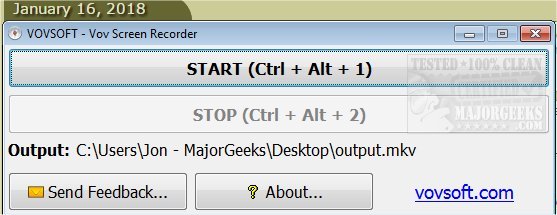
To start using VOVSOFT Screen Recorder, users simply press the start button or use the keyboard shortcut Ctrl + Alt + 1 to begin recording, and stop the process with Ctrl + Alt + 2. The software is streamlined for quick use, requiring no complicated configurations or settings. It saves recordings exclusively in MKV format and is limited to full-screen captures.
In addition to its primary functions, VOVSOFT Screen Recorder can be part of a broader toolkit for content creators. Users may also find it beneficial to explore related resources such as guides on taking screenshots in Windows 10 & 11, restoring the Windows Photo Viewer, editing videos with the Microsoft Photo App, and managing the automatic deletion of the thumbnail cache in Windows 10.
Overall, VOVSOFT Screen Recorder 5.0 stands out for its simplicity and efficiency, catering to users who want to quickly capture and share their screen activities without the hassle of complex settings
To start using VOVSOFT Screen Recorder, users simply press the start button or use the keyboard shortcut Ctrl + Alt + 1 to begin recording, and stop the process with Ctrl + Alt + 2. The software is streamlined for quick use, requiring no complicated configurations or settings. It saves recordings exclusively in MKV format and is limited to full-screen captures.
In addition to its primary functions, VOVSOFT Screen Recorder can be part of a broader toolkit for content creators. Users may also find it beneficial to explore related resources such as guides on taking screenshots in Windows 10 & 11, restoring the Windows Photo Viewer, editing videos with the Microsoft Photo App, and managing the automatic deletion of the thumbnail cache in Windows 10.
Overall, VOVSOFT Screen Recorder 5.0 stands out for its simplicity and efficiency, catering to users who want to quickly capture and share their screen activities without the hassle of complex settings
VOVSOFT Screen Recorder 5.0 released
VOVSOFT Screen Recorder enables super-simple recording of on-screen activities.