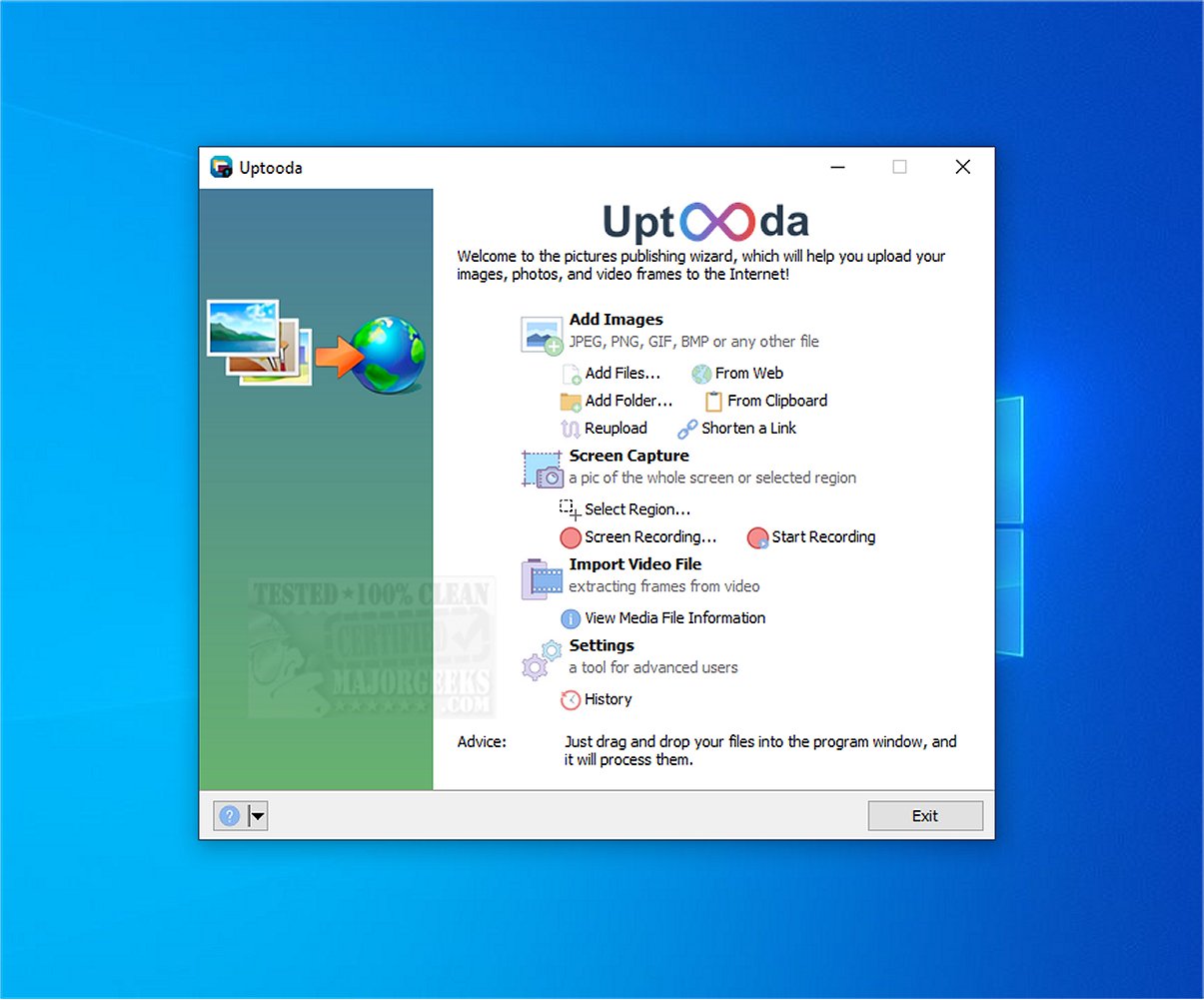
Uptooda version 1.4.6 has been released, enhancing the functionality of the tool previously known as Image Uploader. This application streamlines the process of uploading images, screenshots, and various files to multiple hosting services. Users will find the setup process straightforward, as Uptooda guides them through configuration to achieve optimal results for their specific needs.
The software supports a wide range of file formats, including popular image types like JPG, GIF, PNG, and BMP, as well as video formats such as AVI, MPG, VOB, and WMV. Additionally, Uptooda allows users to capture full-screen snapshots, active windows, or designated areas of their screen, providing flexibility in content creation. Users can also edit captured images in Paint before uploading them to various file-sharing platforms.
Uptooda offers features that allow users to access file details and customize settings related to aspect ratio, image quality, watermarking, and thumbnail creation. The ability to set custom keyboard shortcuts enhances user experience by enabling quick access to frequently used functions. Overall, Uptooda stands out as a user-friendly and efficient solution for uploading a wide array of file types, particularly for those who frequently share images and screenshots.
In addition to its core features, Uptooda may continue to evolve, potentially incorporating advanced functionalities such as cloud integration, enhanced security options for file uploads, and improved collaboration tools for users working in teams. This could further solidify its position as a go-to tool for professionals and everyday users alike who require efficient file management and sharing capabilities
The software supports a wide range of file formats, including popular image types like JPG, GIF, PNG, and BMP, as well as video formats such as AVI, MPG, VOB, and WMV. Additionally, Uptooda allows users to capture full-screen snapshots, active windows, or designated areas of their screen, providing flexibility in content creation. Users can also edit captured images in Paint before uploading them to various file-sharing platforms.
Uptooda offers features that allow users to access file details and customize settings related to aspect ratio, image quality, watermarking, and thumbnail creation. The ability to set custom keyboard shortcuts enhances user experience by enabling quick access to frequently used functions. Overall, Uptooda stands out as a user-friendly and efficient solution for uploading a wide array of file types, particularly for those who frequently share images and screenshots.
In addition to its core features, Uptooda may continue to evolve, potentially incorporating advanced functionalities such as cloud integration, enhanced security options for file uploads, and improved collaboration tools for users working in teams. This could further solidify its position as a go-to tool for professionals and everyday users alike who require efficient file management and sharing capabilities
Uptooda 1.4.6 released
Uptooda (formerly Image Uploader) allows you to efficiently upload images, screenshots, and files to numerous hosting services.