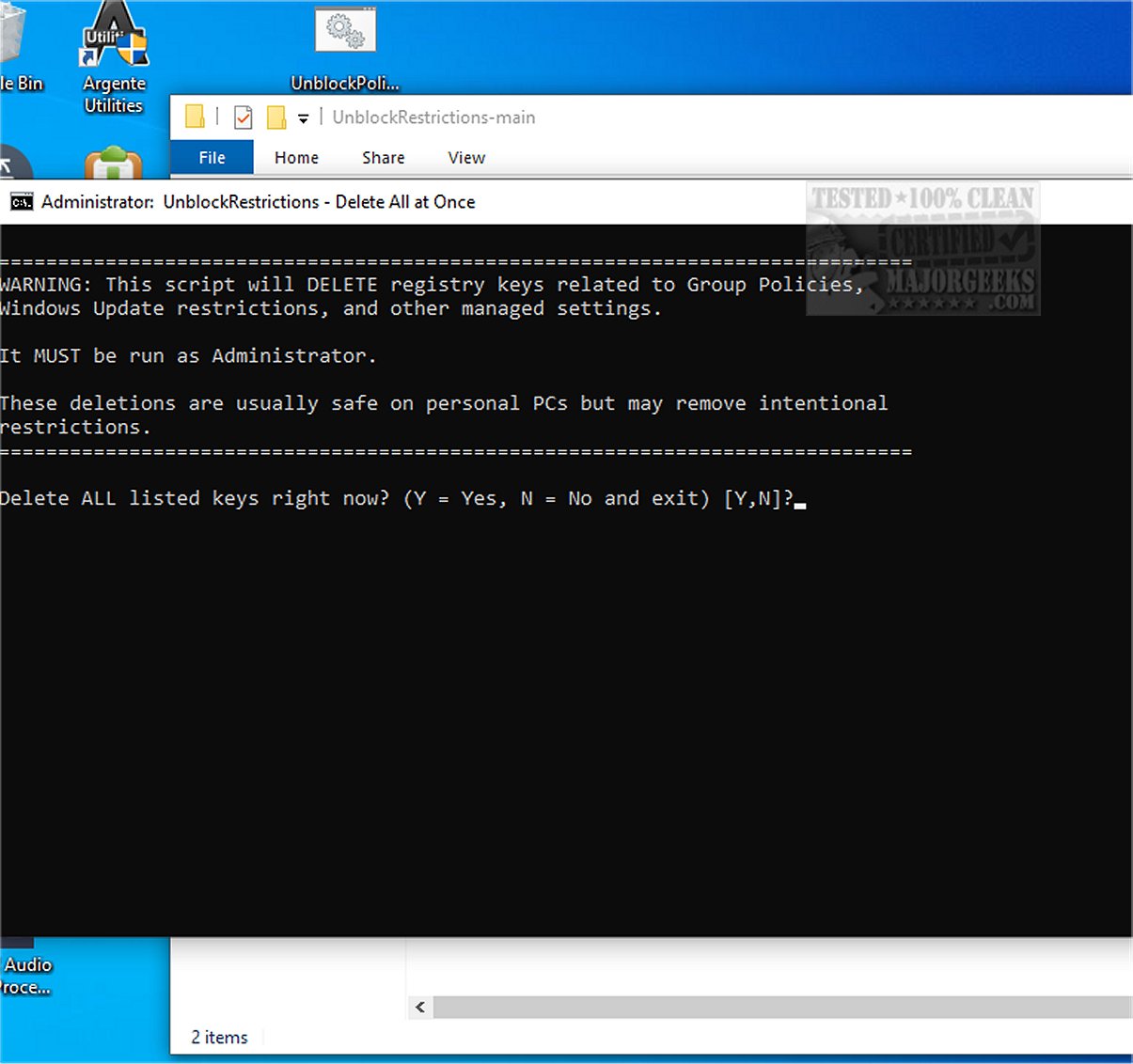
UnblockPolicies is a newly released tool designed to tackle a common issue faced by Windows users: the incorrect identification of personal, non-network computers as belonging to organizations or educational institutions. This misclassification can lead to restrictions that prevent users from accessing and modifying their device settings.
Understanding the Problem: "Some Settings Are Managed by Your Organization"
When users attempt to change certain settings in Windows, they may encounter the frustrating notification: "Some Settings Are Managed by Your Organization." This message often appears after a system update or upgrade and can manifest in various scenarios, such as when users try to adjust settings through Cortana, access Windows Update, or customize their desktop backgrounds. The warning implies that the system has imposed restrictions, leaving many users puzzled and feeling as though they’ve lost control over their personal devices.
A Distinct Solution: UnblockPolicies
While there are multiple online fixes available, many users find these solutions overly complex and challenging to carry out, particularly if they lack advanced technical skills. UnblockPolicies stands out by offering a straightforward and accessible method to restore full control over system settings without unnecessary complications.
How to Use UnblockPolicies
Using UnblockPolicies is a simple process:
1. Download the ZIP file and extract its contents.
2. Move the batch file to your Desktop.
3. Right-click the file and select 'Run as administrator' to execute it.
Precautionary Measures: Creating a Restore Point
Before running the UnblockPolicies script, it's advisable to create a system restore point. This step ensures that users have a backup of their current system state, providing security in case any issues arise during or after the execution of the script.
Conclusion: An Effective Tool for Users
The Geek Verdict on UnblockPolicies is that it provides a clear and effective solution to persistent content access limitations in Windows. By utilizing this tool, users can bypass restrictions effortlessly, avoiding the need for manual adjustments or complicated procedures. This not only simplifies the process but also guarantees a reliable resolution, allowing users to regain full control over their system settings.
Further Resources
In addition to UnblockPolicies, users may find it helpful to explore related tools and guides, such as enabling the Group Policy Editor (gpedit.msc) in Windows 10 Home Edition or discovering various methods to access the Group Policy Editor, enhancing their overall Windows experience
Understanding the Problem: "Some Settings Are Managed by Your Organization"
When users attempt to change certain settings in Windows, they may encounter the frustrating notification: "Some Settings Are Managed by Your Organization." This message often appears after a system update or upgrade and can manifest in various scenarios, such as when users try to adjust settings through Cortana, access Windows Update, or customize their desktop backgrounds. The warning implies that the system has imposed restrictions, leaving many users puzzled and feeling as though they’ve lost control over their personal devices.
A Distinct Solution: UnblockPolicies
While there are multiple online fixes available, many users find these solutions overly complex and challenging to carry out, particularly if they lack advanced technical skills. UnblockPolicies stands out by offering a straightforward and accessible method to restore full control over system settings without unnecessary complications.
How to Use UnblockPolicies
Using UnblockPolicies is a simple process:
1. Download the ZIP file and extract its contents.
2. Move the batch file to your Desktop.
3. Right-click the file and select 'Run as administrator' to execute it.
Precautionary Measures: Creating a Restore Point
Before running the UnblockPolicies script, it's advisable to create a system restore point. This step ensures that users have a backup of their current system state, providing security in case any issues arise during or after the execution of the script.
Conclusion: An Effective Tool for Users
The Geek Verdict on UnblockPolicies is that it provides a clear and effective solution to persistent content access limitations in Windows. By utilizing this tool, users can bypass restrictions effortlessly, avoiding the need for manual adjustments or complicated procedures. This not only simplifies the process but also guarantees a reliable resolution, allowing users to regain full control over their system settings.
Further Resources
In addition to UnblockPolicies, users may find it helpful to explore related tools and guides, such as enabling the Group Policy Editor (gpedit.msc) in Windows 10 Home Edition or discovering various methods to access the Group Policy Editor, enhancing their overall Windows experience
UnblockPolicies 1.0 released
UnblockPolicies is a useful tool for addressing situations in which Windows inaccurately identifies your personal, non-network computer as belonging to an organization or educational institution.