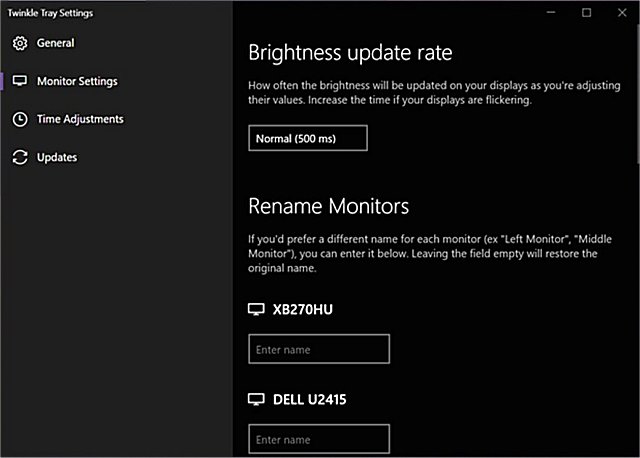
Twinkle Tray is a powerful application designed to help users manage the brightness levels of multiple monitors efficiently. While Windows 10 has built-in capabilities to adjust the backlight on many monitors, it typically falls short when it comes to external displays. Moreover, Windows 10 lacks the functionality to control brightness across multiple monitors simultaneously. Twinkle Tray addresses this gap by adding a convenient icon to the system tray, allowing users to quickly access and adjust the brightness settings of all compatible monitors.
The application communicates with monitors using DDC/CI and WMI protocols, so users must ensure that the necessary options are enabled on their monitors for Twinkle Tray to function effectively.
Key Features of Twinkle Tray:
- Effortlessly manage brightness levels for one or multiple monitors.
- Normalize backlight across different monitor models for a consistent viewing experience.
- Seamless integration with Windows 10, matching the taskbar with your Personalization settings.
- Automatic startup with Windows for immediate access.
- Quick accessibility from the system tray.
- Smart scheduling that automatically adjusts monitor brightness based on the time of day.
- Multilingual support, including Japanese, Spanish, Russian, French, Norwegian, German, and Italian.
In addition to its core functionalities, Twinkle Tray can enhance productivity by allowing users to create custom brightness presets, which can be particularly useful in different lighting environments or specific tasks. Furthermore, users can benefit from regular updates, ensuring compatibility with the latest Windows features and monitor technologies. As the use of multiple monitors becomes increasingly common, applications like Twinkle Tray provide essential tools for managing complex setups efficiently, ultimately improving the overall user experience.
For additional resources, users may find related articles on enabling or disabling adaptive brightness in Windows 10 and 11, turning off monitors on demand, and troubleshooting issues like stuck or dead pixels on LCD screens
The application communicates with monitors using DDC/CI and WMI protocols, so users must ensure that the necessary options are enabled on their monitors for Twinkle Tray to function effectively.
Key Features of Twinkle Tray:
- Effortlessly manage brightness levels for one or multiple monitors.
- Normalize backlight across different monitor models for a consistent viewing experience.
- Seamless integration with Windows 10, matching the taskbar with your Personalization settings.
- Automatic startup with Windows for immediate access.
- Quick accessibility from the system tray.
- Smart scheduling that automatically adjusts monitor brightness based on the time of day.
- Multilingual support, including Japanese, Spanish, Russian, French, Norwegian, German, and Italian.
In addition to its core functionalities, Twinkle Tray can enhance productivity by allowing users to create custom brightness presets, which can be particularly useful in different lighting environments or specific tasks. Furthermore, users can benefit from regular updates, ensuring compatibility with the latest Windows features and monitor technologies. As the use of multiple monitors becomes increasingly common, applications like Twinkle Tray provide essential tools for managing complex setups efficiently, ultimately improving the overall user experience.
For additional resources, users may find related articles on enabling or disabling adaptive brightness in Windows 10 and 11, turning off monitors on demand, and troubleshooting issues like stuck or dead pixels on LCD screens
Twinkle Tray: Brightness Slider 1.17.2 released
Twinkle Tray lets you efficiently manage the brightness levels of multiple monitors.
Twinkle Tray: Brightness Slider 1.17.2 released @ MajorGeeks