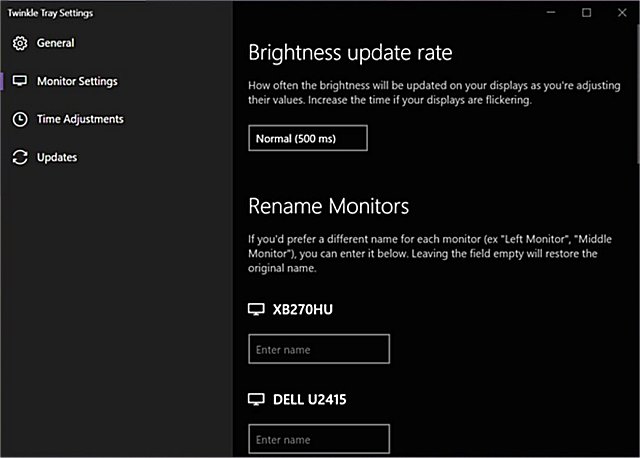
Twinkle Tray has released version 1.17.1, an application designed to simplify the management of brightness levels across multiple monitors. While Windows 10 can adjust the brightness of most monitors, it often falls short when it comes to external displays and lacks a built-in feature for controlling multiple monitors simultaneously. Twinkle Tray addresses this gap by adding an icon to the system tray, allowing users to quickly adjust the brightness of all compatible monitors with ease.
The app operates using DDC/CI and WMI protocols, so users need to ensure that their monitors have the necessary settings enabled for compatibility. Some of the key features of Twinkle Tray include:
- Smooth control over brightness for single or multiple monitors
- The ability to normalize backlight levels across different monitor models
- A design that integrates seamlessly with Windows 10, adapting to user personalization settings
- Automatic startup with Windows for convenience
- Access via the system tray for quick adjustments
- Smart brightness adjustments based on the time of day
- Availability in multiple languages, including Japanese, Spanish, Russian, French, Norwegian, German, and Italian
In addition to its primary functionalities, Twinkle Tray provides users with valuable support resources, including guides on managing adaptive brightness settings, turning off monitors on demand, and troubleshooting stuck or dead pixels on LCD screens.
With the increasing reliance on multiple-monitor setups for productivity, applications like Twinkle Tray are essential for enhancing user experience and providing greater control over display configurations. As technology evolves, continuous updates to software like Twinkle Tray will be vital to ensure compatibility with newer monitor technologies and user needs
The app operates using DDC/CI and WMI protocols, so users need to ensure that their monitors have the necessary settings enabled for compatibility. Some of the key features of Twinkle Tray include:
- Smooth control over brightness for single or multiple monitors
- The ability to normalize backlight levels across different monitor models
- A design that integrates seamlessly with Windows 10, adapting to user personalization settings
- Automatic startup with Windows for convenience
- Access via the system tray for quick adjustments
- Smart brightness adjustments based on the time of day
- Availability in multiple languages, including Japanese, Spanish, Russian, French, Norwegian, German, and Italian
In addition to its primary functionalities, Twinkle Tray provides users with valuable support resources, including guides on managing adaptive brightness settings, turning off monitors on demand, and troubleshooting stuck or dead pixels on LCD screens.
With the increasing reliance on multiple-monitor setups for productivity, applications like Twinkle Tray are essential for enhancing user experience and providing greater control over display configurations. As technology evolves, continuous updates to software like Twinkle Tray will be vital to ensure compatibility with newer monitor technologies and user needs
Twinkle Tray: Brightness Slider 1.17.1 released
Twinkle Tray lets you efficiently manage the brightness levels of multiple monitors.
Twinkle Tray: Brightness Slider 1.17.1 released @ MajorGeeks