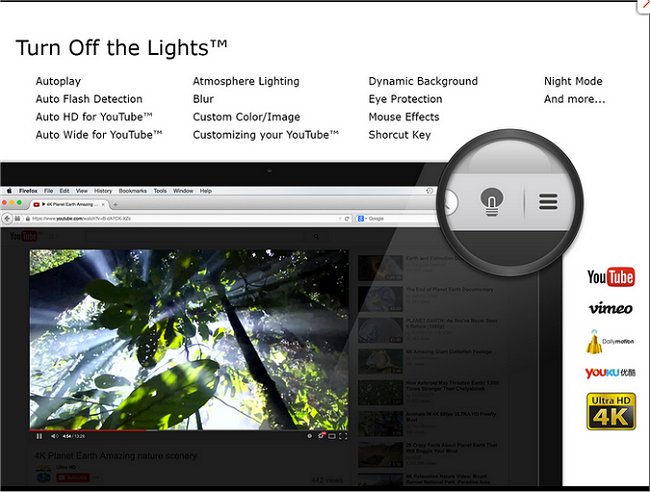
The latest version 4.6.5 of the "Turn Off the Lights" browser extension is now available for Chrome, Firefox, and Edge. This extension enhances the viewing experience by allowing users to dim everything on their screen except for the Flash or HTML5 video currently being watched. By doing so, it helps reduce distractions, creating a more immersive atmosphere for viewers.
The extension features a small lamp icon located in the browser's menu bar or the Omnibox. When users click the gray lamp icon, the area surrounding the video fades to a muted state, allowing the video to take center stage. If users wish to return to the normal view, they can simply click outside the video. For customization, users have the option to adjust the opacity of the dimming effect and choose colors other than black for the overlay.
In addition to this feature, users may find related articles helpful, such as guides on stopping Chrome from starting automatically, resetting or repairing browsers like Chrome, Firefox, or Edge, and deleting autofill entries in Chrome.
To further enhance user experience, future updates could introduce features such as customizable keyboard shortcuts for toggling the dimming effect, support for additional video formats, and integration with popular streaming platforms to automatically activate the dimming effect when a video starts playing
The extension features a small lamp icon located in the browser's menu bar or the Omnibox. When users click the gray lamp icon, the area surrounding the video fades to a muted state, allowing the video to take center stage. If users wish to return to the normal view, they can simply click outside the video. For customization, users have the option to adjust the opacity of the dimming effect and choose colors other than black for the overlay.
In addition to this feature, users may find related articles helpful, such as guides on stopping Chrome from starting automatically, resetting or repairing browsers like Chrome, Firefox, or Edge, and deleting autofill entries in Chrome.
To further enhance user experience, future updates could introduce features such as customizable keyboard shortcuts for toggling the dimming effect, support for additional video formats, and integration with popular streaming platforms to automatically activate the dimming effect when a video starts playing
Turn Off the Lights for Chrome, Firefox, and Edge 4.6.5 released
Turn Off the Lights for Chrome, Firefox, and Edge is a useful browser extension that lets users obscure everything on their screen except the Flash or HTML5 video they're watching, minimizing distractions and making for a more pleasant viewing experience.
Turn Off the Lights for Chrome, Firefox, and Edge 4.6.5 released @ MajorGeeks