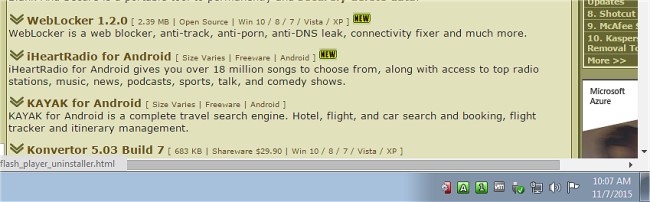
TrayStatus version 5.1.3 has been released, enhancing its functionality as a compact utility that provides real-time indicator lights for Caps Lock, Num Lock, Scroll Lock, and hard drive activity directly in your system tray. This tool is especially beneficial for users of notebooks or keyboards that lack dedicated indicator lights for these features and for those whose computers do not have a hard drive activity light.
With TrayStatus, users can easily toggle visibility for specific indicators based on their preferences. The utility displays a variety of key statuses in the taskbar's notification area, including:
- Num Lock status
- Caps Lock status
- Scroll Lock status
- Alt key status
- Ctrl key status
- Shift key status
- Windows key status
- Hard Drive activity (including read/write status and current speed, visible in a tooltip)
In addition to its primary functions, TrayStatus is linked to productivity by promoting efficient keyboard usage. Users may also find interests in related topics such as increasing productivity with time-saving keyboard shortcuts, understanding the Pause and Break key functions, optimizing the Scroll Lock key's utility, and a comprehensive list of keyboard shortcuts available in Windows.
As technology and user preferences evolve, utilities like TrayStatus can significantly enhance the user experience, making it easier to monitor hardware and keyboard statuses without relying on physical indicators. Future updates could potentially introduce more customizable features, better integration with operating systems, or additional notifications for other keyboard functionalities, keeping users informed and improving their workflow
With TrayStatus, users can easily toggle visibility for specific indicators based on their preferences. The utility displays a variety of key statuses in the taskbar's notification area, including:
- Num Lock status
- Caps Lock status
- Scroll Lock status
- Alt key status
- Ctrl key status
- Shift key status
- Windows key status
- Hard Drive activity (including read/write status and current speed, visible in a tooltip)
In addition to its primary functions, TrayStatus is linked to productivity by promoting efficient keyboard usage. Users may also find interests in related topics such as increasing productivity with time-saving keyboard shortcuts, understanding the Pause and Break key functions, optimizing the Scroll Lock key's utility, and a comprehensive list of keyboard shortcuts available in Windows.
As technology and user preferences evolve, utilities like TrayStatus can significantly enhance the user experience, making it easier to monitor hardware and keyboard statuses without relying on physical indicators. Future updates could potentially introduce more customizable features, better integration with operating systems, or additional notifications for other keyboard functionalities, keeping users informed and improving their workflow
TrayStatus 5.1.3 released
TrayStatus is a small utility designed to provide indicator lights for caps lock, number lock, scroll lock and hard drive activity status right in your systray.