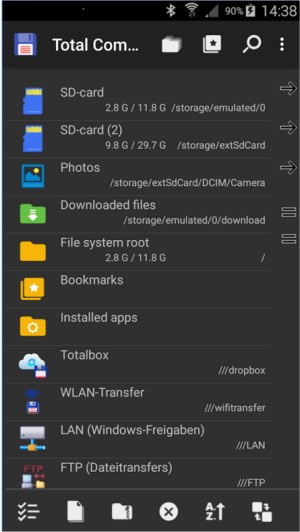
Total Commander has recently released versions 11.57 RC 2 and 11.56, solidifying its position as a premier file manager for both Windows and Android devices. Known for its practical, no-frills approach, Total Commander stands out as a powerful alternative to the default Windows Explorer, offering features that cater to serious users who value efficiency and control over their file management tasks.
The software’s dual-pane interface allows users to easily navigate and manage files, enabling quick transfers between directories without the hassle of switching back and forth. It supports a wide variety of archive formats, allowing users to work with files like ZIP, RAR, and 7Z directly within the application—eliminating the need for additional software. Furthermore, its built-in FTP client simplifies remote server interactions, making it ideal for tasks like backups or website maintenance.
Total Commander is also highly customizable, allowing users to integrate tools like Everything Search for faster file searches. The application supports a vast ecosystem of plugins, enabling additional functionalities such as browsing Android devices or syncing with cloud storage services. For keyboard enthusiasts, Total Commander offers a shortcut-driven experience, significantly speeding up file operations.
In practical use, Total Commander excels in batch tasks, such as renaming multiple files or managing large backups between drives. Its Multi-Rename Tool is particularly praised for its versatility and user-friendly features. The app also provides advanced search capabilities, allowing users to efficiently identify and remove duplicate files or unwanted leftovers.
Despite its strengths, Total Commander does have a few drawbacks. The user interface may seem outdated to some, and it can take time to become accustomed to its layout and shortcuts. Additionally, it may not appeal to users looking for a more modern, visually appealing interface.
In conclusion, Total Commander is a robust utility that prioritizes functionality over aesthetics. It is particularly suited for power users, system administrators, and developers who require a reliable file management tool. With no intrusive ads and low resource consumption, Total Commander is a valuable addition to any user's toolkit, whether for organizing files, managing servers, or streamlining everyday tasks. The free version comes with a minor challenge question at startup, which is a small trade-off for its extensive capabilities. Overall, Total Commander remains a top choice for those looking to enhance their file management experience.
As technology continues to evolve, Total Commander's adaptability and consistent updates suggest that it will remain relevant in the ever-changing landscape of file management software. Whether you're a casual user or a tech-savvy professional, Total Commander is likely to meet and exceed your file management needs
The software’s dual-pane interface allows users to easily navigate and manage files, enabling quick transfers between directories without the hassle of switching back and forth. It supports a wide variety of archive formats, allowing users to work with files like ZIP, RAR, and 7Z directly within the application—eliminating the need for additional software. Furthermore, its built-in FTP client simplifies remote server interactions, making it ideal for tasks like backups or website maintenance.
Total Commander is also highly customizable, allowing users to integrate tools like Everything Search for faster file searches. The application supports a vast ecosystem of plugins, enabling additional functionalities such as browsing Android devices or syncing with cloud storage services. For keyboard enthusiasts, Total Commander offers a shortcut-driven experience, significantly speeding up file operations.
In practical use, Total Commander excels in batch tasks, such as renaming multiple files or managing large backups between drives. Its Multi-Rename Tool is particularly praised for its versatility and user-friendly features. The app also provides advanced search capabilities, allowing users to efficiently identify and remove duplicate files or unwanted leftovers.
Despite its strengths, Total Commander does have a few drawbacks. The user interface may seem outdated to some, and it can take time to become accustomed to its layout and shortcuts. Additionally, it may not appeal to users looking for a more modern, visually appealing interface.
In conclusion, Total Commander is a robust utility that prioritizes functionality over aesthetics. It is particularly suited for power users, system administrators, and developers who require a reliable file management tool. With no intrusive ads and low resource consumption, Total Commander is a valuable addition to any user's toolkit, whether for organizing files, managing servers, or streamlining everyday tasks. The free version comes with a minor challenge question at startup, which is a small trade-off for its extensive capabilities. Overall, Total Commander remains a top choice for those looking to enhance their file management experience.
As technology continues to evolve, Total Commander's adaptability and consistent updates suggest that it will remain relevant in the ever-changing landscape of file management software. Whether you're a casual user or a tech-savvy professional, Total Commander is likely to meet and exceed your file management needs
Total Commander 11.57 RC 2 / 11.56 released
Total Commander is an all-in-one file manager for your Windows and Android devices.