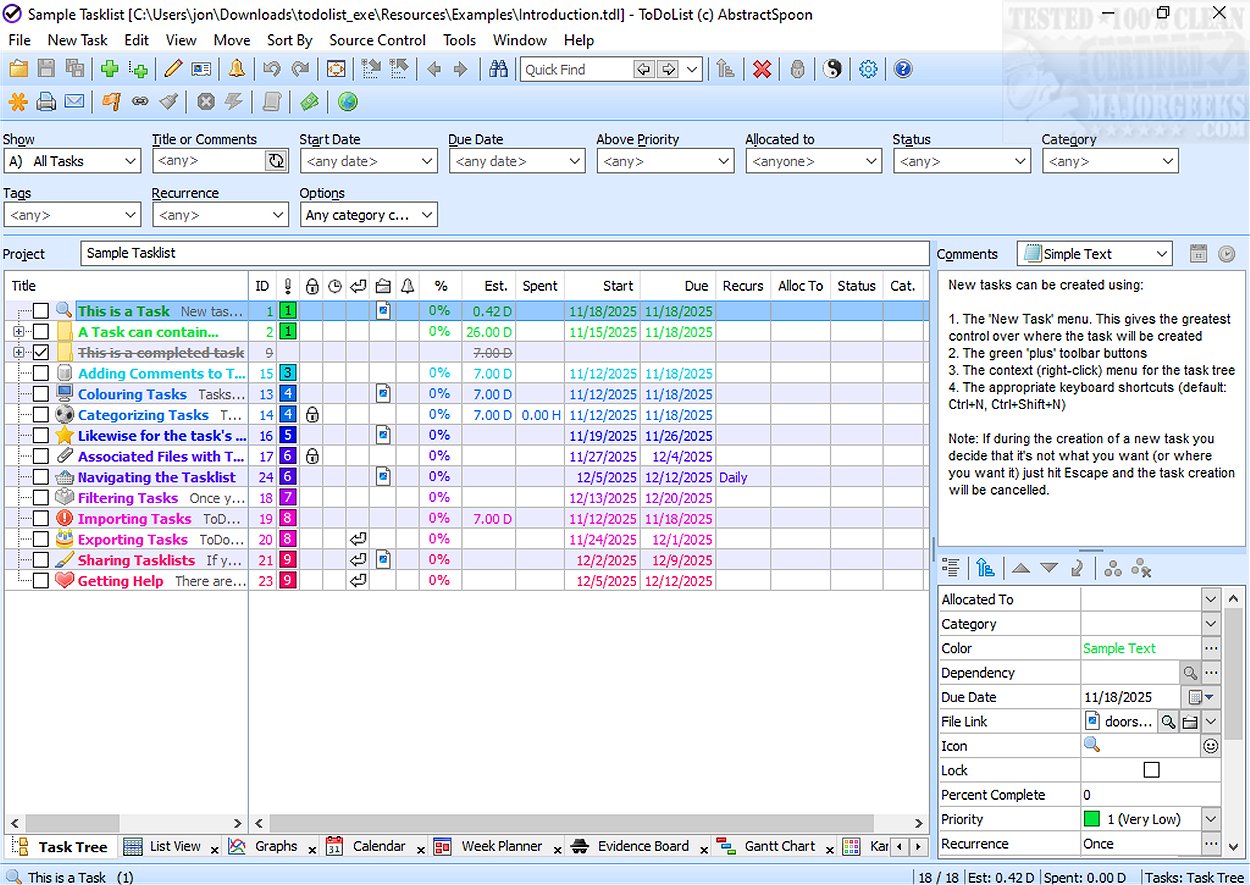
ToDoList version 9.1.8 has been released, enhancing its reputation as a versatile task management tool. With the ability to deconstruct complex projects into smaller, manageable subtasks, ToDoList is particularly suited for IT projects and the implementation of the Getting Things Done (GTD) methodology.
Key Features of ToDoList:
- Task Organization: Tasks are organized in XML file format, allowing users to apply stylesheets for improved formatting and printing. This feature enhances the visual presentation of task lists.
- Hierarchical Structure: Users can create a hierarchy of subtasks, assign start and end dates, set priorities, and define various attributes. As subtasks are completed, parent tasks automatically reflect this progress, providing a clear overview.
- Advanced Functionalities: ToDoList includes capabilities for archiving tasks, generating detailed reports, and tracking time, making it valuable for client billing. The platform also supports reminders, sorting, filtering, and drag-and-drop options to streamline user experience.
- Diverse Viewing Options: To accommodate different user preferences, ToDoList offers multiple formats for viewing and editing tasks, including calendar views, Gantt charts, mind maps, and workload views. This flexibility allows users to choose the presentation that best suits their workflow.
Conclusion:
ToDoList is a robust task management solution that caters to both personal and professional needs. Its adaptability and extensive features make it an excellent choice for individuals, businesses, and teams looking to improve their workflow and productivity. The recent release of version 9.1.8 further solidifies ToDoList's position as a leading tool for effective task organization and management.
Future Developments:
As technology and user needs evolve, future updates to ToDoList may focus on integrating artificial intelligence for smarter task prioritization and automation features. Additionally, enhancements in mobile compatibility could allow users to manage their tasks on the go more effectively, further increasing productivity and accessibility
Key Features of ToDoList:
- Task Organization: Tasks are organized in XML file format, allowing users to apply stylesheets for improved formatting and printing. This feature enhances the visual presentation of task lists.
- Hierarchical Structure: Users can create a hierarchy of subtasks, assign start and end dates, set priorities, and define various attributes. As subtasks are completed, parent tasks automatically reflect this progress, providing a clear overview.
- Advanced Functionalities: ToDoList includes capabilities for archiving tasks, generating detailed reports, and tracking time, making it valuable for client billing. The platform also supports reminders, sorting, filtering, and drag-and-drop options to streamline user experience.
- Diverse Viewing Options: To accommodate different user preferences, ToDoList offers multiple formats for viewing and editing tasks, including calendar views, Gantt charts, mind maps, and workload views. This flexibility allows users to choose the presentation that best suits their workflow.
Conclusion:
ToDoList is a robust task management solution that caters to both personal and professional needs. Its adaptability and extensive features make it an excellent choice for individuals, businesses, and teams looking to improve their workflow and productivity. The recent release of version 9.1.8 further solidifies ToDoList's position as a leading tool for effective task organization and management.
Future Developments:
As technology and user needs evolve, future updates to ToDoList may focus on integrating artificial intelligence for smarter task prioritization and automation features. Additionally, enhancements in mobile compatibility could allow users to manage their tasks on the go more effectively, further increasing productivity and accessibility
ToDoList 9.1.8 released
ToDoList is a versatile task management tool that allows you to break down complex projects into manageable parts by repeatedly subdividing them, creating a hierarchy of simpler subtasks.