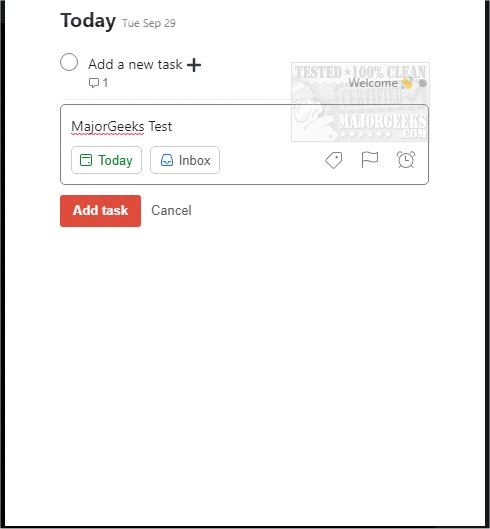
Todoist has recently released updates for its applications on Chrome, Firefox, Edge, Safari, and Android (version 12.21.5), enhancing its functionality as a powerful tool for managing both work and personal tasks. With Todoist, users can efficiently organize their schedules by adding frequently visited websites as tasks, such as saving blog posts to read later or items to wishlists. This tool allows for seamless task management, enabling users to plan their day visually and complete tasks directly from their browser without switching tabs.
The app boasts over 60 integrations with popular applications, including Google Drive, Dropbox, Zapier, Evernote, and Slack, positioning Todoist as a central hub for organization in both professional and personal settings. Key features of Todoist include:
- Instant task capture for spontaneous ideas
- Deadline reminders to ensure timely completion
- Recurring due dates to help build consistent habits
- Collaboration features for team projects, allowing task assignments
- Task prioritization to focus on what matters most
- Progress tracking through personalized productivity analytics
To use Todoist, users need to sign up with their email or via an existing account.
In addition to the Todoist update, users might also find interest in related topics such as uninstalling mail and calendar apps in Windows 10 & 11, enhancing browsing with Google Chrome flags, and restoring performance for Google Chrome and Mozilla Firefox.
To extend this information, Todoist's latest features may also include improved user interface design and enhanced mobile functionality, making it easier to manage tasks on the go. The robust integration capabilities allow users to streamline their workflow by connecting Todoist with other productivity tools, potentially increasing overall efficiency. Users can also explore advanced options such as custom labels and filters to tailor their task management experience further, ensuring they stay organized in a way that best suits their individual needs
The app boasts over 60 integrations with popular applications, including Google Drive, Dropbox, Zapier, Evernote, and Slack, positioning Todoist as a central hub for organization in both professional and personal settings. Key features of Todoist include:
- Instant task capture for spontaneous ideas
- Deadline reminders to ensure timely completion
- Recurring due dates to help build consistent habits
- Collaboration features for team projects, allowing task assignments
- Task prioritization to focus on what matters most
- Progress tracking through personalized productivity analytics
To use Todoist, users need to sign up with their email or via an existing account.
In addition to the Todoist update, users might also find interest in related topics such as uninstalling mail and calendar apps in Windows 10 & 11, enhancing browsing with Google Chrome flags, and restoring performance for Google Chrome and Mozilla Firefox.
To extend this information, Todoist's latest features may also include improved user interface design and enhanced mobile functionality, making it easier to manage tasks on the go. The robust integration capabilities allow users to streamline their workflow by connecting Todoist with other productivity tools, potentially increasing overall efficiency. Users can also explore advanced options such as custom labels and filters to tailor their task management experience further, ensuring they stay organized in a way that best suits their individual needs
Todoist for Chrome, Firefox, Edge, Safari, and Android 12.21.5 released
Todoist for Chrome, Firefox, Edge, Safari, and Android is an efficient means for organizing your work and personal life.
Todoist for Chrome, Firefox, Edge, Safari, and Android 12.21.5 released @ MajorGeeks