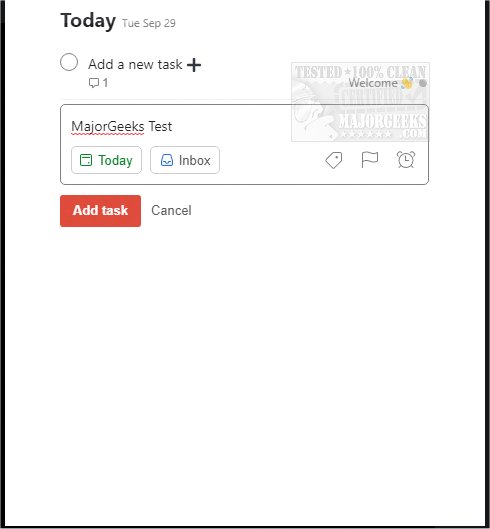
Todoist has recently released updates for its application on various platforms, including Chrome, Firefox, Edge, Safari, and Android version 12.19.0. This productivity tool is designed to help users effectively manage both work and personal tasks.
With Todoist, users can easily add frequently visited websites as tasks, such as saving articles for later reading or items for wishlists. The app allows for efficient planning of daily activities by enabling users to organize their tasks visually, making it simpler to keep track of what needs to be accomplished. Users can check off tasks directly from their browsers, minimizing the need to switch between different applications.
Todoist also offers over 60 app integrations, including popular services like Google Drive, Dropbox, Zapier, Evernote, and Slack. These integrations enhance the functionality of Todoist, making it a central hub for organizing both personal and professional tasks.
Key features of Todoist include:
- Capturing and organizing tasks as they come to mind.
- Setting reminders and due dates to ensure deadlines are met.
- Establishing recurring due dates to build lasting habits.
- Collaborating on projects by assigning tasks to team members.
- Prioritizing tasks with different priority levels.
- Tracking progress through personalized productivity trends.
To use Todoist, users must sign up with their email or through an existing account.
In addition to Todoist, users may benefit from related articles about managing apps on Windows, Chrome flags for an improved browsing experience, and tips for resetting or repairing popular web browsers like Chrome, Firefox, and Edge.
Overall, Todoist continues to be a powerful tool for enhancing productivity and organization in both personal and professional spheres. With its latest updates and extensive integrations, users can streamline their workflow and stay on top of their tasks more effectively than ever before
With Todoist, users can easily add frequently visited websites as tasks, such as saving articles for later reading or items for wishlists. The app allows for efficient planning of daily activities by enabling users to organize their tasks visually, making it simpler to keep track of what needs to be accomplished. Users can check off tasks directly from their browsers, minimizing the need to switch between different applications.
Todoist also offers over 60 app integrations, including popular services like Google Drive, Dropbox, Zapier, Evernote, and Slack. These integrations enhance the functionality of Todoist, making it a central hub for organizing both personal and professional tasks.
Key features of Todoist include:
- Capturing and organizing tasks as they come to mind.
- Setting reminders and due dates to ensure deadlines are met.
- Establishing recurring due dates to build lasting habits.
- Collaborating on projects by assigning tasks to team members.
- Prioritizing tasks with different priority levels.
- Tracking progress through personalized productivity trends.
To use Todoist, users must sign up with their email or through an existing account.
In addition to Todoist, users may benefit from related articles about managing apps on Windows, Chrome flags for an improved browsing experience, and tips for resetting or repairing popular web browsers like Chrome, Firefox, and Edge.
Overall, Todoist continues to be a powerful tool for enhancing productivity and organization in both personal and professional spheres. With its latest updates and extensive integrations, users can streamline their workflow and stay on top of their tasks more effectively than ever before
Todoist for Chrome, Firefox, Edge, Safari, and Android 12.19.0 released
Todoist for Chrome, Firefox, Edge, Safari, and Android is an efficient means for organizing your work and personal life.
Todoist for Chrome, Firefox, Edge, Safari, and Android 12.19.0 released @ MajorGeeks