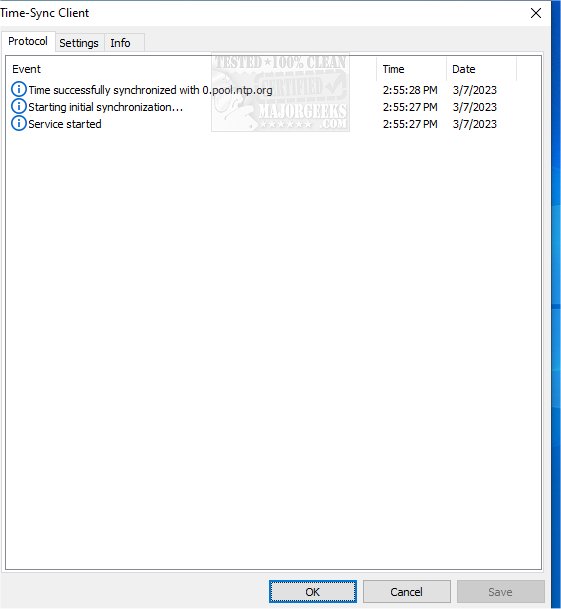
Time-Sync 1.91 has been released, offering a user-friendly solution for synchronizing system time effortlessly. This software operates seamlessly as a Windows service in the background, eliminating the need for tray icons and allowing users to focus on their tasks without disruption. The configuration process is straightforward, enabling users to set up to five redundant time servers. This redundancy ensures that if one server fails to respond, the next available server will be utilized automatically, enhancing reliability.
Time-Sync employs the Simple Network Time Protocol (SNT) as outlined in RFC 5905 and the Time protocol defined in RFC 868 to accurately transmit time data from the server to the client. This efficient design minimizes resource usage, making it a lightweight application suitable for various environments, whether over a Local Area Network (LAN) or the Internet.
Additionally, during installation, Time-Sync offers the capability to adjust Windows Firewall settings, allowing for immediate access to all its features without requiring further configuration. Key features of Time-Sync include:
- Easy configuration steps for quick setup.
- A streamlined installation and uninstallation process.
- Compliance with server and client standards as per RFC protocols.
- Availability of redundant time servers for enhanced reliability.
In summary, Time-Sync 1.91 is an efficient and reliable tool for system time synchronization that prioritizes ease of use and resource efficiency. As technology continues to evolve, future updates may introduce additional features, such as improved user interfaces, enhanced security protocols, or integration with more advanced network systems, thereby further solidifying Time-Sync's role in maintaining accurate system time across diverse platforms
Time-Sync employs the Simple Network Time Protocol (SNT) as outlined in RFC 5905 and the Time protocol defined in RFC 868 to accurately transmit time data from the server to the client. This efficient design minimizes resource usage, making it a lightweight application suitable for various environments, whether over a Local Area Network (LAN) or the Internet.
Additionally, during installation, Time-Sync offers the capability to adjust Windows Firewall settings, allowing for immediate access to all its features without requiring further configuration. Key features of Time-Sync include:
- Easy configuration steps for quick setup.
- A streamlined installation and uninstallation process.
- Compliance with server and client standards as per RFC protocols.
- Availability of redundant time servers for enhanced reliability.
In summary, Time-Sync 1.91 is an efficient and reliable tool for system time synchronization that prioritizes ease of use and resource efficiency. As technology continues to evolve, future updates may introduce additional features, such as improved user interfaces, enhanced security protocols, or integration with more advanced network systems, thereby further solidifying Time-Sync's role in maintaining accurate system time across diverse platforms
Time-Sync 1.91 released
Time-Sync enables time synchronization of your system through a straightforward app.