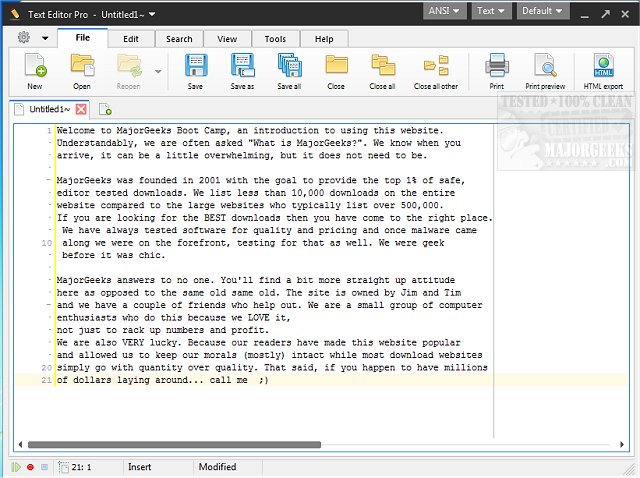
Text Editor Pro has recently released version 36.0.0, enhancing its reputation as a powerful text editing tool originally known as EditBone. This software stands out for its extensive features, such as syntax highlighting for multiple programming languages including HTML, Python, and Ruby, making it an ideal choice for developers. With over 100 customization options and ready-made skins, users can personalize their experience to suit their workflow.
The application's dual-panel interface offers great flexibility, allowing users to work in single, double, or triple-column layouts. This design facilitates simultaneous project management without feeling restricted, enhancing productivity. The Directory function is particularly noteworthy, as it simplifies file navigation and management directly within the application. Advanced features like Text Compare enable users to open and analyze two documents side by side, highlighting differences to streamline the review process.
Another significant addition is the Macro feature, which records repetitive tasks to save time. Users can easily replay these macros to automate mundane actions with a simple hotkey, ultimately optimizing their coding workflow.
Beyond basic editing, Text Editor Pro includes an intuitive numerical unit conversion tool and supports sophisticated formatting for JSON, SQL, and XML. Its advanced code and text folding features allow for efficient navigation through large documents or complex codebases.
In summary, Text Editor Pro is an exceptional text editing solution that combines versatility, user-friendliness, and powerful tools, making it indispensable for anyone looking to elevate their text editing experience. The software's continuous updates and enhancements ensure that it remains relevant and useful for both novice and experienced users alike.
In the future, it would be beneficial for Text Editor Pro to expand its language support further, integrate additional collaborative features for team-based projects, and enhance its cloud capabilities to allow seamless access across devices
The application's dual-panel interface offers great flexibility, allowing users to work in single, double, or triple-column layouts. This design facilitates simultaneous project management without feeling restricted, enhancing productivity. The Directory function is particularly noteworthy, as it simplifies file navigation and management directly within the application. Advanced features like Text Compare enable users to open and analyze two documents side by side, highlighting differences to streamline the review process.
Another significant addition is the Macro feature, which records repetitive tasks to save time. Users can easily replay these macros to automate mundane actions with a simple hotkey, ultimately optimizing their coding workflow.
Beyond basic editing, Text Editor Pro includes an intuitive numerical unit conversion tool and supports sophisticated formatting for JSON, SQL, and XML. Its advanced code and text folding features allow for efficient navigation through large documents or complex codebases.
In summary, Text Editor Pro is an exceptional text editing solution that combines versatility, user-friendliness, and powerful tools, making it indispensable for anyone looking to elevate their text editing experience. The software's continuous updates and enhancements ensure that it remains relevant and useful for both novice and experienced users alike.
In the future, it would be beneficial for Text Editor Pro to expand its language support further, integrate additional collaborative features for team-based projects, and enhance its cloud capabilities to allow seamless access across devices
Text Editor Pro 36.0.0 released
Text Editor Pro (formerly EditBone) is a powerful text editing tool with syntax highlighting multiple languages and scripts.