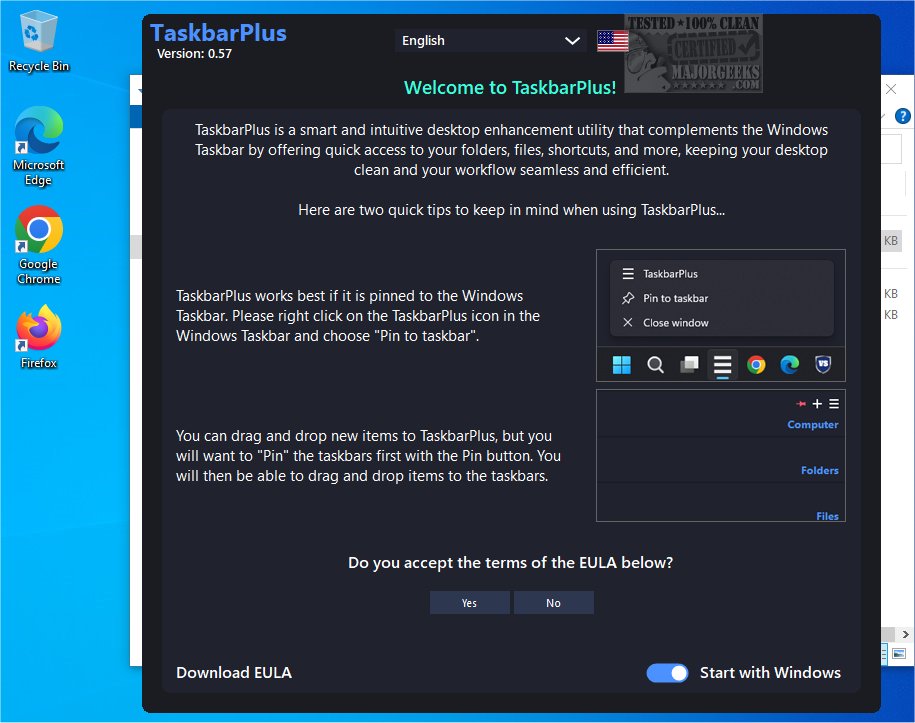
TaskbarPlus 0.59 has been released, introducing a powerful desktop enhancement utility that significantly improves the functionality of the Windows Taskbar. This tool is designed to provide users with seamless access to their essential folders, files, shortcuts, and resources while promoting a clutter-free desktop environment.
Overview of TaskbarPlus
TaskbarPlus is a user-friendly application that enriches the desktop experience by allowing users to organize frequently used items for quick retrieval. Its intuitive interface supports easy customization, enhancing productivity by reducing time spent navigating through the system. Users are encouraged to pin TaskbarPlus to the Windows taskbar for immediate access to all their shortcuts, streamlining daily tasks and enabling users to focus on their priorities.
Key Features of TaskbarPlus
With TaskbarPlus, users can effortlessly manage and organize shortcuts, links, and applications into separate taskbars. The application comes with several predefined taskbars that categorize launchers for common applications, folders, files, and system utilities such as Run, Notepad, RegEdit, and Group Policy. Users also have the flexibility to create custom notes that serve as reminders, which can be displayed directly on the desktop.
Moreover, TaskbarPlus allows the addition of new items to existing taskbars or the creation of entirely new taskbars from scratch. These can be assigned to predefined categories like Development, Entertainment, Finance, Media, Personal, or Projects, or users can create their own categories. The application also supports the creation of link taskbars for quicker access to various resources.
User Experience and Productivity
The innovative design of TaskbarPlus helps users consolidate all their shortcuts, folders, and important links into a tidy space, significantly reducing desktop clutter and enhancing workspace efficiency. A standout feature is the customizable Post-it notes, which can be placed directly on the desktop, ensuring that important tasks and information remain visible and easily accessible.
Conclusion
TaskbarPlus is an exceptional tool that transforms the desktop environment into a more organized and productive workspace. Its features cater to those looking to streamline their workflow and enhance creativity. By adopting TaskbarPlus, users can create a personalized and efficient digital workspace that minimizes distractions and maximizes productivity.
In future updates, potential enhancements could include more advanced organizational tools, integration with cloud services for easier file access, and additional customization options for the Post-it notes, allowing for richer content and reminders. This continuous evolution of TaskbarPlus will likely make it an indispensable tool for Windows users seeking to optimize their desktop experience
Overview of TaskbarPlus
TaskbarPlus is a user-friendly application that enriches the desktop experience by allowing users to organize frequently used items for quick retrieval. Its intuitive interface supports easy customization, enhancing productivity by reducing time spent navigating through the system. Users are encouraged to pin TaskbarPlus to the Windows taskbar for immediate access to all their shortcuts, streamlining daily tasks and enabling users to focus on their priorities.
Key Features of TaskbarPlus
With TaskbarPlus, users can effortlessly manage and organize shortcuts, links, and applications into separate taskbars. The application comes with several predefined taskbars that categorize launchers for common applications, folders, files, and system utilities such as Run, Notepad, RegEdit, and Group Policy. Users also have the flexibility to create custom notes that serve as reminders, which can be displayed directly on the desktop.
Moreover, TaskbarPlus allows the addition of new items to existing taskbars or the creation of entirely new taskbars from scratch. These can be assigned to predefined categories like Development, Entertainment, Finance, Media, Personal, or Projects, or users can create their own categories. The application also supports the creation of link taskbars for quicker access to various resources.
User Experience and Productivity
The innovative design of TaskbarPlus helps users consolidate all their shortcuts, folders, and important links into a tidy space, significantly reducing desktop clutter and enhancing workspace efficiency. A standout feature is the customizable Post-it notes, which can be placed directly on the desktop, ensuring that important tasks and information remain visible and easily accessible.
Conclusion
TaskbarPlus is an exceptional tool that transforms the desktop environment into a more organized and productive workspace. Its features cater to those looking to streamline their workflow and enhance creativity. By adopting TaskbarPlus, users can create a personalized and efficient digital workspace that minimizes distractions and maximizes productivity.
In future updates, potential enhancements could include more advanced organizational tools, integration with cloud services for easier file access, and additional customization options for the Post-it notes, allowing for richer content and reminders. This continuous evolution of TaskbarPlus will likely make it an indispensable tool for Windows users seeking to optimize their desktop experience
TaskbarPlus 0.59 released
TaskbarPlus is an innovative and user-friendly desktop enhancement utility designed to enrich the functionality of the Windows Taskbar. It provides seamless access to your folders, files, shortcuts, and other important resources, all while maintaining a clutter-free desktop environment.