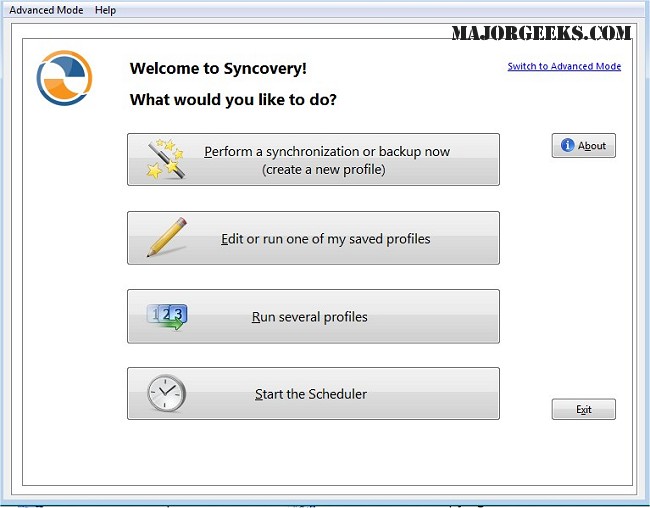
Syncovery 11.13.7 has been released, enhancing its capabilities as a file management tool that streamlines the process of copying, backing up, and synchronizing data across a variety of platforms, such as PCs, Macs, servers, and cloud storage services. With its user-friendly interface, Syncovery allows users to keep their data organized and current according to individual specifications.
The software offers highly customizable manual and automated job configurations, enabling users to tailor their data management to their unique needs. These jobs can be scheduled to run automatically, providing flexibility that is essential for efficient data handling. Syncovery's compatibility with diverse storage options, including local drives, network drives, and mounted volumes, ensures that users have comprehensive access to their data.
Furthermore, Syncovery supports a wide range of protocols, such as FTP, SSH, HTTP, and WebDAV, as well as popular cloud services like Amazon S3 and Google Docs. This extensive support facilitates smooth data transfers across various platforms and environments. The software also includes features like ZIP compression to reduce file sizes during transfers and encryption options to protect sensitive data. For Windows users, the built-in scheduler can operate as a service, allowing tasks to run in the background without needing a user to be logged in, which is particularly beneficial in unattended settings.
In terms of synchronization, Syncovery provides several modes to meet different requirements. These include Standard Copying, Exact Mirror, and SmartTracking, each designed to cater to specific synchronization needs and optimize the update process. This versatility positions Syncovery as a robust solution for both data synchronization and backup.
In conclusion, Syncovery is a powerful tool that simplifies the management of files and entire folder structures across multiple devices and storage locations. It ensures that data remains organized, secure, and easily accessible, giving users peace of mind knowing that their information is well-protected. As data management needs continue to evolve, Syncovery stands out as an essential resource for individuals and businesses looking to maintain the integrity and accessibility of their data. Future updates may further enhance its features, making it an even more indispensable tool for data management
The software offers highly customizable manual and automated job configurations, enabling users to tailor their data management to their unique needs. These jobs can be scheduled to run automatically, providing flexibility that is essential for efficient data handling. Syncovery's compatibility with diverse storage options, including local drives, network drives, and mounted volumes, ensures that users have comprehensive access to their data.
Furthermore, Syncovery supports a wide range of protocols, such as FTP, SSH, HTTP, and WebDAV, as well as popular cloud services like Amazon S3 and Google Docs. This extensive support facilitates smooth data transfers across various platforms and environments. The software also includes features like ZIP compression to reduce file sizes during transfers and encryption options to protect sensitive data. For Windows users, the built-in scheduler can operate as a service, allowing tasks to run in the background without needing a user to be logged in, which is particularly beneficial in unattended settings.
In terms of synchronization, Syncovery provides several modes to meet different requirements. These include Standard Copying, Exact Mirror, and SmartTracking, each designed to cater to specific synchronization needs and optimize the update process. This versatility positions Syncovery as a robust solution for both data synchronization and backup.
In conclusion, Syncovery is a powerful tool that simplifies the management of files and entire folder structures across multiple devices and storage locations. It ensures that data remains organized, secure, and easily accessible, giving users peace of mind knowing that their information is well-protected. As data management needs continue to evolve, Syncovery stands out as an essential resource for individuals and businesses looking to maintain the integrity and accessibility of their data. Future updates may further enhance its features, making it an even more indispensable tool for data management
Syncovery 11.13.7 released
Syncovery allows you to seamlessly manage files between PCs, Macs, servers, notebooks, and online storage solutions. It ensures your data is organized and up-to-date according to your specific requirements.