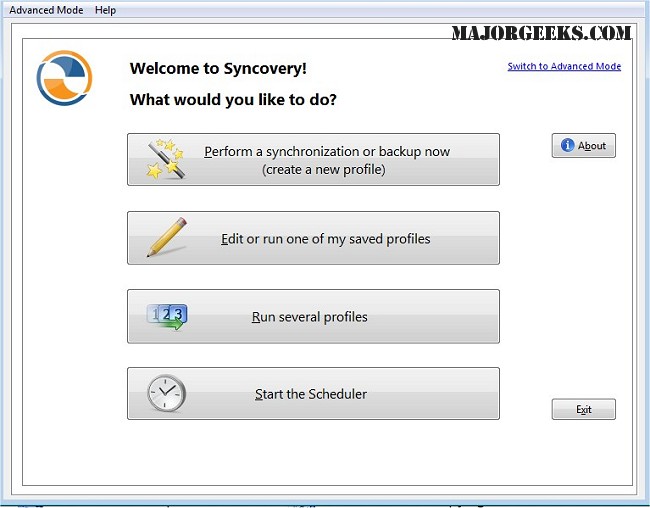
Syncovery 11.11.12 has been launched, enhancing its capabilities for effective file management across various devices and platforms. This versatile tool empowers users to efficiently handle files between PCs, Macs, servers, notebooks, and a wide array of online storage solutions, ensuring that data is systematically organized and consistently updated to meet individual requirements.
2. Protocol and Cloud Services Support: Syncovery supports numerous protocols such as FTP, SSH, HTTP, and WebDAV, along with cloud storage solutions like Amazon S3 and Google Docs, facilitating efficient data transfer across different platforms.
3. Zip Compression and Encryption: The software includes features like ZIP compression to reduce file sizes during transfers and encryption options to protect sensitive information. On Windows systems, the scheduler can run as a service, allowing tasks to be executed in the background without requiring users to be logged in.
4. Synchronization Modes: Syncovery offers various synchronization modes, including:
- Standard Copying: Copies files from source to destination.
- Exact Mirror: Ensures that the destination is an exact replica of the source.
- SmartTracking: Intelligently tracks changes to optimize the update process.
In conclusion, Syncovery 11.11.12 is a powerful ally for anyone looking to streamline their file management processes while ensuring data integrity and security
What is Syncovery?
Syncovery is an advanced software application designed specifically for file copying, data backup, and synchronization. It allows users to create customized jobs that can be executed either manually or through an automated scheduler, providing a high degree of flexibility in data management. The software integrates seamlessly with multiple storage options, including local hard drives, network drives, and any additional mounted volumes, ensuring comprehensive data accessibility.Key Features of Syncovery
1. Customized Manual and Automated Jobs: Users can configure a variety of jobs tailored to their specific needs, offering the flexibility to manage data efficiently.2. Protocol and Cloud Services Support: Syncovery supports numerous protocols such as FTP, SSH, HTTP, and WebDAV, along with cloud storage solutions like Amazon S3 and Google Docs, facilitating efficient data transfer across different platforms.
3. Zip Compression and Encryption: The software includes features like ZIP compression to reduce file sizes during transfers and encryption options to protect sensitive information. On Windows systems, the scheduler can run as a service, allowing tasks to be executed in the background without requiring users to be logged in.
4. Synchronization Modes: Syncovery offers various synchronization modes, including:
- Standard Copying: Copies files from source to destination.
- Exact Mirror: Ensures that the destination is an exact replica of the source.
- SmartTracking: Intelligently tracks changes to optimize the update process.
Geek Verdict
Syncovery is an exceptional tool that simplifies the synchronization and backup of files and entire folder structures across multiple locations. It not only makes data management effortless but also ensures that information remains organized and secure. Users can enjoy the convenience of consistently updated files, along with the peace of mind that comes from knowing their data is protected.Future Enhancements
As Syncovery continues to evolve, future updates may introduce even more advanced features, such as enhanced AI-driven automation for smarter data management, improved user interfaces for greater accessibility, and expanded compatibility with emerging cloud services and protocols. This commitment to innovation will further solidify Syncovery's position as a leader in file management solutions, catering to the evolving needs of both individual users and enterprises.In conclusion, Syncovery 11.11.12 is a powerful ally for anyone looking to streamline their file management processes while ensuring data integrity and security
Syncovery 11.11.12 released
Syncovery allows you to seamlessly manage files between PCs, Macs, servers, notebooks, and online storage solutions. It ensures your data is organized and up-to-date according to your specific requirements.