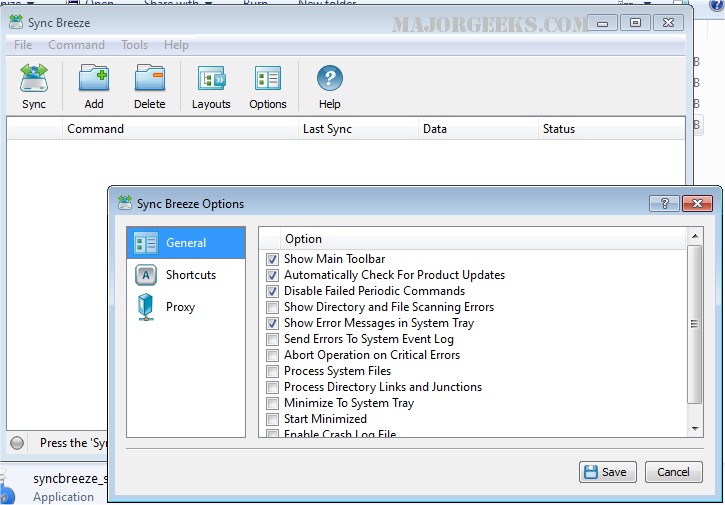
SyncBreeze 17.6.28 has been released, enhancing its reputation as a robust and user-friendly file synchronization solution. This software allows users to seamlessly synchronize files across various platforms, including disks, directories, network shares, and NAS storage devices.
The latest version offers an array of features that enable users to configure multiple file synchronization commands tailored to their needs. It supports background periodic and real-time synchronization operations, ensuring files are always updated. Users can also save synchronization logs and receive email notifications in case of any failures during the synchronization process.
SyncBreeze presents several synchronization modes, including one-way and two-way options. It allows for periodic and compressed synchronization, as well as the ability to synchronize specific file types while excluding certain directories. This flexibility simplifies the management of numerous storage devices.
Additionally, the software includes a preview feature that lets users choose specific synchronization actions, and a stream file synchronization mode that operates without the need for a preview dialog, making it suitable for synchronizing extensive file systems containing millions of files efficiently.
In conclusion, SyncBreeze 17.6.28 is a powerful tool for both personal and professional use, providing advanced synchronization functionalities that cater to a variety of user needs. With its intuitive interface and extensive customization options, it is an ideal solution for anyone looking to maintain organized and synchronized file systems across multiple storage locations.
Looking ahead, users can anticipate further enhancements and features in future releases, potentially including improved user interface elements, additional integration with cloud storage solutions, and enhanced security measures to protect sensitive data during synchronization
The latest version offers an array of features that enable users to configure multiple file synchronization commands tailored to their needs. It supports background periodic and real-time synchronization operations, ensuring files are always updated. Users can also save synchronization logs and receive email notifications in case of any failures during the synchronization process.
SyncBreeze presents several synchronization modes, including one-way and two-way options. It allows for periodic and compressed synchronization, as well as the ability to synchronize specific file types while excluding certain directories. This flexibility simplifies the management of numerous storage devices.
Additionally, the software includes a preview feature that lets users choose specific synchronization actions, and a stream file synchronization mode that operates without the need for a preview dialog, making it suitable for synchronizing extensive file systems containing millions of files efficiently.
In conclusion, SyncBreeze 17.6.28 is a powerful tool for both personal and professional use, providing advanced synchronization functionalities that cater to a variety of user needs. With its intuitive interface and extensive customization options, it is an ideal solution for anyone looking to maintain organized and synchronized file systems across multiple storage locations.
Looking ahead, users can anticipate further enhancements and features in future releases, potentially including improved user interface elements, additional integration with cloud storage solutions, and enhanced security measures to protect sensitive data during synchronization
SyncBreeze 17.6.28 released
SyncBreeze is a powerful, easy-to-use, and fast file synchronization solution allowing one to synchronize files between disks, directories, network shares, and NAS storage devices.