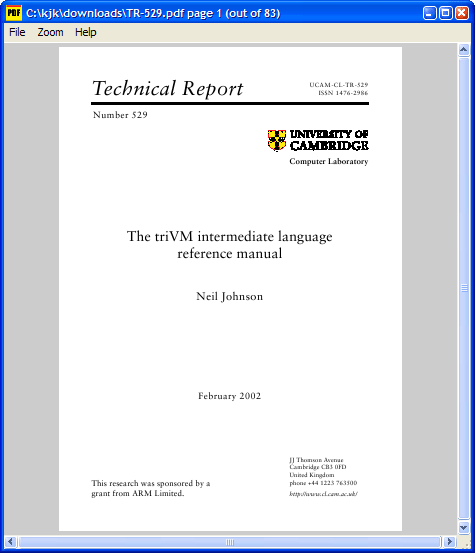
Sumatra PDF version 3.6.1 has been released, continuing its legacy as a lightweight, free, and open-source PDF viewer that prioritizes portability. Designed for easy use from external USB drives, Sumatra PDF supports various document formats, including PDF, DjVu, CHM, XPS, and comic book files, making it a versatile tool for users.
The software boasts a user-friendly interface that allows for simple navigation and document management. Users can open files through the menu or by dragging and dropping them into the application. It features keyboard shortcuts for efficient navigation, such as using the 'p' key to go to the previous page, the 'n' key for the next page, and 'q' to exit the application. Additionally, users can adjust zoom levels directly from the menu for tailored viewing experiences.
Sumatra PDF stands out due to its emphasis on simplicity, making it an enjoyable choice for users who seek a straightforward PDF viewing experience without unnecessary complexity.
In the future, the development team may consider adding features such as advanced annotation tools, improved search capabilities, or cloud integration to enhance user experience further and keep pace with evolving user needs. Furthermore, expanding compatibility with additional file formats could attract a broader audience. Overall, Sumatra PDF remains a reliable option for anyone looking for an efficient and easy-to-use PDF viewer
The software boasts a user-friendly interface that allows for simple navigation and document management. Users can open files through the menu or by dragging and dropping them into the application. It features keyboard shortcuts for efficient navigation, such as using the 'p' key to go to the previous page, the 'n' key for the next page, and 'q' to exit the application. Additionally, users can adjust zoom levels directly from the menu for tailored viewing experiences.
Sumatra PDF stands out due to its emphasis on simplicity, making it an enjoyable choice for users who seek a straightforward PDF viewing experience without unnecessary complexity.
In the future, the development team may consider adding features such as advanced annotation tools, improved search capabilities, or cloud integration to enhance user experience further and keep pace with evolving user needs. Furthermore, expanding compatibility with additional file formats could attract a broader audience. Overall, Sumatra PDF remains a reliable option for anyone looking for an efficient and easy-to-use PDF viewer
Sumatra PDF 3.6.1 released
Sumatra PDF is a slim, free, open-source PDF viewer designed for portable use so you can easily run it from an external USB drive.