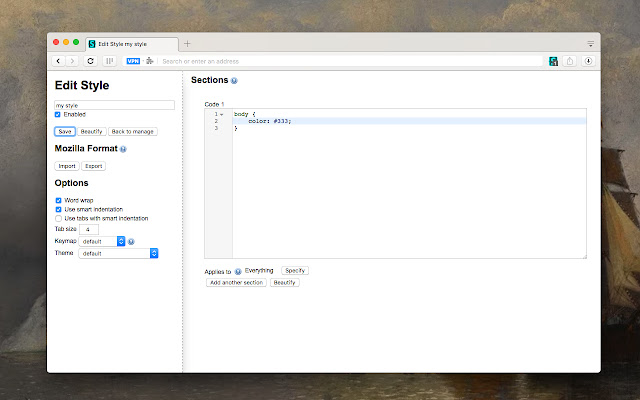
The latest version 2.3.18 of Stylus has been released for Chrome, Firefox, and Opera, enhancing the way users can customize their web experience. Stylus is a user styles manager that enables easy installation of themes and skins for a variety of popular websites. With an active development team and a supportive community, Stylus allows users to redesign their favorite sites effortlessly.
Key features of Stylus include:
- Versatile Theme Installation: Users can install themes from well-known online repositories or through .user.CSS and .user styles URLs, as outlined in the Usercss format documentation available on GitHub.
- Database Backup: A backup feature is included, allowing users to safeguard their entire collection of installed styles, ensuring compatibility with other user style managers.
- Automatic Updates: Stylus comes with an intuitive and configurable function to automatically update installed styles, keeping users’ themes current.
- Customizable User Interface: The UI is highly customizable, allowing users to alter themes, layouts, icon colors, and various other aspects to suit their preferences.
- Code Validation: Stylus offers two different optional code validators, which can be customized according to the user's rules, enhancing the coding experience.
In summary, Stylus for Chrome, Firefox, and Opera is a powerful tool for users looking to personalize their browsing experience through custom styles and themes. With its robust features and user-friendly interface, it stands out as a go-to solution for web customization. As web design trends evolve, Stylus is poised to adapt and incorporate new functionalities, ensuring that users can continue to enjoy a tailored web experience
Key features of Stylus include:
- Versatile Theme Installation: Users can install themes from well-known online repositories or through .user.CSS and .user styles URLs, as outlined in the Usercss format documentation available on GitHub.
- Database Backup: A backup feature is included, allowing users to safeguard their entire collection of installed styles, ensuring compatibility with other user style managers.
- Automatic Updates: Stylus comes with an intuitive and configurable function to automatically update installed styles, keeping users’ themes current.
- Customizable User Interface: The UI is highly customizable, allowing users to alter themes, layouts, icon colors, and various other aspects to suit their preferences.
- Code Validation: Stylus offers two different optional code validators, which can be customized according to the user's rules, enhancing the coding experience.
In summary, Stylus for Chrome, Firefox, and Opera is a powerful tool for users looking to personalize their browsing experience through custom styles and themes. With its robust features and user-friendly interface, it stands out as a go-to solution for web customization. As web design trends evolve, Stylus is poised to adapt and incorporate new functionalities, ensuring that users can continue to enjoy a tailored web experience
Stylus for Chrome, Firefox, and Opera 2.3.18 released
Stylus for Chrome, Firefox, and Opera allows you to install themes and skins for many popular sites easily.
Stylus for Chrome, Firefox, and Opera 2.3.18 released @ MajorGeeks